
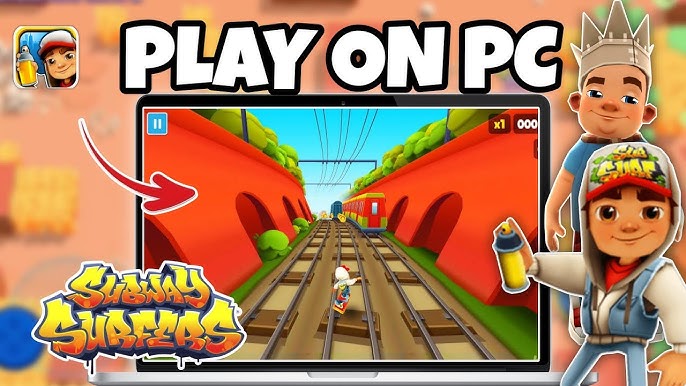
Subway Surfers is one of the most iconic mobile games, known for its fast-paced, endless running action and vibrant, colorful graphics. First released in 2012, the game quickly became a global phenomenon, attracting millions of players who spent countless hours dodging trains, collecting coins, and unlocking new characters and power-ups. While it was originally designed for mobile platforms like iOS and Android, many players now want to enjoy the game on a larger screen with the added benefits of precise controls and enhanced graphics. Fortunately, with the help of Android emulators, it’s entirely possible to play Subway Surfers on your PC. In this guide, we’ll walk you through the process of setting up Subway Surfers on your computer, including installation, gameplay tips, and advantages of playing on PC.
1. Setting Up Subway Surfers on PC
To play Subway Surfers on your PC, you’ll need to use an Android emulator. These software programs mimic the Android operating system, allowing you to run Android apps on your computer just like you would on a mobile device. There are several reliable Android emulators available for free download, but Bluestacks, NoxPlayer, and LDPlayer are among the most popular and widely used.
Step 1: Download and Install an Emulator
The first step is to download an Android emulator. Bluestacks is often recommended for its user-friendly interface and stable performance. To get started, simply visit the Bluestacks website, download the installer for your operating system (Windows or Mac), and follow the installation prompts. Once the installation is complete, launch the emulator.
Step 2: Set Up the Emulator
After installing the emulator, you’ll need to set it up by signing into your Google account. This step is necessary to access the Google Play Store and download apps directly onto your emulator. If you don’t have a Google account, you can easily create one for free.
Step 3: Install Subway Surfers
Once you’re logged into the Google Play Store within the emulator, search for “Subway Surfers” in the search bar. Click on the game in the search results and hit the “Install” button. The game will be downloaded and installed within the emulator, just like it would on a mobile device.
Step 4: Launch and Start Playing
After the installation is complete, you can launch Subway Surfers by clicking on the game icon within the emulator’s interface. From here, you can start playing the game and enjoy all the fun of Subway Surfers on a bigger screen.
2. Playing Subway Surfers on PC: Controls and Gameplay Tips
Playing Subway Surfers on PC can offer a better gaming experience compared to playing on a mobile device. One of the primary advantages of playing on a PC is the ability to use a keyboard and mouse for controls, offering more precision and comfort.
Using the Keyboard for Controls
Most emulators, including Bluestacks, allow you to use the keyboard to control your character in Subway Surfers. The default controls typically include the arrow keys for movement (up, down, left, and right), which will correspond to jumping, sliding, and dodging. For example, using the up arrow allows you to jump over obstacles, while the down arrow makes your character slide under low-hanging obstacles. The left and right arrows allow you to move between different lanes.
You can also customize the controls within the emulator to suit your preferences, including reassigning keys or adding new shortcuts for more flexibility.
Mastering the Gameplay
Subway Surfers is an endless runner, which means that you run indefinitely through a subway system, trying to avoid various obstacles such as trains, barricades, and tunnels. The goal is to collect as many coins and power-ups as possible while avoiding these obstacles. Along the way, you can use power-ups like jetpacks, magnets, and super sneakers to help you achieve higher scores.
To increase your score, it’s important to stay focused on the action and use your reflexes to avoid collisions. As you progress, the game gets faster, so being quick with your reactions is key. Practice regularly to improve your skills and increase your chances of beating your high score.
Power-ups and Collectibles
One of the most exciting features of Subway Surfers is the wide variety of power-ups and special items available in the game. Power-ups such as the magnet allow you to collect coins automatically for a limited time, while the jetpack propels you into the air, letting you avoid obstacles for a while. Super sneakers boost your speed, and the hoverboard lets you ride along the tracks without getting hit by obstacles for a short period. Each power-up can be used strategically to help you extend your run and increase your score.
Additionally, Subway Surfers features special characters and skins that can be unlocked as you progress through the game. These characters offer unique abilities and add variety to the game, making each session a little different.

3. Advantages of Playing Subway Surfers on PC
There are several benefits to playing Subway Surfers on PC instead of on a mobile device.
Larger Screen for Better Visuals
One of the most obvious advantages of playing on PC is the larger screen. With a bigger display, you can see more of the game’s environment, which is particularly helpful when dodging obstacles or collecting power-ups. The enhanced graphics also allow for a clearer and more immersive gaming experience. Subway Surfers’ bright, colorful graphics look great on a full-sized computer screen.
Precise Controls with Keyboard and Mouse
Playing with a keyboard or mouse provides better control than the touch-based controls of mobile devices. The accuracy of pressing a key or clicking a mouse helps players react more quickly to obstacles, leading to better gameplay. Customizing key bindings can also enhance your comfort and make the game more enjoyable.
No Battery Drain or Storage Concerns
Playing on PC eliminates the issue of mobile battery drain. Since Subway Surfers can be an addictive game, long gaming sessions on your phone can quickly deplete your battery. With a computer, you can play without worrying about running out of power. Additionally, playing on PC means that you don’t have to worry about storing the game on your phone, freeing up valuable space for other apps.
Better Performance on High-End PCs
If you have a high-performance PC, you’ll likely experience smoother gameplay with higher frame rates compared to mobile devices. PC gaming often offers better performance overall, reducing the chances of lagging or stuttering during intense moments in the game.
4. Troubleshooting Common Issues
While playing Subway Surfers on PC is relatively straightforward, there are a few common issues that players may encounter.
Emulator Performance Issues
If you notice lag or poor performance, try adjusting the emulator’s settings. Most emulators allow you to allocate more RAM and CPU to the emulator, which can improve performance. Additionally, make sure your PC meets the system requirements for the emulator.
Connectivity Issues
If you experience issues with connecting your Google account or downloading Subway Surfers, check your internet connection and ensure that the Google Play Store is functioning correctly within the emulator.
Game Crashes or Freezes
If the game crashes or freezes during gameplay, try restarting the emulator or updating to the latest version of the software. You can also check the emulator’s settings for any conflicting settings that might be causing the issue.
Conclusion
Playing Subway Surfers on your PC can be an incredibly rewarding experience. The larger screen, precise controls, and improved performance make it a fun way to enjoy the game even more. By following the steps outlined in this guide, you’ll be able to easily set up Subway Surfers on your computer, master the gameplay, and maximize your high scores. Whether you’re a seasoned Subway Surfers player or new to the game, playing it on your PC offers a unique and enjoyable way to experience this timeless endless runner. Happy gaming!
FAQ
FAQ: How to Play Subway Surfers on PC
1. Can I play Subway Surfers on my PC for free?
Yes, you can play Subway Surfers on your PC for free by using an Android emulator like Bluestacks, NoxPlayer, or LDPlayer. These emulators allow you to run Android apps, including Subway Surfers, on your computer at no cost.
2. Do I need to have a Google account to play Subway Surfers on PC?
Yes, you’ll need a Google account to access the Google Play Store within the emulator. This is necessary for downloading Subway Surfers and other apps. If you don’t have a Google account, you can easily create one for free.
3. What are the system requirements for running an emulator and Subway Surfers on PC?
The basic system requirements for running most Android emulators are:
- Windows: Windows 7 or higher, 4 GB RAM, 5 GB of disk space, and an Intel or AMD processor.
- Mac: macOS Sierra or higher, 4 GB RAM, 5 GB of disk space, and an Intel processor. Check the emulator’s website for specific requirements, as some may vary based on the emulator version.
4. How do I control Subway Surfers on my PC?
When playing Subway Surfers on a PC using an emulator, you can use your keyboard or mouse to control the game. The default controls typically involve the arrow keys for movement: up for jumping, down for sliding, and left and right for switching lanes. You can customize these controls in the emulator’s settings to suit your preferences.
5. Is it better to play Subway Surfers on PC than on mobile?
Playing Subway Surfers on PC offers several advantages, including a larger screen for better visibility, more precise controls with a keyboard or mouse, and the ability to play without worrying about battery life. It also provides a smoother performance, especially on high-end PCs.
6. How do I install Subway Surfers on my PC?
To install Subway Surfers on your PC, download and install an Android emulator (e.g., Bluestacks), sign in with your Google account, and search for Subway Surfers in the Google Play Store. Once you find it, click “Install” to download the game. After installation, you can start playing right away.
7. Can I use a controller to play Subway Surfers on PC?
While most emulators support keyboard and mouse controls, some emulators may also support game controllers. You can connect a controller to your PC and configure it within the emulator’s settings if you prefer to play with a gamepad. However, the default and most recommended method is using a keyboard and mouse for precise controls.
8. What if Subway Surfers is not running smoothly on my PC?
If Subway Surfers is running slowly or encountering performance issues, try optimizing the emulator’s settings. You can allocate more RAM or CPU to the emulator to improve performance. Additionally, make sure that your graphics drivers are up to date and that your PC meets the system requirements for the emulator.
9. Is there a way to speed up my progress or unlock more characters in Subway Surfers on PC?
In Subway Surfers, you can speed up your progress by collecting coins and using power-ups efficiently. You can unlock new characters and skins by completing in-game objectives, purchasing them with in-game currency, or using special event rewards. If you’re looking for tips to level up quickly, make sure to use power-ups like the jetpack and coin magnet strategically to maximize your earnings.
10. Are there any alternatives to Subway Surfers that I can play on PC?
Yes, if you enjoy Subway Surfers, you may like other endless runner games such as:
- Temple Run
- Jetpack Joyride
- Minion Rush
- Sonic Dash These games also provide fast-paced action and fun gameplay and can be easily played on PC with an emulator.
