


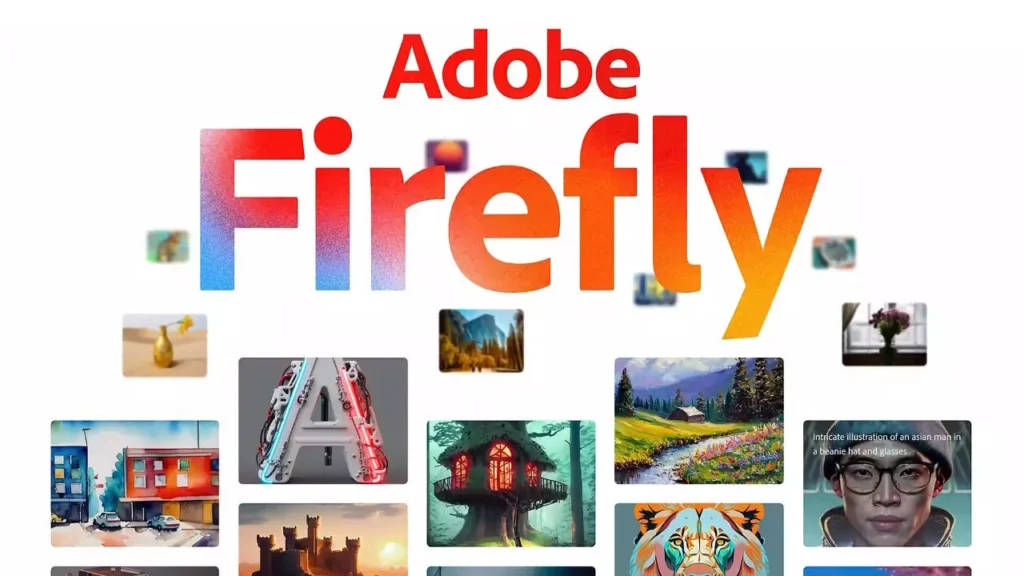
In recent years, artificial intelligence (AI) in creative design has grown at an incredible pace. Among the groundbreaking innovations, Adobe Firefly stands out as a powerful AI image-generation tool designed for creators, designers, marketers, and even beginners with no prior design experience. With Firefly, users can transform simple text prompts into stunning visuals, opening doors for unlimited creativity.
This guide, “Adobe Firefly: Turn Your Text Into Visuals A Beginner’s Guide,” will help you understand what Firefly is, how it works, its features, use cases, and tips for getting the most out of it.
What is Adobe Firefly?
Adobe Firefly is Adobe’s AI-powered creative tool that generates visuals, illustrations, images, and designs based on text prompts. Just type in what you want like “a watercolor painting of mountains during sunrise” and Firefly instantly creates a professional-looking image.
Unlike many AI art tools, Firefly is built into the Adobe ecosystem (Photoshop, Illustrator, and Adobe Express), making it a natural fit for both professional designers and everyday users.
Key highlights:
-
Text-to-Image: Turn descriptive text into visuals.
-
Generative Fill: Add, remove, or expand objects in photos seamlessly.
-
Text Effects: Apply artistic textures and styles to words and phrases.
-
Commercial Safety: Firefly is trained on licensed and safe content, making its outputs commercially usable.
How Does Adobe Firefly Work?
Adobe Firefly is powered by generative AI, which analyzes billions of images and styles, then uses that knowledge to create new, unique visuals from user prompts.
Here’s how it works step by step:
-
Input a text prompt – Describe the image or effect you want.
-
AI generates variations – Firefly provides multiple results instantly.
-
Customize – Adjust styles, colors, lighting, composition, and effects.
-
Export/Integrate – Download your image or use it directly in Photoshop, Illustrator, or Adobe Express.
Example:
-
Prompt: “A futuristic city skyline at night in cyberpunk style”
-
Firefly Output: Multiple stunning, high-resolution images in seconds.
Key Features of Adobe Firefly
1. Text-to-Image
The most popular feature just type a description, and Firefly brings your imagination to life.
2. Generative Fill
Available inside Photoshop, this feature lets you add, replace, or remove objects in images with realistic results.
3. Text Effects
Transform simple text into eye-catching typography with unique textures, patterns, and artistic styles.
4. Style Customization
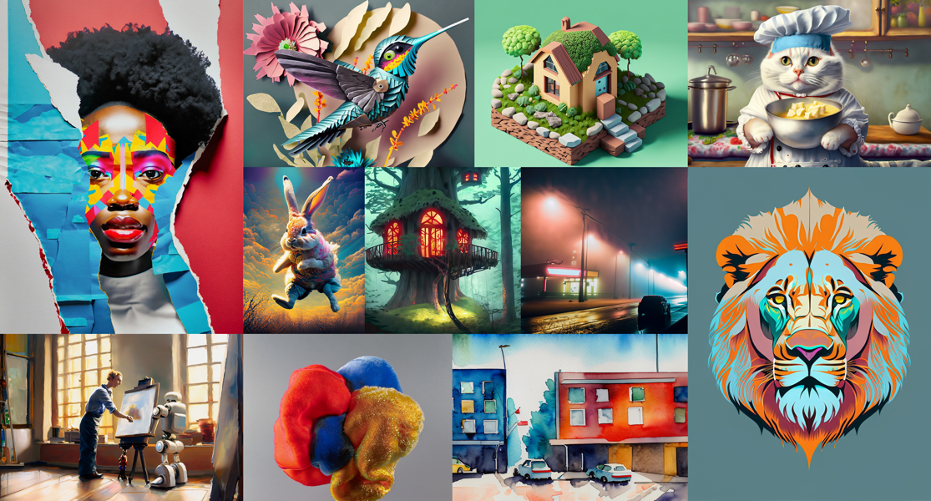
You can choose art styles such as watercolor, oil painting, 3D render, vector art, or photography.
5. Content Safety
Firefly is trained on licensed content (Adobe Stock, public domain), making it safer for commercial use.
Why Adobe Firefly is Great for Beginners
Unlike complex design software, Firefly is beginner-friendly. Here’s why:
-
No design skills required – Just type text, and AI does the rest.
-
Simple interface – Easy to navigate with clear customization options.
-
Learning-friendly – Provides quick results for experimentation.
-
Integration with Adobe tools – Seamlessly connects with Photoshop and Illustrator for advanced editing.
Use Cases of Adobe Firefly
1. For Students & Beginners
-
Create project visuals without needing advanced design skills.
-
Make posters, banners, and digital presentations quickly.
2. For Content Creators & Marketers
-
Generate social media graphics instantly.
-
Create ad visuals without expensive photo shoots.
3. For Designers
-
Speed up workflows by using AI for idea generation.
-
Experiment with styles before finalizing designs.
4. For Businesses
-
Design logos, infographics, and product mockups.
-
Use AI-generated visuals for branding and campaigns.
Pros and Cons of Adobe Firefly
Pros:
-
Easy to use (great for beginners).
-
High-quality results.
-
Safe for commercial use.
-
Integrated with Adobe Creative Cloud.
Cons:
-
Still evolving (not as flexible as standalone AI tools yet).
-
Requires an Adobe account.
-
Some features locked behind paid plans.
Tips for Beginners Using Adobe Firefly
-
Be specific in prompts – Instead of “a cat,” try “a fluffy Persian cat wearing glasses sitting on a chair.”
-
Experiment with styles – Try surreal, photorealistic, cartoon, or 3D art for variety.
-
Use modifiers – Add lighting, mood, colors, and details to improve outputs.
-
Refine results – Generate multiple versions and pick the best one.
-
Combine with Photoshop – Use Firefly inside Photoshop for advanced editing with Generative Fill.
The Future of Adobe Firefly
Adobe is continuously updating Firefly with:
-
More art styles and effects.
-
Deeper Photoshop and Illustrator integration.
-
AI-powered video generation in the future.
-
Faster, more accurate outputs for commercial users.
This makes Firefly not just a design tool, but a future creative companion for all skill levels.

Conclusion
Adobe Firefly is truly a game changer in the world of digital creativity. By turning text into visuals, it empowers beginners, professionals, and businesses to design faster, smarter, and more creatively. Whether you’re a student making a project, a marketer designing ad campaigns, or a designer experimenting with new ideas, Firefly opens the door to endless possibilities.
As AI continues to shape the creative industry, Adobe Firefly is leading the way making visual storytelling accessible to everyone.
FAQ
1. What is Adobe Firefly?
Adobe Firefly is an AI-powered creative tool by Adobe that allows users to generate images, designs, and text effects simply by typing prompts.
2. Is Adobe Firefly free to use?
Adobe Firefly has a free plan with limited credits, but advanced features and higher usage require an Adobe Creative Cloud subscription.
3. Do I need design skills to use Adobe Firefly?
No. Firefly is built for beginners and professionals alike. You can generate visuals by simply describing what you want in text.
4. Can I use Adobe Firefly for commercial projects?
Yes. Unlike some AI tools, Firefly is trained on licensed and safe content (Adobe Stock, public domain), making its outputs commercially safe to use.
5. What kind of visuals can Adobe Firefly create?
-
AI-generated images from text
-
Text effects (artistic fonts & textures)
-
Backgrounds and posters
-
Photo edits with Generative Fill
6. How does Generative Fill work in Photoshop with Firefly?
Generative Fill lets you add, remove, or expand objects in photos realistically using AI. For example, you can remove unwanted objects or expand an image beyond its original borders.
7. Does Adobe Firefly work offline?
No. Firefly is a cloud-based tool, so an internet connection is required to generate visuals.
8. Is Adobe Firefly available on mobile?
Yes. Firefly is integrated into Adobe Express mobile app and will likely expand into other mobile platforms over time.
9. Can Firefly replace professional designers?
Not entirely. While Firefly speeds up workflows and helps with idea generation, professional designers still add creativity, branding, and human touch that AI cannot fully replace.
10. What’s the future of Adobe Firefly?
Adobe is planning to enhance Firefly with more styles, better Photoshop/Illustrator integration, and possibly video generation, making it a must-have AI tool for creatives.