


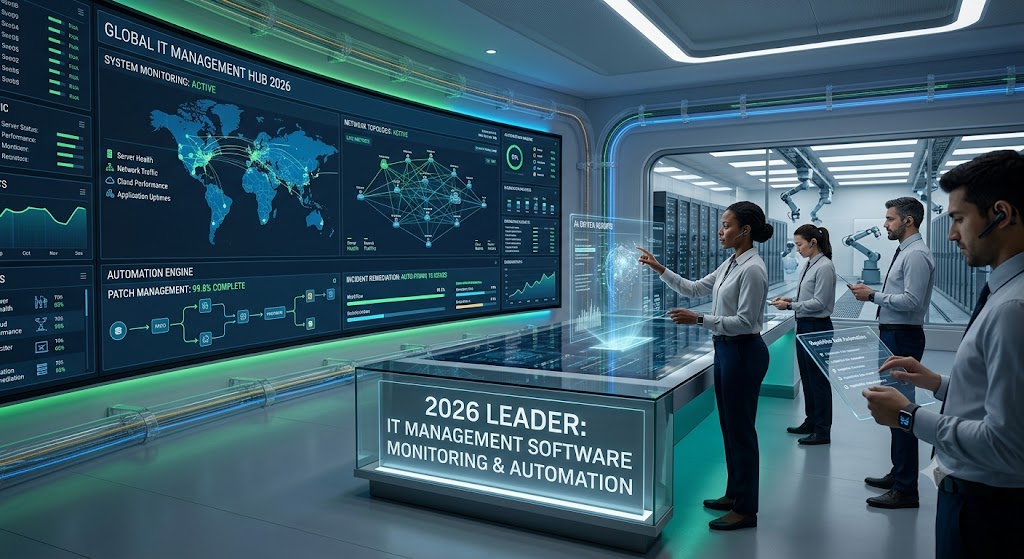
As businesses push forward with their digital transformation, IT infrastructure has become the backbone of modern operations. From cloud servers and networks to applications and endpoints, organizations rely heavily on technology to keep productivity, security, and customer satisfaction intact.Managing complex IT environments by hand just doesn’t cut it anymore. Companies need smart tools that monitor systems in real time, automate routine tasks, catch issues before they spiral, and offer useful insights.That’s where IT management software steps in.By 2026, modern IT management platforms blend system monitoring, automation, AI, cybersecurity, and analytics into one package. These tools help IT teams cut downtime, boost efficiency, and keep their infrastructure running smoothly.This guide dives into the top IT management software for system monitoring and automation in 2026, covering their features, benefits, and best-fit scenarios.
What Is IT Management Software?
IT management software is a set of tools made to monitor, manage, maintain, and automate IT infrastructure.These platforms usually help organizations handle servers, networks, applications, databases, cloud environments, endpoints, security systems, and user accounts.The main aim? To keep everything running smoothly, secure, and performing well while cutting down on manual work.
Why IT Management Software Is Important in 2026
Modern businesses face a bunch of IT challenges these days. Cybersecurity threats keep rising, hybrid work setups are becoming the norm, cloud adoption is growing fast, and IT ecosystems are getting more complex. On top of that, many organizations struggle with limited IT resources.
IT management software steps in here, offering better visibility and automation to tackle these issues head-on.
Key Benefits
Improved System Availability
Continuous monitoring helps avoid downtime before it disrupts operations.
Faster Issue Resolution
Teams can spot problems quickly and fix them without dragging things out.
Reduced Operational Costs
Automation cuts down on tedious manual tasks, saving time and money.
Enhanced Security
Many tools come with built-in threat detection and compliance checks.
Better Resource Utilization
Organizations get clear insights into system performance and capacity, making it easier to allocate resources wisely.
Essential Features to Look For
Before picking an IT management platform, make sure it includes these must-haves.
Real-Time Monitoring
Keeps a constant eye on your infrastructure’s performance.
Automated Alerts
Sends immediate notifications when something’s off.
Workflow Automation
Handles repetitive IT tasks so your team can focus on bigger issues.
Asset Management
Keeps track of all your hardware and software inventory.
Reporting and Analytics
Offers detailed insights into how your systems are performing.
Cloud Monitoring
Keeps tabs on your cloud infrastructure and services.
Security Integration
Supports vulnerability management and helps maintain compliance.
Top IT Management Software Solutions in 2026
1. ManageEngine OpManager
ManageEngine OpManager remains a popular choice for IT monitoring. It offers network, server, and virtualization monitoring, along with automated alerts and performance analytics.The interface is user-friendly, and the monitoring capabilities are solid. Plus, the pricing won’t break the bank. However, advanced customization can be tricky without some experience.Best For
Small to medium-sized businesses.
2. SolarWinds Network Performance Monitor
SolarWinds is still a trusted name in IT monitoring. It tracks network performance, runs automated diagnostics, maps infrastructure, and monitors bandwidth.The tools are powerful, and the dashboards are comprehensive. It scales well for enterprises but can get pricey.
Best For
Medium and large organizations.
3. Datadog
Datadog leads the way in cloud-native monitoring. It covers cloud and application monitoring, log management, security, and offers AI-powered insights.It supports cloud environments excellently and has a modern interface with strong integrations. Just be aware that costs can rise as your infrastructure grows.
Best For
Cloud-focused businesses.
4. NinjaOne
NinjaOne is popular for remote monitoring and management. It handles endpoint and patch management, remote access, and automation workflows.Deployment is easy, automation is strong, and remote management works great. However, enterprise-level analytics are somewhat limited.
Best For
Managed Service Providers (MSPs).
7. ServiceNow IT Operations Management
ServiceNow leads the way in enterprise IT workflows. It offers IT service management, workflow automation, incident management, and AI-powered operations.
Pros
Highly scalable
Powerful automation
Strong integrations
Cons
High cost
Best For
Large enterprises.
8. Zabbix
Zabbix stands out as a top open-source monitoring tool. It provides infrastructure monitoring, performance metrics, alerting, and custom dashboards.
Pros
Free and open source
Highly customizable
Strong community support
Cons
Requires technical expertise
Best For
Organizations with skilled IT teams.
9. LogicMonitor
LogicMonitor targets cloud and hybrid infrastructure monitoring. Its features include infrastructure monitoring, AI-powered analytics, cloud visibility, and automation.
Pros
Strong cloud monitoring
Easy deployment
Scalable
Cons
Premium pricing
Best For
Hybrid IT environments.
10. Dynatrace
Dynatrace is known for advanced AI-powered observability. It covers full-stack monitoring, application performance, AI root-cause analysis, and cloud automation.
Pros
Industry-leading AI
Excellent observability
Enterprise-ready
Cons
Higher pricing
Best For
Large enterprises with complex systems.
Comparison Table
Software Best For Key Strength
- ManageEngine OpManager SMBs Affordability
- SolarWinds Enterprises Network Monitoring
- Datadog Cloud Businesses Cloud Visibility
- NinjaOne MSPs Remote Management
- PRTG Flexible Monitoring Customization
- Microsoft System Center Windows Environments Integration
- ServiceNow Enterprises Workflow Automation
- Zabbix Technical Teams Open Source
- LogicMonitor Hybrid Infrastructure Cloud Monitoring
- Dynatrace Large Enterprises AI Analytics
The Role of Automation in Modern IT Management
By 2026, automation isn’t just a convenience it’s a necessity.
Some common automated tasks are software deployment and patch management. Backup scheduling and incident response also fall into this category.
User provisioning and compliance checks often get automated too.
Automation frees up IT teams, letting them focus on strategic projects instead of getting bogged down by repetitive work.

AI and Machine Learning in IT Operations
Artificial Intelligence is changing how we manage IT. It helps spot problems before they cause failures.
Predictive Maintenance
AI catches issues early, preventing downtime.
Intelligent Alerting
It cuts down on false alarms, so teams focus on real problems.
Root Cause Analysis
AI quickly finds what’s causing incidents.
Capacity Forecasting
It predicts what resources will be needed in the future.
Security Monitoring
AI watches for suspicious activity as it happens.
Benefits of IT Monitoring Software
Reduced Downtime
Continuous monitoring keeps systems running smoothly.
Faster Troubleshooting
Real-time alerts speed up fixing issues.
Improved Productivity
IT teams spend less time on manual checks.
Enhanced Security
Threats get spotted fast.
Better User Experience
Reliable systems keep employees and customers happy.
How to Choose the Right IT Management Software
Several things should guide your choice.
Company Size
Small businesses often want affordable, simple tools. Larger enterprises need scalable, automated solutions.
Infrastructure Type
Cloud setups call for cloud-focused monitoring. Hybrid environments require tools that offer wider visibility.
Budget
Look closely at licensing, deployment, and maintenance costs.
Integration Requirements
Make sure the software works well with your current tools.
Technical Expertise
Some platforms demand more technical know-how than others.
Common Mistakes to Avoid
Choosing Too Many Tools
Using multiple disconnected systems only makes things more complicated.
Ignoring Automation Features
Relying on manual processes slows down efficiency.
Focusing Only on Price
Cheaper options might miss key features you actually need.
Poor Alert Configuration
Getting flooded with alerts can quickly lead to alert fatigue.
Future Trends in IT Management Software
The IT management world keeps changing fast.
Hyperautomation
We’ll see more IT tasks become fully automated.
AI-Driven Operations (AIOps)
AI will start managing infrastructure more proactively.
Unified Observability
Companies will watch all their systems from one platform.
Zero Trust Security Integration
Security and monitoring will become tightly linked.
Cloud-Native Management
Cloud-first monitoring will be the new norm.
Best Software by Business Type
Small Businesses
ManageEngine OpManager
PRTG Network Monitor
NinjaOne
Medium Businesses
SolarWinds
Datadog
LogicMonitor
Large Enterprises
Dynatrace
ServiceNow
Microsoft System Center
Cloud-Native Organizations
Datadog
Dynatrace
LogicMonitor

Conclusion
IT management software plays a crucial role in keeping technology environments reliable, secure, and efficient in 2026. With more organizations embracing cloud computing, automation, and AI, the demand for advanced monitoring and management tools keeps rising.Platforms like ManageEngine OpManager, Datadog, SolarWinds, Dynatrace, and ServiceNow offer strong features for system monitoring, automation, and boosting operational efficiency.Picking the right solution helps businesses cut downtime, enhance security, automate routine tasks, and build a resilient IT infrastructure that can handle future growth.
Frequently Asked Questions
What is IT management software?
IT management software helps organizations monitor and manage their IT infrastructure. It also automates tasks and optimizes overall performance.
Which IT management software is best in 2026?
Top picks are Datadog, SolarWinds, Dynatrace, ManageEngine OpManager, and ServiceNow.
How does automation help IT teams?
Automation cuts down on repetitive work, boosts efficiency, and reduces human mistakes.
Is AI important in IT management?
Definitely. AI powers predictive maintenance, smart alerts, and automatic problem-solving.
Can small businesses benefit from IT management software?
Absolutely. Even small businesses can enhance reliability, security, and efficiency with modern IT management tools.