


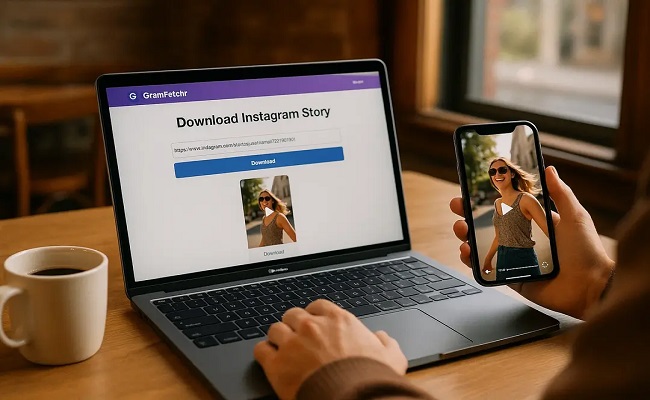
Instagram has become one of the biggest platforms for short videos, reels, and stories, and it’s only natural that people want to save their favorite content to watch later, share with friends, or use for personal projects. But here’s the thing downloading Instagram videos sounds simple on paper, yet so many people run into problems because of a few avoidable mistakes.
Whether you’re someone who saves reels for inspiration, a content creator collecting references, or just a casual user who wants to keep a funny video offline, this article walks you through the most common mistakes people make when downloading Instagram videos, and more importantly, how you can avoid them.
1. Using Random, Unverified Third-Party Websites
This is probably the number one mistake. The moment someone searches “Instagram video downloader,” they’re hit with dozens of websites promising instant downloads. The problem is that not all of these websites are safe.
Many of these sites are packed with pop-up ads, redirect links, and in worse cases, malicious scripts that can install adware or trackers on your device without you even realizing it. Some sites ask for permissions they don’t need, like access to your clipboard or notifications, just to serve you more ads.
How to avoid it: Stick to well-known, reputable tools that have been around for a while and have genuine reviews. Before using any downloader website, do a quick search to see if other users have reported issues. A little research beforehand saves you a lot of headache later.
2. Ignoring Copyright and Ownership Issues
A lot of people forget that just because a video is public on Instagram doesn’t mean it’s free to use however they want. Downloading someone’s reel and reposting it without credit, or using it commercially without permission, can land you in trouble copyright strikes, account bans, or even legal action in serious cases.
This mistake is especially common among small business owners and social media managers who download trending reels thinking “it’s just for inspiration” and end up reposting them directly.
How to avoid it: Always ask yourself why you’re downloading the video. If it’s for personal viewing, you’re generally fine. If you plan to repost or reuse it, reach out to the original creator for permission or at least give proper credit. Better yet, use downloaded videos only as inspiration and create your own version instead of copying content outright.
3. Downloading Videos Without Checking Privacy Settings
Instagram allows users to set their accounts to private, meaning only approved followers can see their posts. Some people try to bypass this using shady tools that claim to “unlock” private content. Not only is this against Instagram’s terms of service, it’s also a privacy violation of the account owner.
How to avoid it: Never attempt to download content from private accounts unless you’re an approved follower and have the person’s consent. Respecting privacy isn’t just an ethical thing to do — it also protects you from potential account suspension or legal complaints.
4. Choosing Low-Quality Downloads Without Realizing It
Another common issue is ending up with a blurry, pixelated, or low-resolution video after downloading. This usually happens because the downloader tool compresses the video heavily to save server bandwidth, or because the tool simply isn’t built to handle high-resolution content properly.
People often don’t notice this until they’ve already downloaded the file and try to use it somewhere important, like a presentation or a reel for their own page, only to find out the quality is way below what they expected.
How to avoid it: Before downloading, check if the tool offers quality options like HD or original resolution. Many reliable downloaders let you preview or select quality before the download starts. If a tool doesn’t give you this option, it’s often a sign that it’s not built with quality in mind.
5. Not Checking If the Link Is Correct
This sounds like a small thing, but it trips up a lot of people. Instagram links can look similar, especially reels, posts, and stories, and if you paste the wrong link into a downloader, you might end up downloading the wrong video entirely, or the tool might just throw an error.
How to avoid it: Always double-check the link before pasting it into any download tool. Make sure you copied the full link, including “https://” at the beginning, and that it’s from the correct post, reel, or story you actually wanted.

6. Downloading Videos with Watermarks You Didn’t Expect
Some downloader tools add their own watermark to the video, usually the website’s logo or name, right in the corner of the video. This can be frustrating, especially if you’re trying to use the video for something clean and professional.
How to avoid it: Look for downloaders that clearly state they provide watermark-free downloads. Reading reviews or trying the tool with a test video first can help you figure out if it’s going to leave an unwanted logo on your files.
7. Overlooking Storage and File Format Issues
Downloaded videos can pile up quickly, especially if you’re someone who saves a lot of content. Many people don’t pay attention to file formats or storage space until their phone or laptop starts running slow or running out of space.
Also, some downloader tools save videos in formats that aren’t compatible with certain devices or editing software, leading to more frustration when you try to open or edit the file later.
How to avoid it: Regularly clean up your downloads folder and organize saved videos into folders if you’re downloading a lot. Also, check what file format the tool provides (MP4 is generally the safest and most widely compatible format) before downloading, especially if you plan to edit the video afterward.
8. Giving Unnecessary Permissions to Apps
If you’re using a mobile app instead of a website to download Instagram videos, be careful about the permissions it asks for. Some apps request access to your contacts, camera, microphone, or storage, way more than what’s actually needed to download a video.
How to avoid it: Only grant the permissions that are genuinely necessary, usually just storage access to save the file. If an app asks for something unrelated like your contacts or location, that’s a red flag, and it’s better to look for a different, more transparent tool.
9. Not Verifying if the Tool Works with Reels, IGTV, and Stories
Instagram has different types of video content: regular posts, reels, IGTV, and stories. Not every downloader tool supports all of these formats. People often assume a tool works for everything and get frustrated when it fails to download a specific type of content.
How to avoid it: Before relying on a tool, check what kind of content it actually supports. Most modern, well-maintained downloaders do support reels, posts, and stories, but it’s always worth confirming, especially if IGTV content is what you’re after.
10. Downloading Too Many Videos at Once and Losing Track
When people find a bunch of interesting reels or videos, they sometimes download everything in one go without labeling or organizing them. Later, they end up with a messy folder full of files named things like “video_1234.mp4” with no way to remember what each one actually was.
How to avoid it: Rename files as you download them, or at least jot down a quick note about what each video is if you’re saving a lot at once. This small habit saves a surprising amount of time later when you’re trying to find a specific video.
11. Ignoring Instagram’s Terms of Service Completely
It’s worth mentioning that Instagram’s own terms of service don’t officially allow downloading content through third-party tools. While in practice this is common and rarely enforced against casual users, it’s still good to be aware of it, especially if you’re a business or creator who depends on your Instagram account for income.
How to avoid it: Be mindful of how and why you’re downloading content. Personal use for things like inspiration or offline viewing is generally low-risk, but using downloaded content in ways that violate Instagram’s policies repeatedly could put your own account at risk if reported.
12. Trusting Tools That Ask for Login Credentials
This is a serious one. Some shady downloader websites or apps ask users to log into their Instagram account directly through the tool, claiming it’s needed to access certain videos. This is almost always a red flag and a common trick used to steal login credentials.
How to avoid it: A legitimate Instagram video downloader should never need your Instagram username and password. All it needs is the public link to the video. If any tool asks you to log in, close the tab immediately and avoid using that service altogether.

13. Not Checking for Mobile Compatibility
Some people try to download videos using a tool that’s only optimized for desktop browsers, then wonder why it doesn’t work properly on their phone, or vice versa. This leads to failed downloads, broken links, or videos that don’t save correctly to the device.
How to avoid it: Use tools that are specifically designed to work well on the device you’re using. Many downloader websites now have mobile-friendly versions, but it’s worth testing with a small video first before relying on it for something important.
14. Forgetting to Update or Refresh the Tool
Instagram frequently updates its platform, and sometimes these updates temporarily break third-party downloader tools until they catch up. People often assume the tool is permanently broken or that they’re doing something wrong, when really, it just needs time to be updated by its developers.
How to avoid it: If a downloader suddenly stops working, don’t panic. Try again after a few hours or the next day, since many tools push quick fixes when Instagram changes something on their end. If it’s been broken for weeks, that’s when it’s worth switching to a different tool entirely.
Final Thoughts
Downloading Instagram videos isn’t complicated, but it’s easy to fall into small traps that lead to bigger headaches: unsafe websites, privacy violations, poor quality files, or even security risks. The good news is that all of these mistakes are avoidable once you know what to look out for.
The key takeaways are simple: use trusted tools, respect other people’s content and privacy, never share your login details with third-party sites, and pay attention to the quality and format of what you’re downloading. A little bit of caution goes a long way in making sure your experience stays smooth, safe, and hassle-free.
At the end of the day, Instagram video downloading is meant to make your life easier, whether that’s saving a tutorial for later, keeping a memory offline, or gathering inspiration for your own content. Just keep these common mistakes in mind, and you’ll save yourself a lot of unnecessary trouble along the way.
Frequently Asked Questions
Is it legal to download Instagram videos? Downloading a video for personal, offline viewing is generally low-risk, but the content itself still belongs to the original creator. Reposting, editing, or using someone else’s video commercially without permission can lead to copyright issues, regardless of how you obtained the file.
Is it safe to use free Instagram video downloader websites? Not all of them. Many free sites are covered in ads and pop-ups, and some run scripts that can affect your device. Stick to well-reviewed, established tools and avoid any site that feels overloaded with ads or asks for unusual permissions.
Why does my downloaded video look blurry or low quality? This usually happens when the downloader compresses the file to save bandwidth, or when it doesn’t support downloading in the original resolution. Look for tools that clearly offer an HD or “original quality” option before you download.
Can I download videos from a private Instagram account? Only if you’re an approved follower with the account owner’s consent. Trying to bypass privacy settings with third-party tools goes against Instagram’s rules and violates the account owner’s privacy.
Do I need to log into Instagram to use a downloader tool? No. A trustworthy downloader only needs the public link to the video — never your username or password. If a tool asks for your login credentials, treat it as a major red flag and avoid it.
Why do some downloaded videos have a watermark on them? Some downloader websites add their own logo or branding to the video as a form of advertising. If you want clean files, look specifically for tools that advertise “watermark-free” downloads and test them with a sample video first.
Why did a downloader tool suddenly stop working? Instagram regularly updates its platform, which can temporarily break third-party tools until their developers catch up. Usually this fixes itself within a day or two; if it doesn’t, it’s worth switching to a different tool.
What file format should I download Instagram videos in? MP4 is the safest choice since it’s widely supported across phones, laptops, and editing software. Avoid tools that only offer unusual or uncommon formats unless you have a specific reason to need them.
Can downloading Instagram videos get my account banned? Simply downloading a video for personal use is unlikely to get your account banned. However, repeatedly reposting others’ content without permission, or using tools that violate Instagram’s terms of service, can put your account at risk if reported.
What’s the best way to keep downloaded videos organized? Rename files as you save them and sort them into folders by topic or date. It only takes a few extra seconds per video but saves a lot of time later when you’re searching for something specific.