


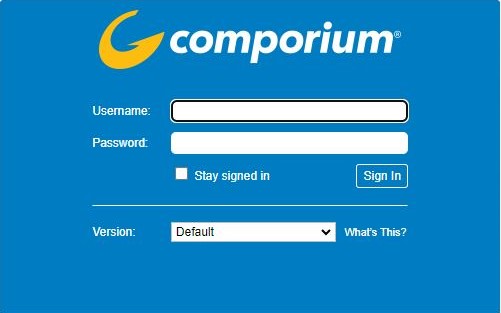
webmail.comporium.net, and you sign in with your full email address and password.
This guide covers how to log in, the official server settings for email apps, mailbox limits, mobile setup, where to get help, and how to stay safe from phishing. It uses Comporium’s own pages as of late November 2026. Some of those pages carry older update dates, so it points out what to double-check.
Key Takeaways
- Official webmail address:
https://webmail.comporium.net/, listed under Support on Comporium’s website. - Your username is your full email address. Comporium’s setup page says to enter the full address and password.
- Mail apps need SSL and authentication. The incoming server is
mail.comporium.netand the outgoing server issmtp.comporium.net. - Know the limits. Comporium lists 5GB per mailbox, 20MB per attachment, 200 recipients per message, and 200 messages per 30 minutes.
- Webmail and My Comporium are different. My Comporium is the account login, listed separately from webmail.
- Verify before you trust. Third-party sites may show different server names, so check Comporium’s own Email Setup page.
What Is Comporium Webmail?
Webmail lets you read and send email in a web browser, with no app to install. Comporium’s website lists it as “Web Mail” in its Support menu. It serves email addresses ending in @comporium.net.
Comporium provides digital TV, internet, home phone and home security monitoring to customers in parts of South Carolina and North Carolina, including areas around Rock Hill, Fort Mill, Lancaster and Charlotte. Its Comporium.net email addresses are the ones this webmail serves.
business.comporium.com. This guide covers standard Comporium.net email as described on its main support pages.
How to Log In to Comporium Webmail
- Open Comporium’s website at
comporium.comand choose Web Mail under the Support menu, or go straight to webmail.comporium.net. - Enter your full email address (for example, name@comporium.net) as the username.
- Enter your email password and sign in.
Comporium’s setup page says to use the full email address and password for authentication. That applies to email apps, and it’s the safest assumption for webmail too.
https:// and ends in comporium.net before you sign in. Don’t use a link from a text or email you didn’t expect.
Features and Mailbox Limits
Comporium doesn’t publish a detailed feature list on the pages we could read, so this guide sticks to what it does state. Its Email Setup page lists these limits:
Limit |
Value listed by Comporium |
|---|---|
Maximum mailbox size |
5GB |
Maximum attachment size |
20MB |
Maximum recipients per message |
200 addresses |
Message rate limit |
200 messages per 30 minutes |
Comporium says the rate limit is a common ISP security practice to help prevent the spread of viruses, spam and malware.
Other tools Comporium documents
- Filters: the Help Center has an article on setting up filters for a Comporium.net address. Filters typically sort incoming mail automatically.
- Works with email apps: the same mailbox can be used in apps through POP3 or IMAP, so you aren’t limited to the browser.
- Mobile setup guides: Comporium publishes guides for iPhone and Android.
Menus and options inside webmail can change over time. Look through the settings area after you sign in to see what is currently available, such as signatures, folders, and spam controls.
Comporium Email Settings (POP3, IMAP, SMTP)
If you use an app like Outlook, Apple Mail or Thunderbird, enter these values from Comporium’s Email Setup page. Comporium says they should work with any mail client that supports POP3, IMAP and SMTP.
Setting |
POP3 (desktop) |
IMAP (desktop) |
SMTP (desktop) |
SMTP (iPhone default) |
|---|---|---|---|---|
Server |
mail.comporium.net |
mail.comporium.net |
smtp.comporium.net |
smtp.comporium.net |
Port |
995 |
993 |
465 |
587 |
SSL |
On |
On |
On |
On |
Authentication |
Required |
Required |
Required |
Required |
Comporium’s page lists port 465 as the SMTP default for Android and desktop, and port 587 as the iPhone default. In every case, the username is your full email address.
POP3 or IMAP: which should you choose?
- IMAP keeps your messages on the server and syncs them across devices. It suits people who read email on a phone, tablet and computer.
- POP3 typically downloads mail to one device. It suits a single computer, but check your app’s setting for leaving a copy on the server.
These descriptions are the general difference between the two protocols. Comporium’s page lists both as supported.
How to Set Up Email in an App
- Open your email app and choose to add a new account, then pick manual or “other” setup.
- Enter your full Comporium email address and password.
- For incoming mail, choose IMAP (or POP3) and enter
mail.comporium.netwith the matching port, with SSL on. - For outgoing mail, enter
smtp.comporium.net, turn SSL on, and set authentication to required. - Save, then send yourself a test message to check both directions.
Setting Up Email on iPhone and Android
Comporium’s support page links to step-by-step Help Center guides for both platforms:
The Help Center loads its pages with JavaScript, so open these in a normal browser. Comporium’s Email Setup page lists port 587 as the iPhone SMTP default and port 465 as the Android default.
Webmail vs. Your Comporium Account
These are two different places:
- Webmail (
webmail.comporium.net) is for reading and sending email. - My Comporium (
my.comporium.com) is listed on Comporium’s website as the account login. The same page links service outage information.
Comporium’s pages we could read don’t say whether your email password and account password are the same, so don’t assume they are. If one doesn’t work, try it on the correct site first.
Forgot Your Password or Can’t Log In?
The Comporium pages we could read don’t describe a self-service password reset for email, so we can’t give you exact reset steps. The reliable route is Comporium support:
- Phone: 1-888-403-2667. Comporium’s support page says its team is available 24/7.
- Help Center: help.comporium.com, which includes an Email Support section.
- Contact Support page: comporium.com/support.
- Retail locations: Comporium lists store locations on its website, with hours that vary.
Staying Safe: Phishing and Scam Emails
Comporium’s Help Center has an article on recognizing and avoiding phishing and other scam emails. We couldn’t read its text, so here are general safety habits that apply to any email account:
- Be wary of messages that create urgency, such as “your mailbox will be closed today.”
- Don’t click login links in unexpected messages. Type the address yourself or use a bookmark.
- Check the sender’s real address, not just the display name.
- Never share your password by email, text, or phone call you didn’t start.
- Use a strong password you don’t reuse on other sites.
Common Problems and Fixes
Problem |
Likely cause |
What to try |
|---|---|---|
Can’t sign in to webmail |
Wrong username format or password |
Use the full email address, retype the password, and check caps lock. |
Email app won’t connect |
Wrong server, port, or SSL setting |
Re-enter the settings from Comporium’s Email Setup page, with SSL on. |
Can receive but can’t send |
SMTP authentication or port issue |
Turn on SMTP authentication and try port 465 or 587 as Comporium lists. |
Message won’t send |
Attachment over 20MB or over 200 recipients |
Shrink or share the file another way, and split large recipient lists. |
Sending suddenly blocked |
More than 200 messages in 30 minutes |
Wait and send fewer messages. If it keeps happening, check for unauthorized use of your account. |
Mailbox full |
Over the 5GB limit |
Delete old mail and large attachments, and empty trash. |
Quick Checklist
- Use the official webmail address and check the lock icon and domain.
- Sign in with your full email address.
- Enter mail.comporium.net and smtp.comporium.net with SSL on in your app.
- Set SMTP authentication to required.
- Keep your mailbox under 5GB and attachments under 20MB.
- Save Comporium’s support number somewhere safe.
- Use a strong, unique password.
Official Resources and Support
- Comporium Email Setup: the official server settings, limits and webmail address. Check its date, since it was last modified in 2022.
- Comporium Webmail: the sign-in page for Comporium.net email.
- Comporium Support: support phone number, Help Center links and email guides.
- Comporium Help Center: articles on mobile setup, filters and phishing. Pages load with JavaScript.
- My Comporium: Comporium’s account login, separate from webmail.

Frequently Asked Questions
What is the Comporium webmail login URL?
Comporium lists webmail at https://webmail.comporium.net/. You can also reach it from the Support menu on comporium.com.
What is my Comporium email username?
Comporium’s setup page says to enter your full email address along with your password for authentication.
What are the Comporium IMAP and SMTP settings?
Per Comporium, IMAP uses mail.comporium.net on port 993, and SMTP uses smtp.comporium.net on port 465 (desktop and Android) or 587 (iPhone default). SSL is on and authentication is required.
What are the Comporium POP3 settings?
POP3 uses mail.comporium.net on port 995 with SSL on and authentication required.
How big can a Comporium mailbox and attachments be?
Comporium lists a 5GB mailbox and a 20MB maximum attachment size. It also allows up to 200 recipients per message and 200 messages per 30 minutes.
How do I reset my Comporium email password?
The pages we could read don’t describe a self-service reset. Contact Comporium support at 1-888-403-2667 or through the Help Center. Its support page says the team is available 24/7.
Is Comporium webmail the same as My Comporium?
No. Webmail is for email, while My Comporium is listed as the account login. They are separate sites.
Why won’t my email app connect to Comporium?
Check the server name, port, SSL setting, and that SMTP authentication is on. Also use your full email address. Comporium’s settings page dates from 2022, so confirm against its support pages if problems continue.
Conclusion
Comporium webmail is simple to use once you have three things right: the official address, your full email address as the username, and the correct server settings if you use an app. Keep an eye on the mailbox and attachment limits to avoid sending problems.
If something stops working, start with Comporium’s own Email Setup and Support pages, and call support for password issues. Avoid unofficial guides and unexpected login links, since email accounts are a common target for scams.