


If you spend any time in Roblox communities on YouTube, Discord, or Telegram, chances are you’ve come across the name “Delta Executor.” It gets talked about a lot, usually alongside words like “free scripts,” “exploits,” or “unlock everything.” But most of the videos and posts you see about it only show the exciting side the side that makes it look fun and harmless. They rarely talk about what’s actually happening behind the scenes, or what it could cost you.
This article is going to walk you through what Delta Executor actually is, why people use it, what the real risks are, and most importantly what safer alternatives exist if you’re interested in scripting, game development, or just getting more out of Roblox without putting your account or your device on the line.
What People Mean When They Say “Delta Executor”
In simple words, Delta Executor is a type of tool called a “script executor.” Script executors are third-party programs that let someone inject custom code (usually written in Lua) into a running game, bypassing the game’s normal rules. In Roblox specifically, this means a user can run scripts that the game developer never intended things like unlimited in-game currency, walking through walls, seeing other players’ locations, or unlocking items that are supposed to be earned or paid for.
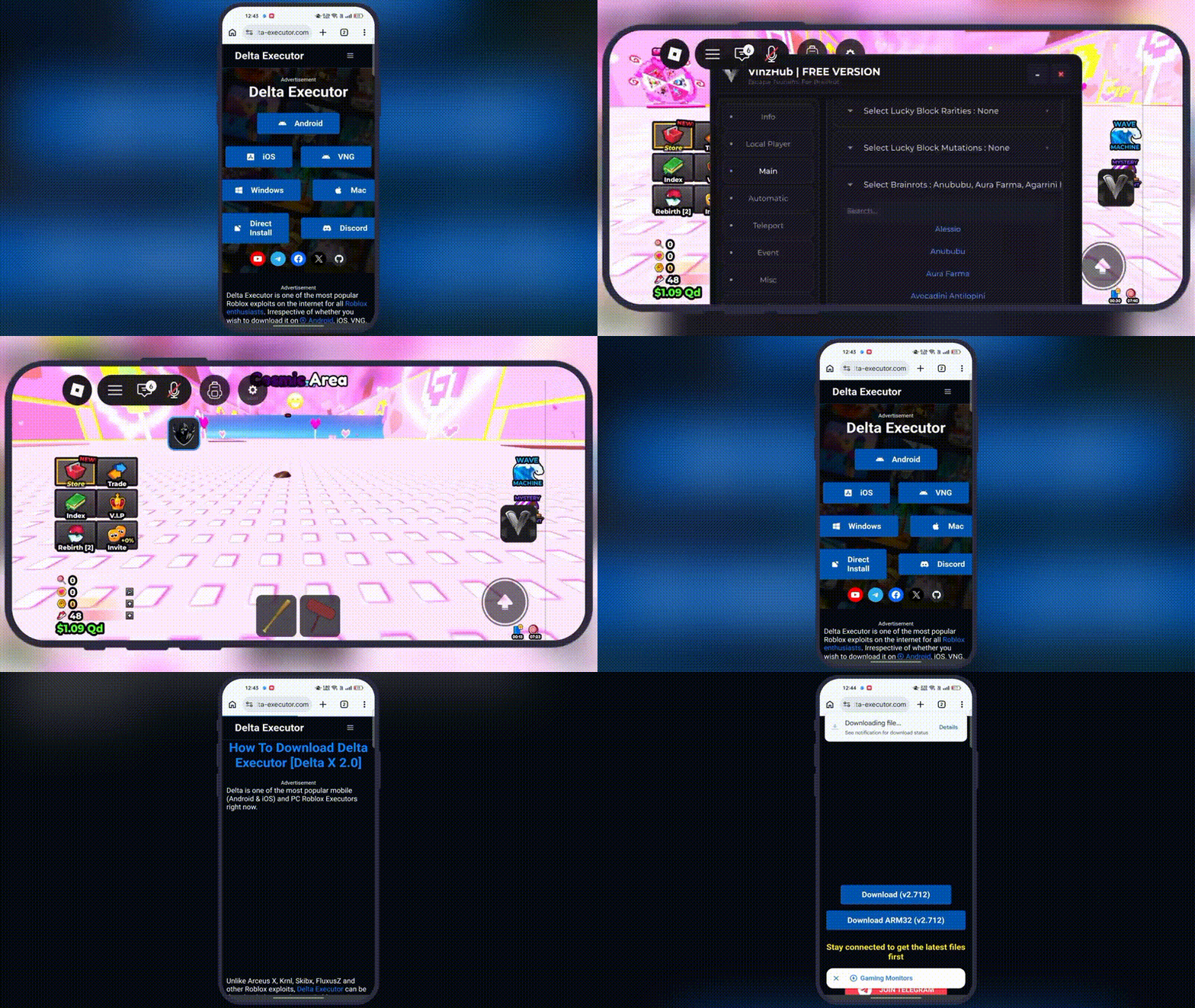
On PC, executors usually work by attaching themselves to the Roblox application while it’s running. On iOS, since Apple doesn’t allow this kind of low-level access through the normal App Store, executors are distributed through unofficial channels meaning they don’t go through Apple’s review process at all.
That last part is the most important thing to understand, and we’ll come back to it.
Why People Are Drawn to Tools Like This
It’s easy to understand the appeal. Roblox is full of competitive games, and some players feel like paying for in-game advantages (or grinding for hours) isn’t worth it. A tool that promises to skip all of that for free sounds like an easy win. Content creators also promote these tools because “how to get an executor” videos get a lot of clicks, which creates a cycle where more people hear about it and want to try it.
But “popular” and “safe” are two very different things, and this is where the real story starts.
The Real Risks Nobody Talks About
1. It almost always breaks the platform’s rules. Roblox’s Terms of Service clearly ban third-party tools that modify gameplay or inject code. Getting caught using an executor can lead to an account being permanently banned — no warnings, no appeals in most cases. If you’ve spent months or years building up a Roblox account, that’s a real loss.
2. Distribution methods are not trustworthy. Because Apple doesn’t allow this kind of software through the App Store, these tools are shared through sketchy third-party websites, sideloading services, or “enterprise certificate” installs. To get one of these installed, users are often asked to trust an unknown developer certificate on their phone and sometimes even asked to log into their actual Apple ID on a website that has no connection to Apple. That is a serious red flag. A stolen Apple ID can expose someone’s iCloud photos, contacts, saved passwords, and even linked payment methods.
3. Malware is common, not rare. Since these apps skip Apple’s review entirely, nobody is checking what code is actually running once it’s installed. Security researchers have repeatedly found modified executor apps bundled with hidden trackers, ad-injection scripts, or outright malware. The person installing it usually has no way to know until something goes wrong like unexpected charges, spam messages, or strange account activity somewhere else.
4. Certificates can be revoked without warning. Apps installed this way rely on developer or enterprise certificates instead of normal App Store signing. Apple regularly finds and revokes certificates being misused this way. When that happens, every app installed through that certificate stops working instantly sometimes taking other unrelated apps down with it if they were signed through the same source.
5. There’s no real support or updates. If something breaks, there’s no customer support team, no bug fixes, and no accountability. Many of these projects also change hands or get abandoned, leaving users stuck with an outdated app that may still have security holes.
Weighing the “Features” Against the Real Cost
Marketing around tools like this often lists flashy features: script libraries, “undetectable” claims, custom UI menus, and so on. But it’s worth asking a simple question: what’s the actual trade-off? You might get temporary in-game advantages, but in exchange, you’re risking your account, your personal data, and potentially your device’s security for something that could be taken away by a single certificate revocation or a ban.
For anyone who genuinely enjoys the “scripting” side of things the idea of writing code that changes how a game behaves there’s a much better path that gives you real, lasting skills instead.
Better Alternatives Worth Trying Instead
Roblox Studio This is Roblox’s own free development tool. Anyone can use it to build a game from scratch and write real Lua scripts that control how things work: character movement, points systems, doors, enemies, anything. It’s the legitimate version of “scripting,” and it’s the same skillset that professional Roblox developers use — some of whom earn real money through Robux payouts.
Free Lua tutorials Roblox’s official documentation site and countless YouTube channels teach Lua scripting from zero. Since Lua is a simple, beginner-friendly language, it doesn’t take long to write your first working script.
Game jams and community projects Roblox regularly hosts creator events, and there are large communities of hobbyist developers who share tips, templates, and feedback. This is a much more rewarding way to spend time than chasing a tool that might get your account banned tomorrow.
Sanctioned in-game purchases or trading systems — If the original motivation was unlocking items or currency, most games have legitimate ways to earn them through gameplay, events, or trading systems built by the developers themselves.
The Bottom Line
Delta Executor and similar tools might look like a shortcut, but the risks account bans, malware, stolen Apple IDs, and unstable apps are very real and well documented. The safer, more rewarding path is learning to build and script in Roblox Studio itself, where the same creative freedom exists without gambling your account or your device’s security.

FAQs
Q1: Is using Delta Executor illegal? It’s not something that gets you in legal trouble in most places, but it does violate Roblox’s Terms of Service, which almost always leads to an account ban if detected. It can also violate Apple’s terms if installed through unofficial certificates or sideloading methods.
Q2: Is there any safe way to try script executors? Not really, when it comes to third-party tools like this — the risk comes from both the platform rules being broken and the untrusted distribution methods used to install them on iOS. If someone wants to explore scripting safely, Roblox Studio is the legitimate way to do it, since it lets you write and test real Lua code without any bans or security risks.
Q3: Can Roblox actually detect if someone is using an executor? Yes. Roblox uses anti-cheat systems that specifically look for injected code and unusual client behavior. Detection isn’t guaranteed to be instant, but a lot of accounts do get caught over time, and bans are usually permanent with no way to appeal them.
Q4: Why do these apps need an Apple ID login just to install? Because they’re not going through the official App Store, some sideloading services use your Apple ID to generate or sign a certificate for the app. This is risky because you’re handing your login to a third party that has nothing to do with Apple, and that same login can unlock your iCloud data, saved cards, and other personal information if misused.
Q5: What’s the biggest difference between using an executor and learning Roblox Studio? An executor gives short-term, risky shortcuts inside someone else’s game, with no guarantee it’ll even keep working. Roblox Studio teaches actual coding skills, lets you build something that’s yours, carries zero risk of a ban, and can even turn into a source of income later on.