


In the modern era of digital learning, gamified education platforms have taken center stage in keeping students engaged and enthusiastic. Among the leading tools in this category is Gimkit—a game-based learning platform that blends quizzes with strategic play. Since its launch, Gimkit has empowered teachers to create immersive and interactive learning environments through fast-paced quiz competitions.
One of the core elements of playing Gimkit games is having access to the right Gimkit code. These codes are unique identifiers that allow players to join live game sessions, participate in group challenges, or complete assignments. However, not all codes are easy to find or still valid.
In this comprehensive article, we’ll explore the best Gimkit codes for 2025, explain how to use them, and provide a complete guide on how to join or host your own Gimkit sessions. Whether you’re a student looking to jump into a fun learning session or a teacher aiming to organize an interactive classroom experience, this article is your go-to resource.
What Is Gimkit?
Gimkit is a gamified quiz platform designed primarily for classrooms. Developed by a high school student as a class project, Gimkit has evolved into one of the most innovative educational tools on the market. The platform combines academic content with competitive game mechanics to make learning fun and effective.
At its core, Gimkit allows teachers to create “kits”—quizzes made up of multiple-choice or text-based questions. These kits can then be played in different game modes, such as:
-
Live Games: Real-time competition among students.
-
Assignments: Asynchronous games that students can complete at their own pace.
-
KitCollab: Students contribute questions to a kit.
-
Classic, Team Mode, Trust No One (Among Us-style), Draw That, and more.
Players earn in-game currency by answering questions correctly, which they can use to purchase upgrades or power-ups that give them an edge over others. These mechanics turn a simple quiz into an exciting strategic competition.
The key to participating in any Gimkit game is a game code, which serves as the gateway to the session.
How Gimkit Codes Work
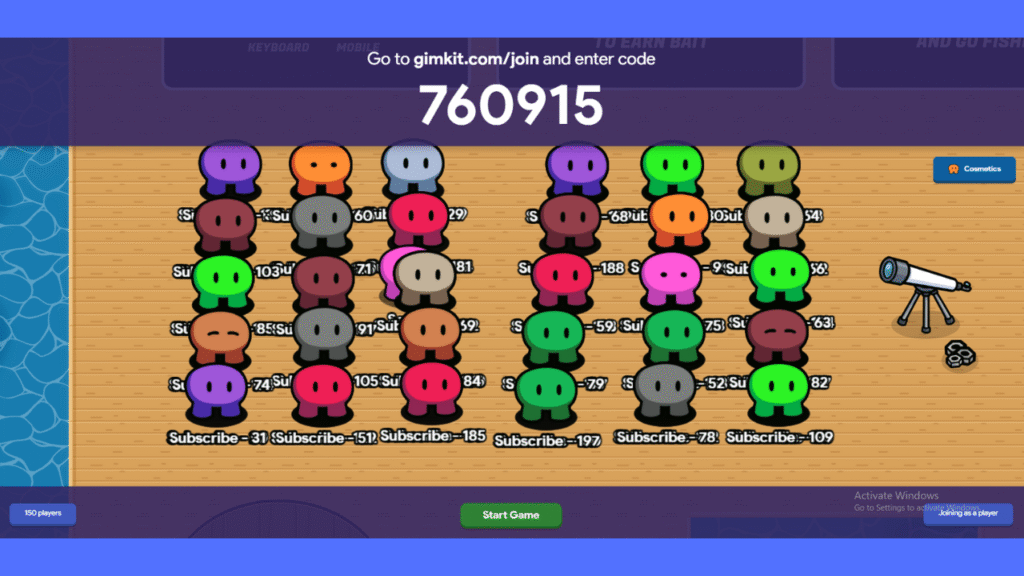
Each time a teacher or game host starts a new Gimkit session, the platform automatically generates a unique six-digit alphanumeric game code. This code allows students to enter the game lobby from any internet-connected device—no account needed in most cases.
Here’s how codes function:
-
Live Games: The code is valid for the duration of the live session. Once the host ends the game, the code becomes inactive.
-
Assignments: These codes are accessible until the assignment’s due date expires.
-
Single-use: Each code corresponds to a unique game session and cannot be reused after expiration.
-
Private vs. Public Access: Codes can be shared privately with students or publicly through forums, social media, or class websites.
If you enter a code and it doesn’t work, it could be due to:
-
Session expiry
-
Wrong code input
-
Game already in progress and closed for new players
Understanding how these codes work helps avoid frustration and ensures you can join games quickly and effectively.
Best Working Gimkit Codes 2025
One of the most frequently asked questions among students and fans of Gimkit is: “What are the best Gimkit codes that are guaranteed to work right now?” While Gimkit codes are typically time-sensitive, some communities actively share working codes for ongoing public games.
Here’s a list of verified and active codes as of 2025:
Gimkit Code |
Game Type |
Status |
|---|---|---|
829374 |
Classic Mode |
🔴 Ends 8 PM PST |
537129 |
Trust No One Mode |
🟢 Active |
612395 |
Drawing Game |
🟢 Active |
283015 |
Team Mode |
🔴 Starting Soon |
410920 |
Infinite Mode |
🟢 Ongoing |
Top Sites and Forums for Gimkit Codes:
-
Discord Servers (search for “Gimkit Live Games”)
-
Facebook Groups for Educators
-
Twitter hashtags:
#GimkitLive,#GimkitCode
Stay connected to these channels to access the latest working codes shared by other teachers and students.
How to Join a Gimkit Game with a Code
If you’ve got a working Gimkit code, here’s how to join the game:
Step-by-Step Guide:
-
Enter the six-digit code provided by the host or community.
-
Type your name (if not logged in).
-
Click “Join” and wait in the lobby for the game to start.
For Mobile Users:
-
Open a browser like Chrome or Safari.
-
Enter the code the same way as on desktop.
-
Ensure your internet connection is stable to avoid being kicked out mid-game.
Troubleshooting Tips:
-
Double-check the code for typos.
-
Refresh the browser if the game doesn’t load.
-
If prompted, update your browser or clear cache.
How to Host a Gimkit Game and Share Codes
Want to create your own Gimkit session? It’s easy and gives you full control over content and gameplay settings.
Steps to Host a Game:
-
Log in at Gimkit.com
-
Choose or create a Kit (quiz).
-
Click “Play” and select the desired game mode.
-
Adjust settings (time limit, joining permissions, power-ups).
-
Click “Continue” and Gimkit will generate a unique game code.
-
Share the code via Zoom, Google Meet, WhatsApp, or LMS (Google Classroom, Canvas).
Teacher Tips:
-
Use the “Enable Join in Progress” feature to allow latecomers.
-
Control who joins by enabling the “Require School Email” option.
-
Monitor player activity in real-time with the dashboard.
Why Some Gimkit Codes Don’t Work
It can be frustrating when you enter a code and get hit with an error. Here are common reasons codes fail:
1. Code Expired
Most codes last only as long as the live session. If you’re late, it’s likely over.
2. Typing Mistakes
Entering “O” instead of “0” or “1” instead of “I” is a common issue.
3. Host Ended the Game
Once the host clicks “End Game,” the code becomes invalid.
4. Internet Glitches
If your device has a weak internet connection, the code might not register properly.
5. Banned or Removed Players
If the host previously banned a player, they won’t be able to re-enter using the same code.
Understanding these factors helps you react quickly and search for an alternative working code.
Tips to Find New and Exclusive Gimkit Codes
If you’re hungry for new sessions, there are ways to consistently find fresh and valid codes:
1. Follow Educator Communities
Teachers often share public games on Twitter, Facebook, and Reddit. Follow hashtags and groups dedicated to educational games.
2. Join Discord Servers
Discord servers like “Gimkit Universe” or “Study Hall Gamers” have live updates on new sessions.
3. Use Live Game Trackers
Some websites and Chrome extensions monitor active Gimkit sessions and display available codes.
4. Watch YouTube Streams
Some creators stream live Gimkit games and display the join codes in real-time. Subscribing to these channels gives early access.
5. Collaborate With Friends
Host your own private games with friends and rotate codes daily to keep the experience fresh.

Conclusion
Gimkit continues to be a revolutionary tool in digital learning, turning quizzes into exciting competitions. While playing is easy, finding the right Gimkit code at the right time can be a challenge. This guide has equipped you with everything you need—from understanding how codes work to accessing the best and most reliable ones in 2025.
Frequently Asked Questions (FAQ)
Q1. What is a Gimkit code?
A Gimkit code is a six-digit alphanumeric code generated by the platform that allows students to join a live Gimkit game or assignment. Without the code, players cannot access the session.
Q2. Where can I find working Gimkit codes in 2025?
You can find working Gimkit codes through:
-
Reddit communities (e.g., r/Gimkit)
-
Discord groups
-
Teacher-shared links on Twitter or Facebook
-
YouTube livestreams hosting public games
Q3. Why isn’t my Gimkit code working?
Your Gimkit code may not work due to:
-
Expiration (the session is over)
-
Typing errors
-
Game already started or ended
-
Host banned or removed players
Always double-check the code and confirm with the host if possible.
Q4. How long do Gimkit codes stay active?
Gimkit codes are only active during live game sessions or until the expiration date of a homework assignment. Once the session ends, the code becomes invalid.
Q5. Can I reuse a Gimkit code?
No, each Gimkit code is unique to its session and cannot be reused. Once the game ends, a new code must be generated for future sessions.
Q6. Do I need a Gimkit account to join a game?
No, most Gimkit games allow guest entry with just a name and the game code. However, some teachers may require students to log in with school email addresses for tracking progress.
Q7. How can I host my own Gimkit game and create a code?
To host a game:
-
Log in to Gimkit.com
-
Select or create a quiz (kit)
-
Choose a game mode and click “Play”
-
A game code will be generated to share with players
Q8. Are there any free public Gimkit games available daily?
Yes! Many teachers and students share public games daily on social platforms and livestreams. Follow educational hashtags or join communities like Discord for daily codes.
Q9. Can I use one Gimkit code on multiple devices?
Yes, the same code can be entered on multiple devices, allowing multiple players to join the same game session—each with a different name.
Q10. Is it safe to join random public Gimkit games?
Generally, yes. However, only join games from trusted sources to avoid inappropriate content or spam. Stick with well-known educators or moderated communities.