



Instagram Stories are everywhere, and so is the curiosity around them. Who watched my story? Can I see someone’s story without them knowing I did? This is exactly the kind of question that led to the rise of tools like InSnoop, a free web-based Instagram story viewer that claims to let you watch public stories anonymously. In this review, we’ll break down what InSnoop actually is, how it works, what it does well, where it falls short, and whether it’s worth using at all. Everything here is explained in simple, easy-to-follow words.
What Is InSnoop?
InSnoop is a free, browser-based tool that lets you view Instagram Stories, Highlights, and sometimes posts or reels from public profiles, without logging into an Instagram account and without your username showing up on the story owner’s “seen” list. It works entirely through a web browser, meaning there’s no app to download and no installation required.
The basic idea is simple: you type in the Instagram username of a public account, and InSnoop pulls up their available stories in its own viewer, separate from Instagram itself. Because you’re technically not viewing the story directly through Instagram’s app or website, your profile doesn’t get added to that account’s list of viewers.
How Does InSnoop Work?
Understanding how InSnoop works helps make sense of both its benefits and its limitations.
- You enter a username – Just the public Instagram handle of the account whose story you want to see.
- InSnoop fetches the content – The tool acts like a middleman. It pulls publicly available story data from Instagram’s servers.
- The content loads in InSnoop’s own viewer – Instead of opening Instagram directly, the story plays inside InSnoop’s interface.
- No trace is left behind – Because the request goes through InSnoop’s backend rather than your personal Instagram account, the story owner has no way of knowing you viewed it.
This is essentially a proxy-style setup. InSnoop is standing between you and Instagram, fetching public content on your behalf so your own account identity stays hidden.
Key Features of InSnoop
Here’s what InSnoop offers based on its own description and various user reviews:
1. No Login Required
You never have to enter your Instagram username or password. This is actually an important point, because some shady “anonymous viewer” tools ask you to log in with your real Instagram credentials, which is a major red flag and often just a way to steal your password. InSnoop avoids this entirely.
2. No App Installation
Everything happens in your browser. There’s nothing to download onto your phone or computer, which also means it works across almost any device Android, iPhone, tablet, or desktop.
3. Anonymous Story Viewing
This is InSnoop’s main selling point. It lets you watch a public account’s story without your name or profile appearing in their list of viewers.
4. View Highlights and Posts Too
Beyond just Stories, some guides mention that InSnoop can also let you browse Highlights, and in some cases posts or reels, from public profiles.
5. Download Option
InSnoop reportedly allows you to save Stories or Highlights directly to your device for offline viewing, in decent quality.
6. Upload Timestamps
The tool shows when a particular story was posted, so you know exactly how recent it is.
7. Works Even If You’re Blocked
Some reviews note that because InSnoop only accesses publicly visible content rather than going through your personal account, it can still show a public story even if the account owner has blocked your actual Instagram profile.
What Works Well
Based on real user experiences and reviews, a few things genuinely hold up:
- No credential requests – You’re never asked for your Instagram login, which is the bare minimum for a tool like this to be considered reasonably safe.
- Simple, quick process – Enter a username, hit a button, and the story loads. There’s no complicated setup.
- Works on any device – Since it’s browser-based, there’s no compatibility issue between Android and iPhone users.
- Free to use – No subscription or payment is required for the core viewing feature.
Where It Falls Short
No anonymous viewer tool is perfect, and InSnoop has some real limitations worth knowing about.
1. Only Works on Public Profiles
InSnoop cannot access private accounts. If the account you want to view has a private profile and you’re not already following them, the tool simply won’t work. This limits its usefulness quite a bit, since many of the profiles people are curious about are private.
2. Reliability Issues
Because InSnoop depends on scraping publicly available data from Instagram, it can break whenever Instagram updates its systems. Several reviews mention that content sometimes doesn’t load, or what’s shown isn’t fully live or up to date.
3. “Anonymous” Doesn’t Mean Untraceable
This is one of the more important points that gets glossed over in most simple summaries. While the story owner can’t see that you viewed their content, that doesn’t mean there’s no data trail at all it just moves the data trail from Instagram to InSnoop’s own servers. In other words, your activity may still be logged somewhere, just not visible to the person whose story you watched.
4. Ads and Pop-Ups
Like most free web tools, InSnoop’s website may show ads, and some users report pop-ups that can be annoying or, in worse cases, lead to suspicious links if you’re not careful about where you click.
5. It’s a Third-Party Tool, Not Official
InSnoop is not affiliated with Instagram or Meta in any way. That means it operates independently, and there’s no guarantee about long-term reliability, data handling practices, or customer support if something goes wrong.
Is InSnoop Safe to Use?
This depends on how you define “safe.” From a basic technical standpoint, InSnoop passes a few important checks: it doesn’t ask for your Instagram password, doesn’t require an app install, and only works with content that’s already publicly available anyway — meaning anyone could technically view that story by visiting the profile directly.
That said, a few precautions are worth keeping in mind:
- Only use the official website. Because InSnoop is a popular name, there may be copycat sites trying to impersonate it. Always double-check the URL.
- Never enter your Instagram login on any story viewer. Legitimate anonymous viewers, including InSnoop, don’t need it. If a site asks for it, treat that as a serious warning sign.
- Be cautious with ads and pop-ups. Avoid clicking anything unrelated to the tool itself.
- Understand the privacy trade-off. “Anonymous” here means anonymous to the story owner, not necessarily anonymous in every sense. Your activity may still pass through and be logged by InSnoop’s own servers.
- Think about consent. Since this tool is often used to check on an ex, a crush, or someone without their knowledge, it’s worth remembering that just because content is public doesn’t mean using tools built specifically to watch someone secretly is something everyone would be comfortable with.
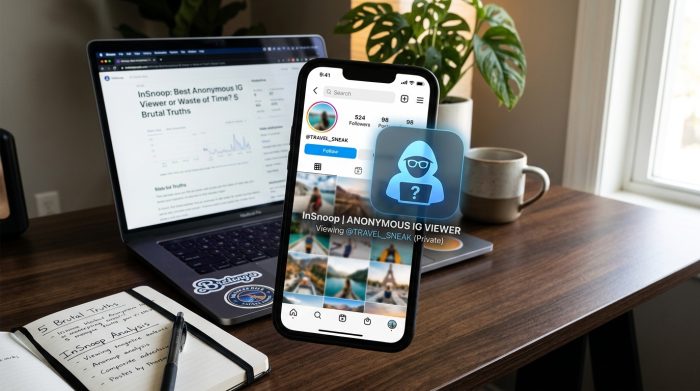

Who Is InSnoop Best For?
InSnoop tends to appeal to a specific type of user:
- People who want to check a public figure’s or influencer’s story without it affecting engagement stats visible to others.
- Marketers or researchers casually monitoring public brand or competitor accounts.
- Someone who’s simply curious about a public account’s story but doesn’t want their name showing up in the viewer list.
It’s less useful for anyone hoping to view private accounts, since that’s outside what the tool is capable of doing.
InSnoop vs Other Anonymous Viewers
There are several similar tools out there, and most of them work on the same basic principle pulling public data and displaying it through their own interface. What usually separates a good one from a mediocre one comes down to:
- How reliably the tool stays updated when Instagram changes its systems.
- Whether it avoids asking for login credentials.
- How clean the interface is, without excessive ads.
- Whether download quality for saved stories is actually good.
InSnoop generally checks most of these boxes based on available reviews, though like any tool in this category, occasional downtime or loading issues are to be expected.
Final Verdict
InSnoop does what it promises on a basic level: it lets you view public Instagram Stories anonymously, without logging in and without leaving a visible trace for the story owner. It’s simple, free, and doesn’t ask for your password, which already puts it ahead of many shadier alternatives.
However, it’s not a magic tool. It only works on public accounts, its reliability depends on how well it keeps up with Instagram’s changes, and “anonymous” doesn’t mean completely invisible from a data standpoint. If you’re looking for a quick, no-login way to check a public account’s story, InSnoop is a reasonable option to try — just go in with realistic expectations and keep the basic safety precautions in mind.
FAQs (Frequently Asked Questions)
1. Do I need an Instagram account to use InSnoop? No, you don’t need an Instagram account or login. You just need the public username of the profile you want to view.
2. Can InSnoop show me stories from private accounts? No. InSnoop only works with public profiles. It cannot access content from private accounts unless you’re already following them through your own Instagram account.
3. Will the person know I viewed their story? No, that’s the whole point of the tool. Since the story loads through InSnoop’s own viewer instead of your Instagram account, your name won’t appear in their viewer list.
4. Is InSnoop completely free? Yes, the core story-viewing feature is free to use. You don’t need to pay or subscribe to anything.
5. Is it safe to use InSnoop? It’s reasonably safe in the sense that it doesn’t ask for your Instagram password. Still, always make sure you’re using the official website and avoid clicking on random ads or pop-ups.
6. Can I download stories using InSnoop? Yes, many reviews mention that InSnoop allows you to save Stories or Highlights to your device for offline viewing.
7. Does InSnoop work on both Android and iPhone? Yes, since it’s browser-based, it works on any device with an internet connection, including Android, iPhone, tablets, and desktops.
8. Why does InSnoop sometimes not load a story properly? Since InSnoop relies on pulling public data from Instagram, it can occasionally break or lag when Instagram updates its own systems. This is a common issue across most tools in this category.