


An IP address is one of the basic building blocks of the internet. Every device or network that connects to the internet uses an Internet Protocol (IP) address to communicate with online services. Because IP addresses are associated with internet connections, they can provide useful information about where a connection may originate and which network or internet service provider (ISP) is involved.
This is where IP address lookup comes in. An IP lookup is a process used to retrieve information associated with an IP address from databases and other internet infrastructure records. Depending on the service and the type of IP address, a lookup may show information such as the approximate geographic region, ISP, autonomous system number (ASN), organization, and network details.
However, IP lookup has important limitations. An IP address generally does not reveal a person’s exact home address, identity, phone number, or precise physical location. The information available depends on the IP database, network configuration, privacy technologies, and the internet provider.
This guide explains what an IP address lookup is, how it works, what information it can provide, and how businesses and ordinary internet users can use it responsibly.
What Is an IP Address?
An IP address is a numerical identifier used to identify a device or network interface when communicating over an IP network.
There are two major versions of IP addresses:
- IPv4
- IPv6
An IPv4 address consists of four numerical sections separated by periods. For example, an address may look like 203.0.113.10.
IPv6 was developed to provide a much larger pool of available addresses. An IPv6 address uses hexadecimal characters and can look considerably longer than an IPv4 address.
An IP address can be assigned to an individual device, a router, a server, or another network interface. In many home internet connections, the public IP address is associated with the user’s router or internet connection rather than directly identifying every device inside the home.
What Is IP Address Lookup?
IP address lookup is the process of entering an IP address into a lookup service to retrieve information associated with that address.
An IP lookup database may contain records gathered from internet registries, routing information, ISP information, geolocation providers, and other technical sources.
A typical lookup may return details such as:
- IP version
- Country
- Region or state
- Approximate city
- ISP or network provider
- Organization
- ASN
- Hostname, when available
- Network or ownership information
- Time zone, depending on the database
- Whether the address is associated with certain hosting or proxy networks
The exact results vary between lookup providers. Two services can sometimes produce different geographic information for the same IP address.
How Does IP Address Lookup Work?
IP lookup services usually work by matching an IP address against databases containing information about internet networks.
The process is relatively simple from a user’s perspective:
- A user enters an IP address.
- The lookup service checks its database.
- The service identifies the network or allocation associated with that address.
- Geolocation and network information may be matched to the address.
- The service displays the available information.
Behind the scenes, IP address ownership and allocation information is connected to organizations and internet networks. Regional Internet Registries (RIRs) maintain important allocation records, while commercial geolocation providers maintain databases designed to estimate the geographic location of IP addresses.
Because these databases are updated at different times, lookup results can change.
What Information Can an IP Lookup Reveal?
The amount of information available depends on the IP address and the lookup database.
1. Country
An IP lookup can often provide an estimated country associated with an IP address.
For example, a lookup might indicate that an address is associated with Pakistan, the United States, Germany, or another country.
Country-level results are generally more reliable than precise city-level results, although mistakes can still occur.
2. Region or State
Some lookup services provide an estimated region, province, or state.
This information should be treated as an approximation rather than proof of where a person physically lives.
3. Approximate City
Some databases attempt to associate IP addresses with a city.
City-level geolocation can be useful for analytics and content localization, but it is not always accurate. The location may represent an ISP facility, routing location, or another geographic point rather than the user’s actual location.
4. Internet Service Provider
An IP lookup can often identify the ISP or network operator responsible for an address range.
This can help users understand which organization operates the network from which the connection originates.
5. Organization
For business, hosting, university, government, and other networks, a lookup may identify the organization associated with an IP range.
However, the organization listed in a database does not necessarily represent the individual using the IP address.
6. ASN
An Autonomous System Number (ASN) identifies a network or group of IP networks managed under a common routing policy.
ASNs are especially useful for network administrators, cybersecurity professionals, and researchers investigating internet infrastructure.
7. Hostname
Some IP addresses have a reverse DNS hostname.
A hostname can sometimes provide additional clues about the network, server, or provider, although many IP addresses do not have a useful publicly visible hostname.
Can an IP Address Reveal Someone’s Exact Location?
Usually, no.
This is one of the most important points to understand about IP tracking.
An IP address lookup may estimate a general geographic area, but it normally cannot provide a person’s exact street address or exact physical coordinates.
For example, an IP database might associate an address with a particular city because the ISP’s network infrastructure is registered or geographically mapped there. The actual user could be located somewhere else within the provider’s service area.
Mobile networks, VPNs, corporate networks, proxies, satellite internet, and other technologies can make geographic estimates even less precise.
Therefore, an IP lookup should be considered a geolocation estimate, not a precise tracking system.
Can an IP Address Identify a Person?
An IP address by itself generally does not tell a public lookup user the identity of the person using it.
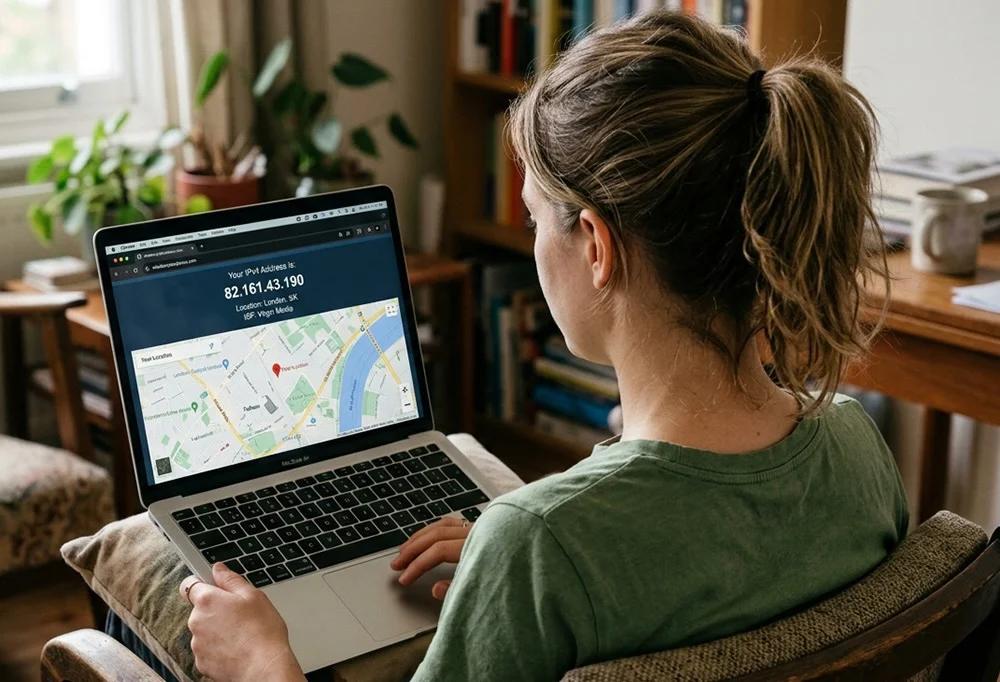
For example, a lookup may show:
That information does not automatically reveal the user’s name or home address.
Internet service providers may have records connecting an IP address assignment to a customer at a particular time. Access to such subscriber information is subject to the provider’s policies, applicable laws, and legal processes.
This distinction is important when discussing online privacy and cybersecurity.
Public IP vs Private IP Address
Understanding the difference between public and private IP addresses is essential.
Public IP Address
A public IP address is reachable or identifiable on the public internet and is normally associated with an internet connection or publicly accessible server.
IP lookup services generally operate on public IP addresses.
Private IP Address
Private IP addresses are used inside local networks.
Common private IPv4 ranges include:
10.0.0.0to10.255.255.255172.16.0.0to172.31.255.255192.168.0.0to192.168.255.255
A private address such as 192.168.1.10 normally cannot be used by a public IP geolocation service to determine a user’s internet location.
Instead, devices inside a home network typically share a public IP address when accessing the internet through a router.
IPv4 and IPv6 Lookup
IP lookup services can support both IPv4 and IPv6.
IPv4 remains widely used, while IPv6 provides a much larger address space.
IPv6 can introduce additional considerations for privacy and network configuration. Modern devices and operating systems may also use privacy-related IPv6 mechanisms that can change interface addresses over time.
A good lookup service should clearly identify whether the searched address is IPv4 or IPv6.

What Is Reverse IP Lookup?
A reverse IP lookup is related to, but different from, a standard IP lookup.
A normal IP lookup starts with an IP address and asks:
“What information is associated with this IP?”
A reverse IP lookup may ask:
“What domains or websites are associated with this IP address?”
Reverse IP tools are sometimes used by web administrators, security researchers, and infrastructure analysts.
However, shared hosting can complicate the results. A single server or IP address may host many websites, meaning the presence of a domain on an IP does not necessarily imply that the websites are owned by the same person or company.
Why Do Websites Use IP Geolocation?
Businesses can use approximate IP location information for legitimate technical and commercial purposes.
Content Localization
A website may use a visitor’s approximate region to display relevant language, currency, or content.
Security
IP information can contribute to security systems that identify unusual login patterns or potentially suspicious traffic.
Fraud Prevention
Financial services and online platforms may consider IP-related information as one signal among many when detecting unusual activity.
Analytics
Website owners can use aggregated geographic information to understand where their visitors are located.
Network Management
Administrators can investigate network traffic and identify the providers or networks associated with particular connections.
IP information should generally be treated as one data point rather than definitive proof of a person’s identity or intent.
What Can Affect IP Geolocation Accuracy?
Several factors can make IP-based location estimates inaccurate.
VPNs
A VPN can route internet traffic through another server. A website may therefore see the VPN server’s IP address rather than the user’s original public IP.
Proxy Servers
Proxies can similarly cause websites to see the proxy’s address instead of the original connection.
Mobile Networks
Mobile carriers may use large shared address pools, meaning an IP address may be associated with a broad geographic area.
Corporate Networks
Employees in different cities may access the internet through centralized corporate infrastructure.
ISP Infrastructure
An ISP may register or route an IP address through infrastructure located in a different city or region from the customer.
Database Differences
Different geolocation companies use different datasets and update schedules, so their results can vary.
Is IP Address Lookup Legal?
Using publicly available IP information for legitimate purposes is generally different from attempting to obtain private subscriber information without authorization.
Businesses should consider applicable privacy and data-protection requirements when collecting or processing IP addresses.
The legality of specific activities can depend on the jurisdiction, purpose, type of data involved, and how the information is used.
Users should avoid using IP information for harassment, unauthorized surveillance, intimidation, or other harmful activities.
How to Perform an IP Address Lookup
Performing a basic lookup is usually straightforward.
Step 1: Find the Public IP
You can use an IP-checking service or your network’s configuration tools to determine a public IP address.
Step 2: Enter the Address
Open a reputable IP lookup service and enter the IP address into its search field.
Step 3: Review the Results
Look for information such as:
- Country
- Region
- Approximate city
- ISP
- Organization
- ASN
- Hostname
Step 4: Consider the Limitations
Do not assume that an estimated city represents the user’s exact location.
For important security or business decisions, IP information should be combined with other appropriate signals.
IP Lookup vs GPS Location
IP-based location and GPS-based location are fundamentally different.
IP geolocation estimates location based on internet network information.
GPS uses satellite positioning and can provide much more precise geographic information when a device has access to GPS and the user has allowed the relevant service to use location data.
A website that knows a visitor’s IP does not automatically have access to their GPS coordinates.
Does Changing an IP Address Change Your Physical Location?
No.
Changing an IP address does not physically move a person.
A VPN, proxy, mobile connection, or different internet provider can cause websites to see a different IP address, which may produce a different estimated location.
For example, someone physically located in one country could connect through a VPN server in another country. An IP lookup would typically identify the VPN server’s location rather than the user’s actual physical location.
How to Protect Your IP Privacy
Internet users can take reasonable steps to improve privacy.
Use Trusted Networks
Avoid connecting to unknown or unsecured networks when handling sensitive information.
Consider a Reputable VPN
A trustworthy VPN can hide your normal public IP address from websites by routing traffic through the VPN service.
However, using a VPN means the VPN provider becomes an important part of your privacy model.
Keep Devices Updated
Security updates can help protect devices from vulnerabilities that may expose sensitive information.
Review Browser Permissions
Check which websites and applications have permission to access location-related information.
Be Careful With Suspicious Links
Malicious websites or services may attempt to collect technical information from visitors. Avoid clicking suspicious links or installing unknown software.
Common Misconceptions About IP Tracking
Myth 1: An IP Address Gives an Exact Home Address
Usually false. IP geolocation normally provides an estimate rather than a street address.
Myth 2: Every IP Address Belongs Permanently to One Person
Not necessarily. Many ISPs dynamically assign addresses, and multiple users may share public addresses.
Myth 3: An IP Address Reveals a Person’s Name
A public IP lookup generally does not provide the subscriber’s name.
Myth 4: VPNs Make Someone Completely Anonymous
A VPN can hide a user’s normal public IP address from websites, but it does not automatically provide complete anonymity.
Myth 5: Every IP Lookup Database Gives the Same Result
Different databases can produce different results because they use different data sources and update schedules.
Frequently Asked Questions
What is an IP address lookup?
An IP address lookup is a process for finding information associated with a public IP address, such as approximate location, ISP, organization, and network details.
Can IP lookup find an exact address?
Generally, no. IP geolocation provides an approximate location and normally cannot determine a person’s exact street address.
Can I find someone’s name using an IP address?
A standard public IP lookup does not normally reveal the person’s name. Subscriber information may be held by an ISP but is not generally available through ordinary public lookup tools.
Is IP geolocation accurate?
Accuracy varies. Country-level information may be relatively reliable, while city-level estimates can be considerably less precise.
What is reverse IP lookup?
Reverse IP lookup is a technique for identifying domains or other resources associated with a particular IP address.
Can a VPN change IP location?
Yes. Websites usually see the VPN server’s public IP address, which can make the connection appear to originate from the VPN server’s location.
Do mobile users have a unique IP address?
Not necessarily. Mobile carriers can use shared address pools and network-level technologies that mean many customers may appear behind the same public IP address.
What is the difference between IPv4 and IPv6?
IPv4 uses 32-bit addresses, while IPv6 uses 128-bit addresses. IPv6 was introduced primarily to provide a vastly larger address space.
Can an IP address track someone in real time?
An IP address alone does not provide real-time GPS tracking. It can potentially provide an approximate network location through geolocation databases.
Final Thoughts
IP address lookup is a useful technology for understanding internet networks, approximate geographic regions, ISPs, organizations, and other technical information associated with public IP addresses.
However, IP data should not be treated as a precise identity or location-tracking mechanism. An IP address can represent a router, server, VPN endpoint, corporate network, mobile carrier, or shared connection rather than a specific individual.
For this reason, the most responsible way to use IP lookup information is to treat it as one technical signal among many. Website owners can use it for localization, analytics, network administration, and security, while ordinary users can use lookup tools to better understand their internet connection and privacy.
As internet infrastructure continues to evolve, understanding the difference between IP information, geolocation estimates, and personally identifying information will remain important for both internet users and businesses.