


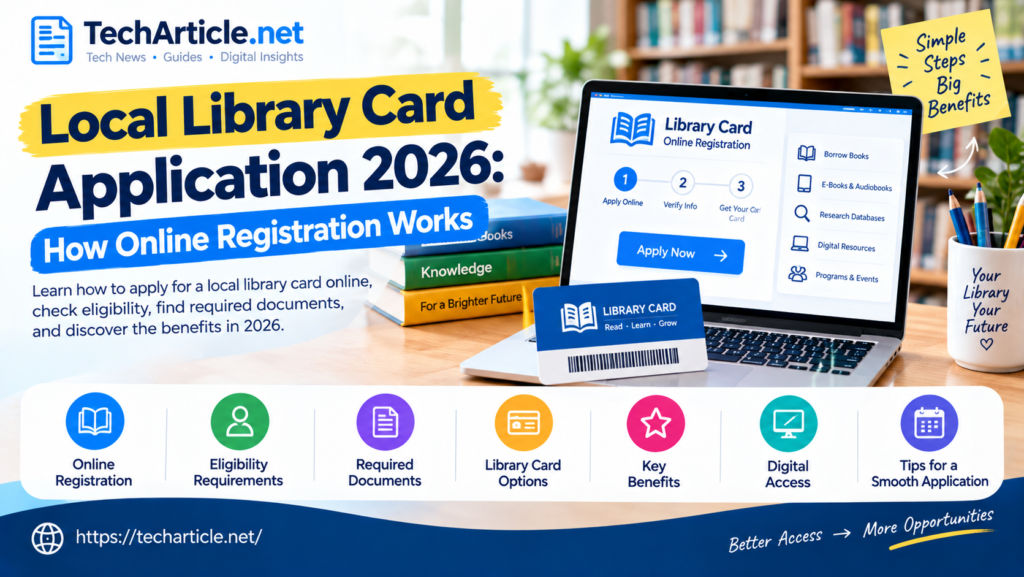
A library card is one of the easiest ways to access books, digital resources, research tools, educational programs, and other community services. In many places, getting a card no longer requires starting with a long paper application. Public libraries increasingly provide online registration, digital cards, and account-management tools.
However, the exact process is different from one library system to another. Eligibility, required documents, age rules, borrowing limits, online access, and fees can all depend on where you live and which library you want to use.
This guide explains how a local library card application usually works in 2026, how to apply online, what information you may need, who can qualify, what benefits a library card can provide, and what to do if your application is not approved immediately.
What Is a Library Card?
A library card is an account or identification card that connects you with a library system.
Traditionally, the card was mainly used to borrow physical books and other materials. Today, a library account can provide access to much more.
Depending on the library, a card may allow you to:
- Borrow physical books
- Borrow e-books
- Listen to digital audiobooks
- Access online newspapers and magazines
- Use research databases
- Reserve library materials
- Renew eligible items
- Use computers and internet services
- Register for library programs
- Access educational resources
- Use mobile library apps
- Place holds on books and other materials
Some libraries provide a physical card, while others may first issue a digital or temporary card.
The important point is that a library card is not exactly the same everywhere. Each library creates its own registration rules and services.
Why Get a Local Library Card in 2026?
Libraries have changed significantly as more services have moved online.
A modern library card can provide access to physical collections as well as digital resources from home. Some libraries also provide online learning platforms, databases, language-learning resources, streaming services, and downloadable books.
For students, a library card can provide useful research material. For families, it can provide access to children’s books, activities, and educational programs. For job seekers, library services may include computers, internet access, career resources, or training programs.
A library card can therefore be useful even if you rarely visit a library building.
The Library of Congress also highlights how digital catalogs have changed the way people discover library collections. Modern online catalogs can help users search for materials from anywhere with internet access.
Who Is Eligible for a Library Card?
There is no single eligibility rule for every library.
Many public libraries give cards to people who live within their service area. Some also allow people who work, attend school, own property, or have another qualifying connection to the area.
For example, the New York Public Library states that its cards are available free to people who live, work, attend school, or pay property taxes in New York State.
Other libraries may have different rules.
Eligibility can depend on:
- Your residential address
- Your age
- Whether you live within the library’s service area
- Whether you work or study in the area
- Your relationship with the local community
- Your identification documents
- The type of card you are requesting
Before applying, visit the official website of your local library and look for its Library Card, Get a Card, or Registration page.
Can Children Get a Library Card?
Yes, many libraries provide cards to children and teenagers.
However, the age requirements and parent or guardian rules vary.
For example, New York Public Library information says children 12 and under need parent or guardian permission for certain card-registration processes.
A library may ask a parent or guardian to complete the application, provide identification, or accept responsibility for the child’s account.
If you are applying for a child, check the library’s specific age policy before beginning the application.
What Documents Do You Need?
The documents required depend on the library.
Common requirements can include:
- Government-issued photo identification
- Proof of current address
- Name and date of birth
- Email address
- Phone number
- School identification
- Employment information
- Proof of local eligibility
Some libraries may accept more than one type of identification or document.
The Library of Congress provides an example of a more formal research-library registration process. Its Reader Identification Card requires a valid government-issued ID, such as a driver’s license, state ID, or passport.
This is different from a typical public-library borrowing card, so do not assume that every library requires the same documents.
How to Apply for a Library Card Online
Many libraries now allow at least part of the registration process to happen online.
The exact steps vary, but the process usually looks like this.
Step 1: Find Your Local Library
Search for the official website of your local public library.
Avoid using random websites that offer to create a library account for you. Start with the official library website whenever possible.
Look for links such as:
Get a Library Card
Library Card Application
Register Online
New Member Registration
Step 2: Check Eligibility
Read the eligibility requirements before completing the form.
Check whether the library requires you to:
- Live in a particular city, county, state, or service area
- Work locally
- Attend a local school
- Own property
- Meet a minimum age
- Provide a local address
This step can save time because some online applications are available only to eligible residents.
Step 3: Complete the Application
The application may ask for basic personal information.
Common fields include:
- Full name
- Date of birth
- Address
- Phone number
- Email address
For example, an NYPL online registration form asks for information such as name, date of birth, mailing address, phone number, and email address.
Only provide information through the official library website.
Step 4: Verify Your Information
Some libraries may require additional verification.
You could be asked to verify your email address, confirm your address, upload documentation, or visit a branch with identification.
Online registration does not always mean that the entire process is completed online.
Step 5: Receive Your Card or Temporary Number
Depending on the library, you may receive:
- A physical card
- A digital card
- A temporary card number
- An account number
- Instructions for collecting a physical card
Some libraries allow digital borrowing immediately after online registration, while others require an in-person visit before full borrowing privileges are activated.
Step 6: Set Up Your Library Account
After receiving your card information, you may be able to create a password or PIN.
Your online account can often be used to:
- Search the catalog
- Place holds
- Renew items
- Check due dates
- Manage personal information
- Access digital resources
- View borrowing history, where supported
Keep your login information secure.
Is Online Library Card Registration Free?
Many public libraries offer cards free of charge to eligible residents.
However, this is not a universal rule.
Some libraries may charge:
- Non-resident fees
- Replacement-card fees
- Special service fees
- Certain borrowing or processing charges
Do not assume that every library card is free for everyone.
For example, NYPL describes its eligible library cards as free, while its eligibility is tied to specified connections to New York State.
The safest approach is to check the fee information on your local library’s official website.
What Are the Benefits of a Library Card?
A library card can provide much more value than simply borrowing books.
1. Borrow Physical Books
This remains one of the main benefits.
You can search the library catalog and borrow books available at your local branch or wider library network.
Depending on the system, you may also place a hold on a book that is currently unavailable.
2. Access E-Books
Many modern library systems provide digital books.
You may be able to borrow an e-book from home and read it using a phone, tablet, computer, or supported e-reader.
The exact apps and digital platforms depend on the library.
3. Borrow Audiobooks
Digital audiobooks can be useful for commuting, exercising, or learning while doing other activities.
Some library systems offer audiobooks through their own apps or third-party digital platforms.
4. Use Online Research Databases
Libraries often subscribe to databases that individuals might otherwise have to pay for.
Depending on the library, these may include:
- Newspaper archives
- Academic research
- Business information
- Genealogy resources
- Reference databases
- Educational material
Access rules vary, so check which databases your library provides.
5. Use Computers and Internet Services
Some libraries provide computers, Wi-Fi, printing, scanning, or other technology services.
These services can be particularly useful for people who do not have reliable equipment or internet access at home.
6. Join Educational Programs
Libraries frequently host events and programs for different age groups.
These may include:
- Children’s reading programs
- Computer classes
- Workshops
- Author events
- Language programs
- Career assistance
- Community events
- Homework support
The availability of programs depends on the local library.
7. Access Special Services
Some library systems provide special services for people with disabilities, homebound residents, researchers, or other groups.
For example, San Francisco Public Library materials describe Library by Mail services for qualifying residents who cannot leave home because of a permanent disability.
This shows why checking your local library’s service pages can be worthwhile.
Physical Card vs. Digital Library Card
Libraries increasingly offer digital registration, but a digital card and a physical card may not provide exactly the same access.
A digital card may allow you to:
- Access e-books
- Use online databases
- Search the catalog
- Place digital holds
A physical card may be needed for some services, such as borrowing certain physical materials or accessing particular branches or facilities.
The difference depends on the library system.
If you apply online, read the instructions carefully to find out whether you need to visit a branch later.
What If Your Online Application Is Rejected?
Do not assume that a rejected application means you cannot use the library.
There may be several reasons.
Your address may not meet the library’s service-area requirements. Your application may contain incorrect information. You may need to provide additional documentation. You may have selected the wrong card type.
Contact the library directly if the reason is unclear.
A librarian can usually tell you which eligibility rule or document is causing the problem.
What If You Move to a New Area?
A library card is often connected to a specific library system or service area.
If you move, check whether your existing card remains valid.
Some library systems serve large regions, while others have more specific geographic requirements.
You may need to:
- Update your address
- Renew your account
- Apply for a new card
- Provide proof of the new address
Do not create multiple accounts unnecessarily. Ask the library whether your existing account can simply be updated.
How to Keep Your Library Account Safe
Your library account may contain personal information, borrowing information, or access to digital services.
Follow these basic security practices:
- Use the official library website.
- Keep your password or PIN private.
- Do not share your library card number publicly.
- Avoid saving login information on shared computers.
- Log out after using a public computer.
- Update your address when required.
- Report a lost card quickly.
- Contact the library if you notice unusual account activity.
Also be careful when clicking links in emails that claim to be from a library. When in doubt, open the library website directly rather than clicking an unexpected payment or verification link.
Library Card Application Tips
Before submitting your application, use this checklist:
Check the official website
Make sure you are applying through the actual library website.
Read the eligibility rules
Do not assume that living nearby automatically qualifies you.
Prepare your documents
Have your identification and address information ready if required.
Use accurate information
Your application may be delayed if your name, address, or other information does not match your documents.
Check digital access
If you mainly want e-books or audiobooks, confirm that the library offers the digital service you need.
Understand card limitations
A temporary digital card may have different borrowing limits from a full physical card.
Save your account details securely
Keep your card number and PIN private.
Library Cards and Digital Access in 2026
The modern library experience is increasingly connected to digital tools.
Online catalogs make it easier to search collections. Mobile apps can help users manage borrowing. Digital cards can reduce the need to visit a branch just to begin registration.
At the same time, physical libraries remain important community spaces.
The Library of Congress continues to highlight both traditional collections and digital access. Its current services include research resources, online catalogs, reference services, and other programs.
This combination means a library card can be useful both online and in person.

Local Library Card vs. Library of Congress Card
These are not the same thing.
A local public library generally serves its local community and may allow eligible residents to borrow books and use digital services.
The Library of Congress is primarily a research library. Its Reader Identification Card is designed for access to its research areas and collections rather than normal public-library borrowing.
The Library of Congress says anyone age 16 and older can use its collections, but researchers using reading rooms and collections need a Reader Identification Card.
Therefore, if your goal is to borrow ordinary books for home use, you should normally start with your local public library rather than the Library of Congress.
Frequently Asked Questions
How do I apply for a local library card?
Visit your local library’s official website and look for its library-card application or registration page. Check eligibility, complete the form, and follow the instructions for verification or card collection.
Can I apply for a library card online?
Many libraries offer online registration, but the exact process varies. Some provide a digital card immediately, while others require an in-person visit to complete verification.
Is a library card free?
Many public libraries offer free cards to eligible residents, but rules vary. Non-residents or special services may involve fees.
What documents do I need for a library card?
Common documents include photo identification and proof of address. Your local library determines which documents it accepts.
Can children get library cards?
Yes, many libraries provide cards to children. A parent or guardian may need to complete or approve the application depending on the library’s age rules.
Can I get a digital library card?
Some libraries provide digital cards or temporary online accounts. These can provide access to digital books, audiobooks, databases, and other services.
Can I use my library card in another city?
Usually, this depends on the library network and reciprocal agreements. Some cards work across multiple branches or partner libraries, while others are limited to a specific system.
What happens if I lose my library card?
Contact your library as soon as possible. The library can usually block the old card and explain how to receive a replacement.
Can I get a library card if I am not a local resident?
Possibly. Some libraries offer cards to people who work, attend school, own property, or have another connection to the area. Some may offer paid non-resident cards.
Do library cards expire?
Some library cards require periodic renewal. The renewal period and process depend on the library system.
Can I borrow e-books with a library card?
Many libraries provide e-books, but the available titles and apps vary. Check your library’s digital collection after registration.
Do I need to visit the library after applying online?
Not always. Some libraries complete registration digitally, while others require identification or physical-card collection at a branch.
Can I use a library card on my phone?
If your library supports a mobile app or digital card, you may be able to use your phone instead of carrying a physical card for some services.
What should I do if my application is delayed?
Check your email for additional instructions and contact the library if necessary. Your application may require address verification or another document.
Final Thoughts
A local library card can provide access to much more than physical books. In 2026, many library systems combine traditional borrowing with e-books, audiobooks, online research databases, mobile services, educational programs, computers, and community resources.
The application process is becoming easier in many places because libraries can offer online registration and digital cards. However, there is no single national application process. Eligibility, documents, fees, age requirements, and available services depend on the specific library system.
The best way to apply is to start with your local library’s official website, read its eligibility requirements, prepare the required information, and follow its registration instructions.
A library card is a small account that can open the door to a large amount of information and learning. Whether you want books, digital resources, research material, educational programs, or community services, checking your local library’s card options is a useful first step.