


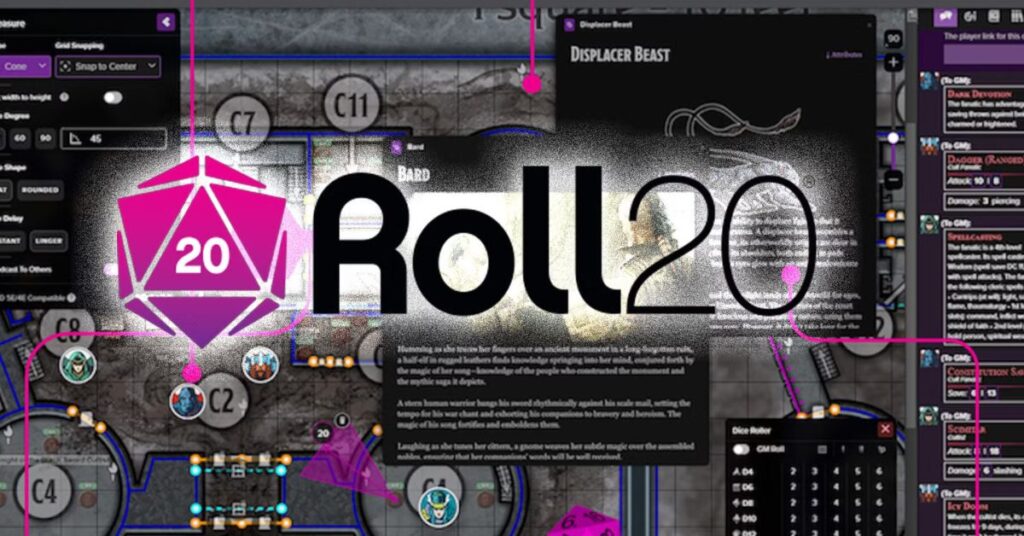
In the ever-evolving landscape of online gaming, Roll20 stands as a revolutionary platform that bridges the gap between traditional tabletop roleplaying games (RPGs) and modern digital convenience. Whether you’re a seasoned Dungeon Master (DM) or a new player exploring the world of Dungeons & Dragons (D&D), Roll20 offers an immersive, collaborative environment for creating, managing, and playing games. Launched in 2012, Roll20 has rapidly grown into one of the most prominent virtual tabletops (VTTs), hosting millions of users globally. In this article, we’ll delve into what makes Roll20 so powerful and user-friendly, its features, how to use it effectively, and why it’s a favorite among RPG fans.
What is Roll20?
Roll20 is a browser-based platform designed for playing tabletop roleplaying games online. It provides virtual tools like interactive maps, dice rollers, character sheets, chat, audio/video conferencing, and automation for game mechanics. It supports a variety of systems including:
-
Dungeons & Dragons (5e, 3.5e, 4e)
-
Pathfinder (1e & 2e)
-
Call of Cthulhu
-
Starfinder
-
Cyberpunk RED
-
Custom game systems
No installation is required—players only need a web browser and an internet connection to get started.
Key Features of Roll20
Virtual Tabletop (VTT)
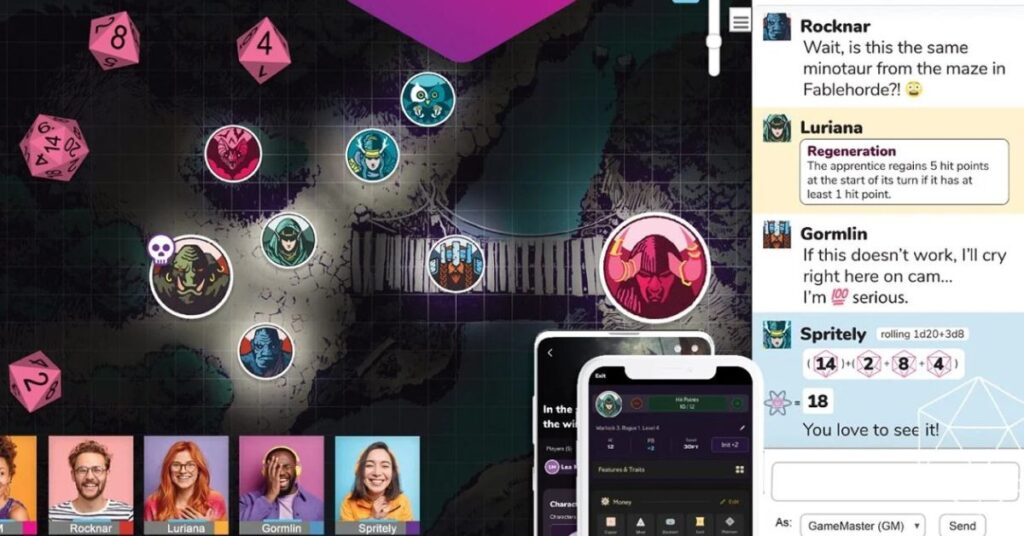
At the heart of Roll20 is its virtual tabletop, which replicates the physical experience of playing on a table. Users can drag and drop tokens, use maps with fog of war, and measure distances using built-in tools.
Dynamic Lighting
A standout feature for Pro users, Dynamic Lighting allows DMs to simulate visibility, torches, shadows, and line-of-sight for characters. It enhances immersion and suspense in the game.
Integrated Character Sheets
Roll20 offers customizable and automated character sheets for many RPG systems. These sheets calculate stats, track health, manage spells, and can roll dice directly from abilities.
Dice Rolling Engine
Roll20 features a powerful dice rolling system that supports basic rolls (like 1d20) and complex macros (e.g., 2d6 + 4d8 + 3). Rolls are visible to the entire party via chat.
Marketplace
The Roll20 Marketplace includes hundreds of pre-made adventures, tokens, maps, rulebooks, and compendiums from major publishers like Wizards of the Coast, Paizo, and Chaosium.
Audio/Video Support
Roll20 provides built-in voice and video chat, although many users prefer integrating third-party tools like Discord for stability.
API and Scripting
Advanced users can write custom scripts using the Roll20 API to automate complex game systems, enemy generation, turn orders, or custom rules.
Mobile Support
Although primarily browser-based, Roll20 has a mobile app called “Roll20 Mobile Companion” that allows character sheet access on the go.
Getting Started with Roll20
Starting with Roll20 is straightforward and free. Here’s a step-by-step guide:
Step 1: Create an Account
Visit https://roll20.net and sign up. There’s a free tier, but paid subscriptions (Plus and Pro) offer additional features like Dynamic Lighting and increased storage.
Step 2: Create or Join a Game
Click “Create New Game” and choose the system (like D&D 5e). You can also join a game via invitation or search for open games in the Join a Game section.
Step 3: Customize Settings
-
Upload maps or choose from the Marketplace.
-
Add tokens for characters and NPCs.
-
Configure fog of war and dynamic lighting if enabled.
Step 4: Add Players
Invite players via email or share the game link. You can assign them characters and permissions.
Step 5: Play!
Start your campaign with in-game chat, dice rolls, character sheets, and map interaction.
Popular RPG Systems on Roll20
Roll20 supports a wide range of systems, making it versatile for all types of RPG fans:
-
Dungeons & Dragons 5e: Fully integrated with modules, automation, compendiums, and support.
-
Pathfinder: Character sheets and bestiaries are well-supported.
-
Call of Cthulhu: Includes mythos resources, sanity tracking, and horror-themed assets.
-
Starfinder and Cyberpunk RED: Sci-fi lovers will enjoy integrated combat systems and futuristic themes.
Free vs Paid Plans
Free Plan
-
Unlimited games
-
Basic character sheets
-
Community forums and support
Plus Plan ($4.99/month)
-
Dynamic Lighting (Legacy)
-
Increased storage space
-
Customizable character sheets
Pro Plan ($9.99/month)
-
Full Dynamic Lighting
-
API access and custom scripts
-
Advanced features for power users
Roll20 Marketplace
One of the most attractive elements of Roll20 is its Marketplace, where users can buy:
-
Official rulebooks (like Player’s Handbook, Monster Manual)
-
Ready-to-play modules (Curse of Strahd, Waterdeep: Dragon Heist)
-
Token packs, sound effects, and tile sets
-
Adventure bundles with maps and pre-built encounters
Most assets can be added directly to your game with a few clicks, saving hours of preparation.
Advantages of Roll20
Accessibility
Being browser-based means no installation and cross-platform support (Windows, Mac, Linux, Chromebook).
Collaborative Play
Whether your group is across the street or across continents, Roll20 provides real-time collaboration and gameplay.
Automation
From attack rolls to spell effects, Roll20 automates many tedious RPG mechanics, speeding up gameplay.
Learning Curve
For newcomers, Roll20’s documentation, forums, and YouTube tutorials ease the learning process.
Community
The Roll20 community is large and active, offering custom macros, modules, and advice through forums, Reddit, and Discord.
Challenges and Limitations
Despite its strengths, Roll20 has a few drawbacks:
-
Interface Complexity: Beginners may find the interface overwhelming at first.
-
Audio/Video Quality: Built-in AV can be unstable; many use external apps like Zoom or Discord.
-
Subscription Costs: Advanced features are locked behind paywalls.
-
Limited Mobile Experience: While Roll20 Mobile exists, it’s not yet full-featured for gameplay.
Roll20 vs Foundry VTT vs Fantasy Grounds
Here’s a brief comparison of top VTT platforms:
Feature |
Roll20 |
Foundry VTT |
Fantasy Grounds |
|---|---|---|---|
Cost |
Free w/ paid options |
One-time purchase |
One-time or subscription |
Browser-Based |
Yes |
No |
No |
Marketplace |
Extensive |
Growing |
Limited |
Automation |
Moderate |
Advanced |
Advanced |
User-Friendliness |
Moderate |
Advanced |
Complex |
Community Support |
Excellent |
Growing |
Decent |
Each platform has its strengths. Roll20 wins for ease of access, while Foundry is more powerful but requires a one-time setup and hosting.
Tips for Using Roll20 Effectively
-
Master Keyboard Shortcuts – Speeds up map management and navigation.
-
Use Macros – Save time on repetitive rolls or actions.
-
Pre-load Assets – Prepare tokens, maps, and handouts before sessions.
-
Coordinate with Players – Use Discord or Zoom for smoother communication.
-
Learn the API (Pro users) – Automate conditions, initiative, and effects.
Roll20 for DMs and Storytellers
Roll20 empowers Dungeon Masters with:
-
Full control over tokens and maps
-
Customizable initiative trackers
-
Dynamic Lighting to create suspense
-
Access to 3rd-party assets for worldbuilding
-
The ability to run one-shots or multi-year campaigns
Whether you’re creating a custom campaign or using pre-built adventures, Roll20 lets you bring your story to life in a collaborative space.
Roll20 for Players
Players benefit from:
-
Easy access to character sheets
-
Click-to-roll mechanics
-
Real-time updates from the DM
-
In-game notes, handouts, and journals
-
Integration with dice bots and initiative trackers
All that’s needed is a browser and a character idea to get started.
Is Roll20 Worth It?
If you’re passionate about tabletop RPGs and need a remote-friendly solution, Roll20 is absolutely worth it. It removes geographical boundaries, simplifies complex mechanics, and opens up vast creative possibilities.
The free tier is robust enough for casual play, while paid subscriptions unlock powerful tools for serious GMs and storytellers.
Final Thoughts
Roll20 has transformed the way RPGs are played in the digital age. Whether you’re battling dragons in Faerûn, solving mysteries in Arkham, or exploring distant galaxies, Roll20 is your all-in-one toolkit for immersive and collaborative roleplaying. Its user-friendly interface, robust tools, and vibrant community make it a top choice for anyone looking to dive into the world of virtual tabletops. So grab your character sheet, gather your party, and roll for initiative—your next adventure awaits on Roll20.
FAQs
Q1: Is Roll20 free to use?
Yes, the base version of Roll20 is free with optional paid upgrades.
Q2: Do I need to download anything?
No. Roll20 runs in your web browser—no downloads required.
Q3: Can I run homebrew games on Roll20?
Absolutely. Roll20 is highly customizable and supports homebrew content.
Q4: Can you use Roll20 on mobile?
Yes, Roll20 Mobile Companion lets you manage characters, but full gameplay is best on desktop.
Q5: Is Roll20 suitable for beginners?
Yes, though it may take a session or two to get fully comfortable.