


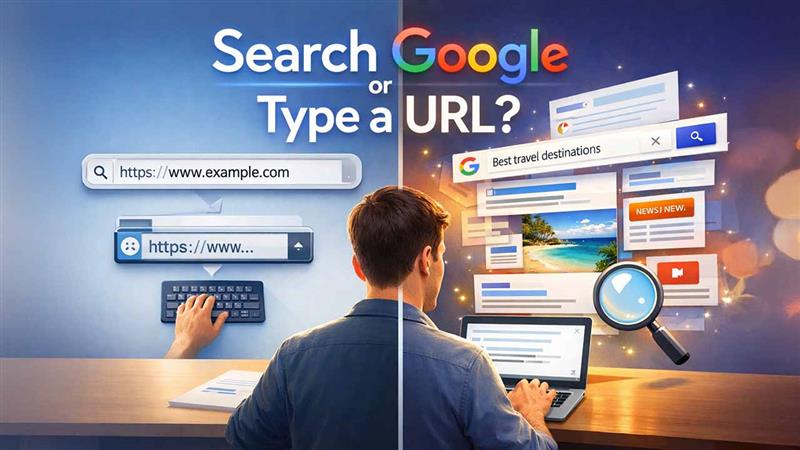
Every time you open a web browser, you face a simple yet important choice: should you search Google or type a URL directly into the address bar?
It’s a decision most of us make unconsciously, multiple times a day. Yet this small action affects how fast we access information, how secure our browsing is, and how efficiently we use the internet.
In 2025, when browsers, search engines, and AI-powered suggestions are more advanced than ever, understanding when to search and when to type a URL can significantly improve your online experience.
This comprehensive guide breaks down the differences, advantages, disadvantages, use cases, security considerations, and best practices helping you browse smarter and faster.
Understanding the Basics
Before deciding which option is better, let’s clarify what each action actually means.
What Does “Searching Google” Mean?
Searching Google means typing keywords, phrases, or questions into a search engine (such as Google, Bing, or DuckDuckGo) to find information or websites.
Example:
The search engine then displays a list of results based on relevance, authority, and other ranking factors.
What Does “Typing a URL” Mean?
Typing a URL means entering the exact web address of a website directly into the browser’s address bar.
Example:
This takes you straight to the intended website without using a search engine.
How Modern Browsers Blur the Line
Today’s browsers (Chrome, Edge, Firefox, Safari) combine search and navigation into a single address bar—often called the Omnibox.
-
Typing keywords → triggers a search
-
Typing a full domain → opens the website
-
Partial input → browser guesses your intent
This convenience sometimes makes users forget there is a difference—but the difference still matters.
When You Should Search Google
Searching Google is ideal in many everyday situations. Here’s when it makes the most sense.
1. When You Don’t Know the Exact Website
If you’re unsure about the website’s name or URL, searching is the best option.
Example searches:
-
“latest technology news”
-
“best laptop under $1000”
-
“how to reset Windows 10 password”
Google helps you discover the most relevant sources quickly.
2. When You Want Multiple Options
Search engines are perfect when you want choices, comparisons, or reviews.
Examples:
-
Best hosting providers
-
Top SEO tools
-
Online learning platforms
Google presents a variety of sources so you can compare credibility, pricing, and opinions.
3. When You’re Researching a Topic
For learning, research, or problem-solving, search engines excel.
Examples:
-
“What is cloud computing?”
-
“Pros and cons of AI in healthcare”
-
“Beginner guide to stock trading”
Search engines index millions of pages, making them powerful research tools.

4. When You Want the Latest Information
Google prioritizes fresh and updated content, making it useful for:
-
News
-
Trends
-
Software updates
-
Algorithm changes
Typing a URL may take you to outdated content, while search results often highlight the newest information.
5. When You’re Unsure About Spelling
Search engines can correct spelling mistakes and still show relevant results—URLs cannot.
Example:
-
Typing “invistopedia” into Google → still works
-
Typing it as a URL → results in an error
When You Should Type a URL Directly
Typing a URL is often faster, safer, and more efficient in specific scenarios.
1. When You Visit a Website Regularly
If you already know the site and visit it often, typing the URL saves time.
Examples:
-
gmail.com
-
youtube.com
-
facebook.com
-
amazon.com
This avoids unnecessary search results and ads.
2. For Better Security and Privacy
Typing a URL reduces the risk of:
-
Clicking fake ads
-
Visiting phishing websites
-
Accidentally landing on malicious clones
Direct navigation ensures you reach the correct destination.
3. When Accessing Login Pages
For sensitive accounts like:
-
Banking
-
Email
-
Admin dashboards
Typing the URL directly is safer than searching, as search results can sometimes include deceptive links.
4. When You Know the Exact Destination
If your goal is very specific, searching is unnecessary.
Example:
Typing the URL takes you directly where you want to go without distractions.
5. Faster Page Access
Direct URLs load faster because:
-
No search results page
-
No ads
-
No intermediate steps
This is especially useful on slow internet connections.
Google Search vs Typing a URL: Side-by-Side Comparison
Feature |
Google Search |
Typing a URL |
|---|---|---|
Speed |
Slower (extra step) |
Faster |
Discovery |
Excellent |
Limited |
Security |
Medium (ads & phishing risk) |
High |
Convenience |
Very high |
High |
Accuracy |
Depends on query |
Exact |
Learning & Research |
Best option |
Not ideal |
SEO, Ads, and Why Search Isn’t Always Neutral
One important reason to understand this choice is advertising influence.
When you search Google:
-
Top results may be paid ads
-
Sponsored listings may look like real results
-
Some ads mimic well-known websites
Typing a URL avoids this entirely.
The Role of AI and Smart Suggestions in 2025
Modern search engines now use:
-
AI summaries
-
Featured snippets
-
Auto-complete suggestions
While these features save time, they can also:
-
Reduce exposure to diverse sources
-
Prioritize algorithm-selected answers
-
Limit critical thinking
Typing a URL gives you full control over your destination.
Mobile Browsing: Does the Rule Change?
On smartphones:
-
Searching is often easier than typing full URLs
-
Voice search dominates
-
Browser suggestions auto-fill URLs
However, for security-sensitive actions (banking, payments), typing or bookmarking the URL is still recommended.
Bookmarks: The Best of Both Worlds
Bookmarks eliminate the need to choose between searching and typing.
Benefits:
-
One-click access
-
Zero typing
-
Reduced phishing risk
-
Faster navigation
If you visit a site more than twice a week, bookmarking is the smartest option.
Common Mistakes Users Make
-
Searching for login pages instead of typing URLs
-
Clicking ads instead of organic results
-
Trusting the first search result blindly
-
Not checking the domain name carefully
-
Ignoring HTTPS security indicators
Understanding when to type a URL helps avoid these mistakes.
For Businesses: Why This Question Matters
From a website owner’s perspective:
-
Users who type URLs show brand trust
-
Search-driven traffic is influenced by SEO and ads
-
Strong branding encourages direct visits
This is why companies invest heavily in memorable domain names.
Which Is Better for Beginners?
For beginners:
-
Search Google for learning and discovery
-
Type URLs for known and trusted sites
Over time, experienced users naturally shift toward direct navigation and bookmarks.
Final Verdict: Should You Search Google or Type a URL?
The correct answer is: it depends on your goal.
-
Search Google when you’re exploring, researching, or unsure
-
Type a URL when you know exactly where you want to go
-
Bookmark sites you trust and visit frequently
Smart internet users don’t rely on just one method—they use both strategically.
Conclusion
In a digital world overflowing with information, efficiency and safety matter more than ever. Understanding when to search and when to type a URL helps you:
-
Save time
-
Avoid scams
-
Browse securely
-
Access better information
In 2025, the smartest users aren’t faster typists—they’re intentional browsers.
FAQs
Q1: Is typing a URL safer than searching?
Yes, especially for login and financial websites.
Q2: Why do people still use Google instead of URLs?
Because search engines help with discovery and research.
Q3: Can search results be unsafe?
Yes, ads and phishing links can appear.
Q4: What’s the fastest browsing method?
Bookmarks and direct URLs.
Q5: Do modern browsers replace the need for URLs?
No, they simplify browsing but don’t remove security risks.