
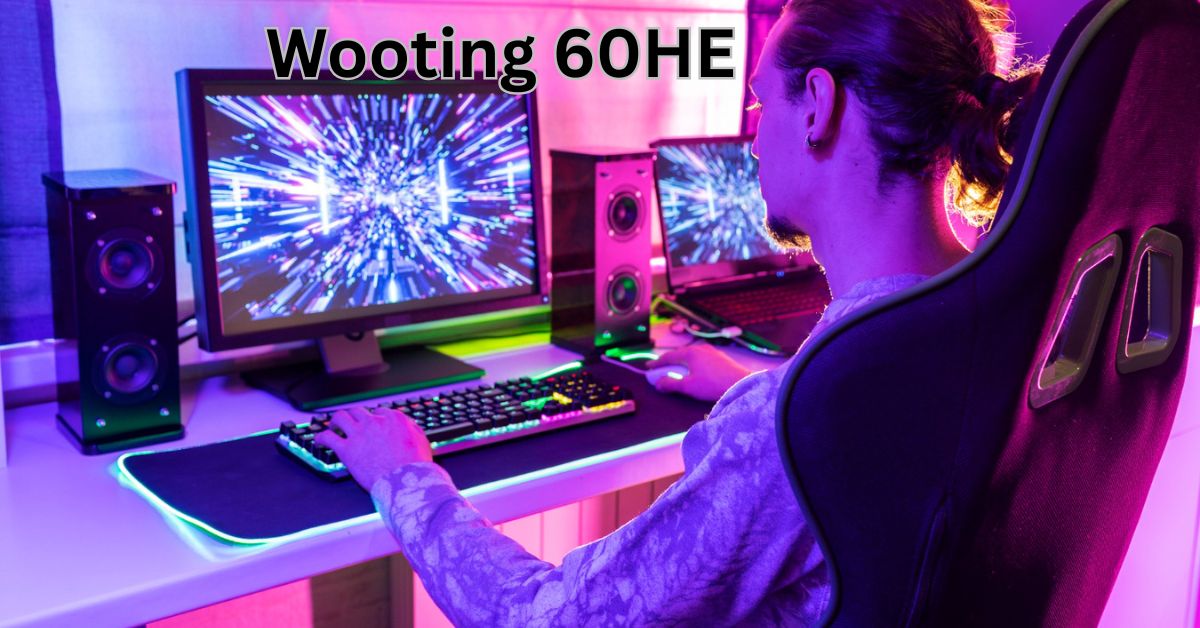
In the world of gaming peripherals, innovation is often evolutionary rather than revolutionary. Mechanical keyboards have become a staple among gamers, prized for their tactile feedback and durability. However, few products in recent years have truly redefined what a keyboard can do , until the Wooting 60HE came along. Dubbed as one of the most advanced analog keyboards on the market, the Wooting 60HE merges cutting-edge technology with minimalistic design to offer a keyboard experience that’s as powerful as it is personal.
Introduction to Wooting
Before diving into the 60HE, it’s important to understand the philosophy behind Wooting. Founded by a small team of passionate gamers and engineers, Wooting has always aimed to challenge the status quo. Their mission has been to develop keyboards that deliver unparalleled control, feedback, and customization — not just another RGB-lit mechanical board.
The company first made waves with the Wooting One and Wooting Two keyboards, which introduced analog input to the gaming community. But it was the Wooting 60HE, launched in 2022, that truly captured global attention for pushing the limits of what’s possible in a compact form factor.
What is the Wooting 60HE?
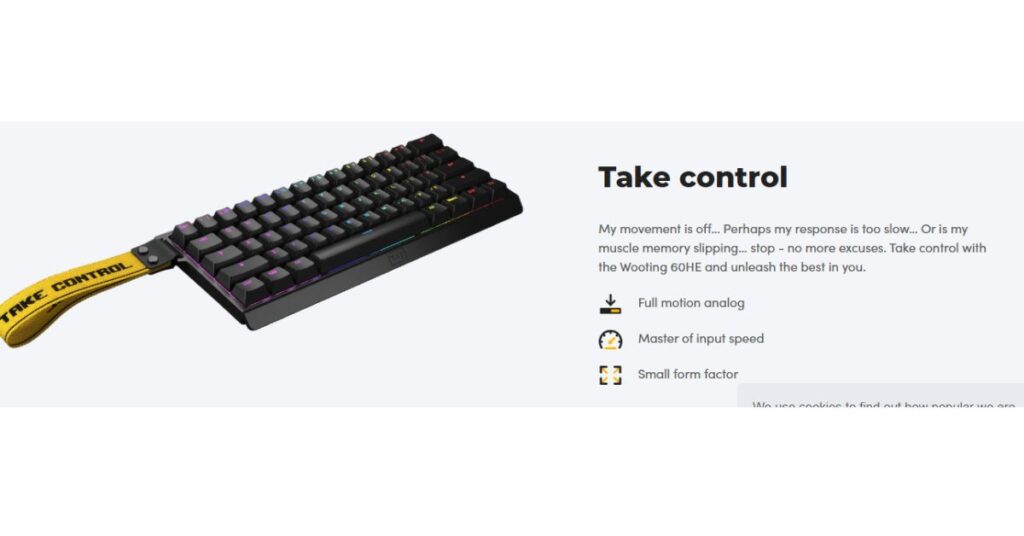
The Wooting 60HE is a 60% analog mechanical keyboard that uses Lekker switches and Hall effect sensors to offer full-range analog input for every key. This means that each keypress can detect how far it is pressed down , similar to how an analog stick works on a game controller. This feature isn’t just for show. It provides massive gameplay advantages in racing games, shooters, and any game where variable input is preferable. Imagine walking slowly by lightly pressing W, or gradually accelerating in a racing game without the need for a controller.
Key Features
Analog Input Technology
The core of the Wooting 60HE lies in its analog functionality. Thanks to magnetic Hall effect sensors, each key can detect 0.1mm of movement, allowing for highly precise input. This is a game-changer in genres like FPS, racing, and even simulators.
-
Rapid Trigger: One of the biggest innovations is Rapid Trigger, where the keyboard can instantly reset a key the moment you begin to lift your finger — even by a fraction. This eliminates the delay of the key needing to return to its original position, which is particularly valuable in competitive games where milliseconds count.
-
Dynamic Keystroke: You can bind multiple actions to a single key based on how far it’s pressed. For instance, a light press can trigger one ability, while a full press activates another.
Lekker Switches
Wooting’s proprietary Lekker switches are linear, analog, and hot-swappable. Unlike traditional mechanical switches that rely on physical actuation points, Lekker switches operate via magnetism, allowing them to detect variable input with no debounce delay.
-
Smooth Feel: Lekker switches are smooth and consistent, ideal for both gaming and typing.
-
Hot-swappable: The keyboard supports hot-swapping, so you can replace the switches without soldering.
-
Adjustable Actuation Point: You can set the actuation point between 0.1mm to 4.0mm, customizing it per key.
Gateron x Lekker Collaboration
While Lekker switches are proprietary, they are manufactured in collaboration with Gateron, a well-known name in the switch community. This ensures quality and longevity with the benefits of analog tech.
Software: Wootility
The Wootility software is an intuitive, powerful tool for customizing the keyboard. You can adjust actuation points, remap keys, create analog profiles, and manage RGB lighting.
-
Cloud Profiles: Save and sync your settings in the cloud.
-
Per-key Analog Customization: Tailor the analog behavior per key.
-
RGB Lighting: Although minimalist in approach, the keyboard supports vibrant per-key lighting with effects.
Build and Design
-
Form Factor: The 60HE is a compact 60% keyboard, which means it omits the function row, navigation keys, and numpad. This makes it perfect for minimalist setups and offers more space for mouse movement.
-
Case and Keycaps: The keyboard comes with high-quality ABS keycaps and a durable plastic case. Enthusiasts often replace these with PBT keycaps and custom cases, thanks to its modular design.
-
USB-C and Detachable Cable: Standard modern connectivity for easy cable management.
Performance in Gaming
The analog input and rapid trigger features provide a major competitive edge:
-
FPS Games: Instantaneous keystroke registration and variable movement speeds offer finer control.
-
Racing Games: Analog input simulates throttle and steering with much greater nuance.
-
MMORPGs and MOBAs: Dynamic keystrokes allow you to bind multiple skills to a single key depending on pressure.
Advantages of Analog Input
You might wonder — do you really need analog input on a keyboard? Here’s how it changes the game:
-
Precision Movement: Walk, jog, and run , all using a single key.
-
Quicker Response: With Rapid Trigger, actions happen as soon as you move your finger.
-
More Actions per Key: Set analog thresholds to create macros or dual bindings.
-
Controller Emulation: Great for games that don’t fully support keyboard analog input.
Customization and Community
Wooting’s user base is one of the most active in the keyboard community. Whether you’re into modding your keycaps, tweaking firmware, or building macros for gaming, the Wooting 60HE has endless potential.
-
Open API: Developers can integrate analog input into their own tools and games.
-
Firmware Updates: Wooting actively supports and updates firmware based on community feedback.
-
Keyboard Mods: Enthusiasts can build custom cases, lube switches, or add dampening foam.
Use Beyond Gaming
Although the 60HE is marketed toward gamers, its capabilities extend into content creation, productivity, and accessibility.
-
Variable Zoom or Brush Pressure in creative software.
-
Accessibility: Users with physical limitations benefit from the custom actuation points.
-
Productivity Shortcuts: Dual-action keys can replace multiple shortcuts, streamlining workflow.
Downsides and Considerations
As with any product, there are trade-offs:
-
Learning Curve: Analog input takes time to master, and not all games support it natively.
-
No Arrow Keys: As a 60% keyboard, you’ll need to use function layers for navigation.
-
Price Point: At around $175 USD, it’s not cheap. But for enthusiasts, it’s worth the price.
Comparisons with Competitors
How does the Wooting 60HE stack up against other gaming keyboards?
Feature |
Wooting 60HE |
SteelSeries Apex Pro |
Razer Huntsman Mini Analog |
|---|---|---|---|
Switches |
Lekker (Analog) |
OmniPoint (Adjustable) |
Analog Optical |
Actuation |
0.1mm – 4.0mm |
0.4mm – 3.6mm |
1.5mm – 3.6mm |
Rapid Trigger |
✅ Yes |
❌ No |
✅ Yes |
Analog Input |
✅ Full Range |
❌ Limited |
✅ Partial |
Software |
Wootility |
SteelSeries GG |
Razer Synapse |
Hot-swappable |
✅ Yes |
❌ No |
❌ No |
Real User Reviews
Here’s what actual users are saying:
-
“Game changer for CS2 and Valorant. The rapid trigger gives me a faster edge in gunfights.”
-
“Takes some time to configure, but once you do, there’s no going back.”
-
“I wish it had arrow keys, but that’s the price for a compact layout.”
-
“Superb customer support and a community that helps you mod it the way you want.”
The Future of Analog Keyboards
Wooting has proven that analog input isn’t a gimmick — it’s the future. With increasing adoption in esports and gaming communities, it’s only a matter of time before more developers optimize their games for analog keyboards.
Other companies like SteelSeries, Razer, and Keychron are following suit, but Wooting remains at the forefront of innovation.

Who Should Buy the Wooting 60HE?
Ideal for:
-
Competitive gamers who play fast-paced titles like CS2, Valorant, Apex Legends.
-
Sim racers or fans of racing games like Forza and Assetto Corsa.
-
Keyboard enthusiasts looking to experiment with analog tech.
-
Content creators who want variable pressure inputs in design software.
Not ideal for:
-
Office environments where analog input is unnecessary.
-
Users who need a full-sized layout with a numpad.
-
Casual gamers who don’t care about customization or millisecond advantage.
Conclusion
The Wooting 60HE isn’t just another mechanical keyboard — it’s a leap forward in how we interact with games and digital content. By blending analog technology, modular hardware, and deep customization, Wooting has set a new standard in gaming peripherals. If you’re looking to elevate your gameplay, streamline your inputs, or explore what analog control can offer beyond controllers, the Wooting 60HE is not just a purchase — it’s an investment in performance.
Frequently Asked Questions (FAQ)
What makes the Wooting 60HE different from other mechanical keyboards?
The Wooting 60HE uses Hall effect sensors and analog Lekker switches, allowing each key to register varying levels of pressure. This analog input gives players precise movement control and features like Rapid Trigger, which dramatically enhances performance in competitive games.
What is analog input, and why does it matter?
Analog input means the keyboard can detect how far you press a key (like a game controller joystick). This enables smooth and gradual movement in games — for example, walking slowly or steering with finesse — instead of binary on/off key presses.
What is Rapid Trigger?
Rapid Trigger allows the keyboard to register key activation and deactivation based on the smallest movement (down and up) without needing the key to return to its resting point. This enables faster, more responsive actions, which is crucial in FPS games and fast-paced scenarios.
Can I use the Wooting 60HE for typing or office work?
Yes! Despite being built for gaming, the 60HE is excellent for typing, especially if you appreciate linear switches. However, as a 60% keyboard, it lacks dedicated arrow keys and function keys, which may be inconvenient for some productivity users.
Is the Wooting 60HE hot-swappable?
Yes, the 60HE is hot-swappable, meaning you can change switches without soldering. However, you must use switches that are compatible with the board’s magnetic sensing system , primarily Wooting’s Lekker switches.
