


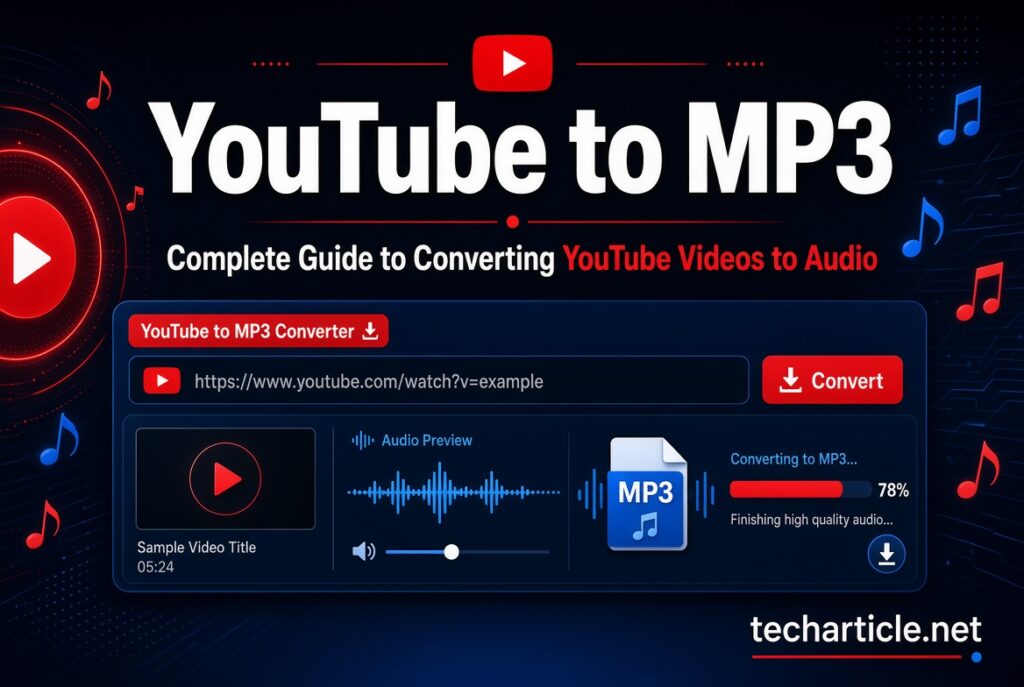
YouTube is one of the world’s largest platforms for watching videos, listening to music, following podcasts, learning new skills, and discovering educational content. Because many YouTube videos contain useful audio, people often search for terms such as YouTube to MP3, YouTube MP3 converter, or YouTube audio downloader when they want to listen to content without watching the video.
A YouTube-to-MP3 tool generally refers to a service or software that extracts the audio portion of a video and converts it into an MP3 or another audio format. While the technology itself is easy to understand, there are important questions surrounding copyright, permissions, quality, security, and YouTube’s rules.
This guide explains what YouTube to MP3 means, how the process generally works, when downloading audio may be appropriate, what limitations users should understand, and what alternatives are available.
What Is YouTube to MP3?
YouTube to MP3 is a general term used for tools that convert the audio from a YouTube video into an MP3 file.
An MP3 is a compressed digital audio format that can store music, speech, podcasts, interviews, lectures, and other types of sound. Compared with a video file, an MP3 normally requires considerably less storage space because it contains audio rather than video.
For example, someone might have a video containing a lecture and want to listen to the audio while doing another activity. An audio conversion tool may be designed to extract the audio stream and save it in an audio format.
However, the ability to technically extract audio does not automatically mean that a person has permission to download or redistribute the underlying content.
How Does a YouTube-to-MP3 Converter Work?
Although different services use different technologies, the general concept is relatively simple.
A typical conversion process involves several stages:
- The user provides a YouTube video address.
- The service identifies the requested video.
- The available media stream is processed.
- The audio portion is extracted or converted.
- The audio is encoded into a format such as MP3.
- The resulting file may then be made available to the user.
The actual technical process can involve media processing, audio encoding, temporary storage, and server-side infrastructure.
The important point is that converting a video into an MP3 does not change the copyright status of the original material. If a video contains copyrighted music or another protected work, converting it into another format does not give the converter user ownership of that material.
Why Do People Search for YouTube to MP3 Tools?
There are several legitimate reasons people may want an audio version of online content.
Listening to Your Own Content
Creators who upload their own videos may want an audio copy for backup, editing, archiving, or repurposing.
If you own the original content, you have much more control over how it can be downloaded, converted, edited, or reused, subject to any third-party material included in the video.
Educational Content
Students and educators sometimes prefer audio because it can be easier to consume while commuting or performing other activities.
For example, a creator may publish a lecture, language lesson, tutorial, or educational presentation that is also available in an authorized downloadable format.
Podcasts and Interviews
Some video creators publish podcasts and interviews on YouTube. If the creator separately provides an authorized podcast or audio download, using that official option is generally preferable to relying on an unofficial converter.
Personal Archives
Creators may also want to keep copies of their own published material for archival purposes.
YouTube provides official downloading options for videos that users have uploaded themselves. YouTube’s Help documentation states that creators can download their own uploaded videos through YouTube Studio, subject to applicable limitations.
Is Downloading YouTube Audio Allowed?
This is one of the most important questions surrounding YouTube-to-MP3 searches.
The answer depends on the content, the rights involved, and the permissions provided by the platform or copyright holder.
YouTube’s Terms state that users may not access, reproduce, download, distribute, transmit, display, sell, license, alter, or otherwise use content except where the service specifically permits it, where permission has been obtained from YouTube and applicable rights holders, or where applicable law permits it.
Therefore, users should not assume that every YouTube video can legally or contractually be converted into an MP3 simply because a third-party website makes the technical process possible.
Copyright law can also vary between countries, so users should consider the rules applicable to their location.
What Content Is Safer to Convert?
The safest situations generally involve content for which you have the necessary rights or permission.
Examples can include:
- Videos you created and uploaded yourself
- Audio or video for which the copyright owner has granted permission
- Content specifically provided for downloading or reuse
- Material released under a license that permits the intended use
- Public-domain material, where applicable
- Content made available by the creator through an official download option
Even with licensed or openly available material, users should read the relevant license because some licenses impose conditions on commercial use, modification, attribution, or redistribution.
What About Copyrighted Music?
Copyrighted music requires particular care.
A song appearing in a YouTube video may be owned by a recording artist, record label, publisher, composer, or another rights holder. The person who uploaded the video may not necessarily own all of the rights to the music.
Simply converting such a video to MP3 does not transfer ownership to the person downloading it.
Users should therefore avoid treating YouTube-to-MP3 services as a general method for obtaining copyrighted music without authorization.
If a creator or rights holder provides an official download or streaming option, that option is generally the appropriate place to obtain the audio.
YouTube Premium and Official Offline Access
YouTube also provides official options for offline viewing through its own services.
YouTube’s current Help documentation explains that Premium members can download videos for offline viewing within the YouTube app. The downloaded material is stored for use through the YouTube experience rather than being provided as an ordinary MP3 file.
This distinction is important.
Offline playback through an official service is different from extracting an MP3 file and transferring that file to another application or service.
YouTube’s developer policies also restrict services from enabling downloads or separating audio tracks from YouTube videos through the YouTube API.
Audio Quality and MP3 Bitrate
Another consideration when discussing YouTube to MP3 is audio quality.
MP3 quality is commonly described using bitrate, such as 128 kbps, 192 kbps, or 320 kbps. Higher bitrate can preserve more audio information, although the final quality also depends on the source.
For example, converting a low-quality audio source into a 320 kbps MP3 does not magically recreate information that was never present in the original recording.
This is sometimes called upscaling the bitrate. The resulting file may be larger, but the actual audio quality may not improve.
For legitimate audio conversion, it is usually better to start with the highest-quality source available and select an appropriate output format.
MP3 vs Other Audio Formats
MP3 is popular because it is widely supported.
However, it is not the only audio format available.
MP3
MP3 provides broad compatibility and relatively small file sizes. It works with most computers, smartphones, car stereos, music players, and other devices.
AAC
AAC can provide efficient audio compression and is widely used across modern platforms and devices.
WAV
WAV files are typically much larger and are often used when preserving uncompressed audio is important.
FLAC
FLAC is a lossless audio format. It can preserve the original audio information while generally using less storage than uncompressed formats such as WAV.
The appropriate format depends on the purpose of the audio and the compatibility requirements of the device or application.
Security Risks of Unofficial Converter Websites
Users should also think about security when searching for YouTube-to-MP3 services.
Not every website that advertises a free converter is trustworthy. Some websites may contain aggressive advertising, misleading download buttons, unwanted browser notifications, redirects, or potentially harmful files.
Google’s Search policies specifically identify misleading functionality and unwanted software as areas that can create poor or unsafe user experiences.
A legitimate-looking converter page should not automatically be considered safe.
Users should be cautious when a website:
- Opens multiple unexpected tabs
- Requests unnecessary browser permissions
- Encourages installation of unknown software
- Uses fake download buttons
- Requests personal information for a simple conversion
- Claims that a browser extension is required without a clear reason
- Redirects users to unrelated websites
- Provides executable files when only an audio conversion is expected
Keeping the browser, operating system, and security software updated can also reduce exposure to common threats.
How to Choose a Safer Audio Conversion Option
If you have the necessary rights to convert content, consider the following factors when evaluating a conversion solution.
Check the Source
First determine whether you are authorized to download or convert the content.
This is more important than the conversion tool itself.
Prefer Official Downloads
If the creator provides an official MP3, podcast feed, download button, or another authorized method, that option is preferable.
Avoid Suspicious Software
You generally should not need to install unrelated programs simply to perform a basic audio conversion.
Check the Output
After conversion, verify that the file has the expected format and does not contain unwanted software or suspicious additional files.
Protect Your Information
A simple conversion task should not normally require highly sensitive information. Be cautious if an unfamiliar website requests passwords, payment information, identity documents, or unnecessary personal details.
Can You Use Converted Audio Commercially?
Commercial use requires additional caution.
If you convert content that belongs to another creator, converting it to MP3 does not automatically give you the right to sell it, publish it, use it in advertising, upload it elsewhere, or include it in a commercial project.
Commercial usage can involve additional copyright, licensing, and contractual considerations.
For example, a business creating a promotional video should make sure it has the appropriate rights for any music or audio it uses. Similarly, a creator planning to redistribute an audio recording should verify the license and permission requirements before publishing it.
YouTube to MP3 for Your Own Videos
If you are the creator of the YouTube video, the situation is different.
YouTube provides tools for creators to download their own uploaded videos. According to YouTube Help, creators can download their uploaded videos through YouTube Studio, although certain videos may have download restrictions.
After obtaining your own original video file, you can use appropriate media-editing software to extract or export its audio when you have the necessary rights to the content contained in the video.
This can be useful for:
- Creating podcast episodes
- Making audio archives
- Editing interviews
- Preparing voice recordings
- Repurposing your own educational content
- Keeping offline backups
If your video includes music, images, voice recordings, or other material licensed from someone else, you should also check the relevant license before repurposing the resulting audio.
Google Search Guidelines for YouTube-to-MP3 Content
Website owners publishing articles about YouTube-to-MP3 tools should focus on usefulness rather than simply creating a page around the keyword.
Google’s guidance says its systems aim to prioritize helpful, reliable, people-first content. It also warns against creating large amounts of low-value content primarily to manipulate search rankings.
For this topic, a useful article should answer real questions such as:
- What does YouTube to MP3 mean?
- How does audio conversion work?
- Is downloading permitted?
- What are the copyright considerations?
- What official options exist?
- What audio formats are available?
- How can users avoid unsafe websites?
- What should creators know about their own content?
An article should not simply repeat the same keyword dozens of times or create multiple nearly identical pages targeting slightly different versions of the same search.
Google’s spam policies specifically identify scaled content abuse as a problem when many pages are produced without adding meaningful value, regardless of whether AI or another production method was used.
Does AI Content Violate Google’s Guidelines?
Using AI to assist with an article does not automatically make the content unacceptable.
Google states that AI-generated content can appear in Search when it is useful, original, accurate, and created to help people. The concern arises when automation is used primarily to manipulate search rankings or produce large quantities of low-value pages.
For that reason, an article about YouTube to MP3 should be fact-checked and written for readers first.
It should also avoid unsupported claims such as guaranteeing that a particular converter is legal everywhere, completely safe, or compatible with every YouTube video.

Frequently Asked Questions
What is YouTube to MP3?
YouTube to MP3 generally refers to converting the audio portion of a YouTube video into an MP3 audio file.
Is YouTube to MP3 legal?
The answer depends on the content, copyright ownership, permission, applicable law, and YouTube’s terms. Users should not assume that every YouTube video can be downloaded or converted.
Can I convert my own YouTube videos?
If you own the necessary rights to your own content, you can generally work with your original media. YouTube also provides creators with tools to download their own uploaded videos.
Can I download copyrighted songs from YouTube?
Copyrighted music may be protected by the rights of artists, labels, publishers, or other owners. Downloading or redistributing it without the required authorization may violate copyright or platform rules.
Does converting a video to MP3 improve audio quality?
No. Conversion cannot recreate audio information that was not present in the source. A higher bitrate output does not necessarily mean better source quality.
Is YouTube Premium an MP3 downloader?
No. YouTube Premium provides official offline playback features within YouTube. It does not simply turn YouTube content into unrestricted MP3 files.
Are all YouTube-to-MP3 websites safe?
No. Third-party websites can vary significantly in quality and security. Users should be cautious about redirects, fake download buttons, unwanted software, and unnecessary permissions.
Final Thoughts
YouTube to MP3 is a commonly searched topic because people want convenient ways to listen to online video content as audio. Technically, audio conversion is straightforward, but the more important issues are rights, permissions, platform rules, quality, and security.
For content you own or are authorized to use, audio conversion can be a practical part of a media workflow. For someone else’s copyrighted material, however, the fact that a technical conversion tool exists does not automatically provide permission to download, redistribute, or commercially use the resulting audio.
YouTube provides official options for creators to download their own uploaded videos and offers offline playback through YouTube Premium. These options should be distinguished from third-party services that extract or separate audio.
For website publishers, the same principle applies to SEO content: focus on providing accurate, original, useful information rather than creating pages simply to target a keyword. Google’s current guidance emphasizes people-first content and warns against scaled, low-value content created primarily to manipulate Search rankings.
Ultimately, a good YouTube-to-MP3 resource should help readers understand not only how audio conversion works, but also when it is appropriate, what permissions may be required, and how to use online tools safely and responsibly.