
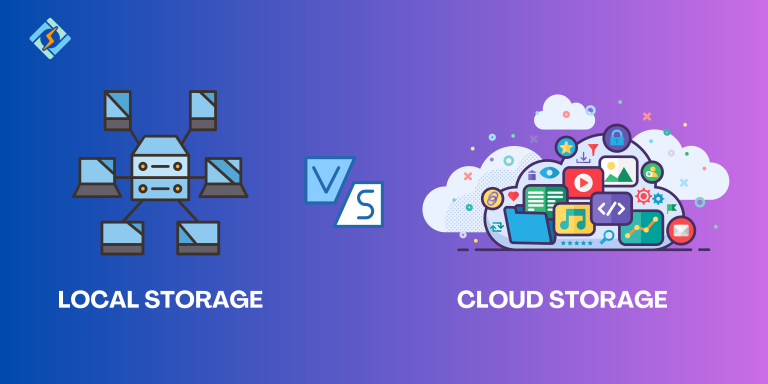
Every year, the world generates more data than the year before photos, videos, documents, backups, business records and in 2026, that number is expected to reach roughly 450 to 500 million terabytes per day. With that much data to manage, the question of where to actually store it matters more than ever. Should you rely on cloud storage, keep everything on local hardware, or use a mix of both?
The honest answer is that cloud storage and local storage aren’t really competing options they have fundamentally different characteristics, and the “better” choice depends heavily on your specific needs, budget, and how you use your data. In this article, we’ll break down both options in detail: cost, security, accessibility, and reliability, so you can decide which setup or combination makes sense for you.
What Is Cloud Storage?
Cloud storage means your files are stored on remote servers, maintained by a third-party provider, and accessed over the internet. Services like Google Drive, Dropbox, OneDrive, iCloud, and pCloud are the most familiar consumer examples, while businesses often rely on larger platforms like AWS S3, Google Cloud Storage, and Azure Blob Storage.
What Is Local Storage?
Local storage means keeping your files on physical hardware that you own and control internal hard drives, SSDs, external drives, USB flash drives, or a home/business NAS (Network-Attached Storage) system. There’s no third party involved, and access doesn’t depend on an internet connection.
Cost Comparison
Cost is usually the first thing people compare, but it’s more nuanced than a simple price-per-gigabyte number.
Local storage requires a larger upfront investment. A 5TB NAS system, for example, typically costs somewhere between €500 and €760 to set up. Once you’ve paid for the hardware, however, there are no recurring monthly fees the cost stays fixed unless you need to expand capacity or replace failing drives.
Cloud storage works differently you pay a recurring subscription instead of a large upfront cost. For instance, OneDrive offers 1TB for under $100 a year, while pCloud offers 500GB for around $5 a month, or roughly 10TB for about $300 a year. These numbers look reasonable on their own, but they add up significantly over time: that same pCloud plan costs $600 over two years and $900 over three years for the same 10TB.
For businesses using enterprise cloud platforms like AWS, Azure, or Google Cloud, pricing gets even more complex. The headline per-gigabyte rate is only part of the bill providers also charge for retrieval fees, egress (data transfer out) charges, API operation costs, and replication overhead. In practice, real-world spend often runs two to five times higher than the advertised storage rate once these extra costs are factored in.
The bottom line on cost: Local storage tends to be cheaper over a multi-year period, especially for large volumes of data, but it requires a bigger upfront payment. Cloud storage spreads the cost out and requires no maintenance, but the recurring fees accumulate and can eventually cost more than owning the hardware outright.
Accessibility and Convenience
This is where cloud storage clearly has the advantage. Because your files live on remote servers, you can access them from any device with an internet connection your phone, laptop, tablet, or a work computer halfway across the world. A photo taken on your phone in the field can automatically sync to your computer by the time you’re back at your desk something local storage alone simply cannot do.
Local storage, by contrast, ties your files to specific physical devices. Without setting up a personal server or remote-access system, you generally can’t reach your files unless you’re physically connected to the drive they’re stored on. This makes local storage less convenient for people who work across multiple devices or locations, but it also means your access never depends on an internet connection or a third-party service staying online.
Security and Privacy
Security is one of the more nuanced parts of this comparison, because both options carry different types of risk.
With local storage, your data physically stays with you. There’s no third party that can access, scan, or be breached remotely but you’re also fully responsible for protecting it. If your drive is stolen, damaged by fire or water, or simply fails with age, and you don’t have a separate backup, your data can be gone permanently.
With cloud storage, your provider handles redundancy and infrastructure security major cloud services maintain backups across geographically separated data centers, making them resilient even against natural disasters. However, you’re trusting a third party with your data, and that comes with its own risks: potential data breaches, changing privacy policies, and the possibility of losing access if you can’t keep up with subscription payments. Some providers, like Internxt, specifically emphasize end-to-end (zero-knowledge) encryption to address these privacy concerns.
The bottom line on security: Local storage puts you in full control but also full responsibility. Cloud storage offloads redundancy and disaster protection to the provider, but requires a baseline of trust in that provider’s security practices.
Reliability and Disaster Recovery
Hardware fails it’s not a matter of if, but when. A local hard drive or SSD can crash without warning, and without a proper backup strategy, that can mean permanent data loss. This is why experts generally recommend the “3-2-1 rule” for local backups: three copies of your data, on two different types of media, with one copy stored off-site.
Cloud storage is inherently designed with this kind of redundancy built in. Providers typically replicate your data across multiple data centers automatically, so a single server failure doesn’t put your files at risk. This is a major reason cloud storage is often used specifically as a backup layer, even by people and businesses who primarily rely on local storage for everyday work.
Speed and Performance
For day-to-day file access, local storage is almost always faster. Reading and writing files from a local SSD or hard drive doesn’t depend on your internet connection speed, so tasks like editing large video files or working with large datasets tend to feel more responsive locally.
Cloud storage performance depends heavily on your internet connection. Uploading or downloading large files can be slow, especially on limited bandwidth, and working directly with large files stored only in the cloud (rather than synced locally) can introduce noticeable lag.
Scalability
Cloud storage scales far more easily. Need more space? In most cases, you simply upgrade your plan, and the additional capacity is available almost instantly, without buying or installing new hardware.
Local storage scaling means physically adding more drives or upgrading to larger-capacity hardware — which takes planning, budget, and sometimes technical know-how, especially for businesses managing large-scale storage systems like a NAS or on-premises server.
Hybrid Storage: Getting the Best of Both
Many individuals and businesses are increasingly landing on a middle ground: hybrid storage, which combines cloud and local storage together. A common approach is keeping frequently accessed files locally for speed and offline access, while using cloud storage as an automatic backup layer for disaster recovery and remote access. This is particularly popular in business environments where teams need fast local access but also require offsite redundancy and collaboration features. Selective sync tools — which let you choose which folders download to which device make this hybrid setup even more practical, keeping your local device lightweight while your full archive stays accessible through the cloud.
Quick Comparison Table
Factor |
Cloud Storage |
Local Storage |
|---|---|---|
Upfront cost |
Low to none |
Higher (hardware purchase) |
Recurring cost |
Yes, subscription-based |
No, one-time cost (aside from replacements) |
Long-term cost (large volumes) |
Can exceed local storage over time |
Usually cheaper over multiple years |
Accessibility |
Access from anywhere with internet |
Tied to physical device/location |
Speed |
Depends on internet connection |
Generally faster, no internet needed |
Security control |
Provider-managed, trust-dependent |
Fully in your control |
Disaster resilience |
Built-in redundancy across data centers |
Requires manual backup strategy |
Scalability |
Instant, upgrade a plan |
Requires new hardware |
Best for |
Remote access, collaboration, backup |
Speed, large local files, no recurring fees |
Which One Should You Choose?
The right choice really comes down to how you work and what matters most to you:
- If you need remote access and team collaboration, cloud storage is the clear winner — nothing beats being able to access and share files from anywhere.
- If you’re storing large volumes of data long-term and want to avoid recurring fees, local storage is usually more cost-effective over a multi-year period.
- If speed and offline access matter most (e.g., video editing, large datasets), local storage will generally perform better.
- If disaster recovery and automatic backups are a priority, cloud storage’s built-in redundancy is hard to replicate on your own without significant effort.
- If you want the benefits of both, a hybrid approach local storage for daily work, cloud storage for backup and remote access is increasingly the most practical setup for both individuals and businesses.
Conclusion
There’s no universal answer to whether cloud storage or local storage is “better” — both solve different problems, and the right decision depends entirely on your priorities. Cloud storage wins on accessibility, collaboration, and built-in disaster resilience, making it ideal for anyone who works across multiple devices, needs to share files with a team, or simply wants peace of mind that their data is backed up somewhere safe. Local storage wins on long-term cost efficiency, speed, and full control over your own data, making it a strong choice for people managing large volumes of files or those who prefer not to depend on a subscription or an internet connection.
For most individuals and businesses in 2026, the smartest approach isn’t choosing one over the other it’s combining them. Keep your actively used files locally for speed and convenience, and use cloud storage as your safety net for backup, remote access, and collaboration. This hybrid model gives you the reliability of physical control alongside the flexibility of the cloud, without forcing you to compromise on either. Before deciding, take stock of how much data you actually manage, how often you need remote access, and how much you’re willing to spend recurringly versus upfront that, more than any single feature, will tell you which setup truly fits your needs.
FAQs
1. Is cloud storage cheaper than local storage? It depends on the time frame. Cloud storage usually has a lower upfront cost, but recurring subscription fees can add up and eventually exceed the cost of local hardware, especially for large amounts of data stored over several years.
2. Is cloud storage safer than local storage? Not necessarily “safer,” just different. Cloud storage offers built-in redundancy across multiple data centers, protecting against hardware failure and disasters, but it also requires trusting a third party with your data. Local storage keeps data fully in your control but makes you solely responsible for backups and protection against theft, damage, or failure.
3. Can I access local storage remotely, like cloud storage? Not by default. Local storage is tied to the physical device it’s stored on. You can set up remote access systems or a personal server to access it from elsewhere, but this typically requires more technical setup than cloud storage, which offers remote access out of the box.
4. What happens if I stop paying for cloud storage? Most providers will restrict or eventually delete your data if you don’t upgrade to a plan that fits your storage usage or stop paying entirely, so it’s important to keep your subscription current or export your data before canceling.
5. Is local storage faster than cloud storage? Generally, yes. Local storage isn’t limited by your internet connection speed, so tasks like reading, writing, and editing large files tend to feel more responsive compared to working with files stored only in the cloud.
6. What is hybrid storage, and is it worth using? Hybrid storage combines cloud and local storage, letting you keep frequently used files locally for speed while backing up your full archive to the cloud for redundancy and remote access. It’s increasingly popular for both individuals and businesses because it balances the strengths of both approaches.
7. Do businesses need both cloud and local storage? Many do. Businesses often use local or on-premises storage for fast, day-to-day access and cloud storage for offsite backup, disaster recovery, and remote team collaboration — rather than relying on just one system for everything.
8. How much does local storage hardware typically cost? It varies by capacity, but a NAS system with around 5TB of storage typically costs between roughly €500 and €760 as an upfront investment, with no recurring fees afterward aside from eventual drive replacements.
9. What is the 3-2-1 backup rule, and why does it matter for local storage? It’s a recommended backup strategy: keep three copies of your data, on two different types of storage media, with one copy stored off-site. It matters because local hardware can fail without warning, and this rule reduces the risk of permanent data loss.
10. Which is better for personal photos and videos — cloud or local storage? Cloud storage is generally more convenient for personal photos and videos since it automatically syncs across devices and protects against losing memories to hardware failure. However, pairing it with a local backup gives you added protection and avoids relying entirely on a subscription service.
