

Video editing has become an essential skill in today’s digital era whether you’re a YouTuber, a film student, a content creator, or simply someone who enjoys editing home videos. While high-end video editing laptops often cost upwards of $2000, not everyone has that kind of budget. The good news is that you can still get powerful laptops for under $1000 that handle video editing tasks smoothly.
In this guide, we’ll explore the best laptops for video editing under $1000 in 2025, focusing on performance, portability, battery life, display quality, and overall value for money.
We’ll also answer key questions like:
-
What specs matter most for video editing?
-
Can budget laptops handle 4K editing?
-
Which models are best for Adobe Premiere Pro, DaVinci Resolve, and Final Cut alternatives?
Let’s dive in.
Best Laptops for Video Editing Under $1000 in 2025
Here’s our curated list:
1. Acer Nitro 5 (2023/2024 Models)
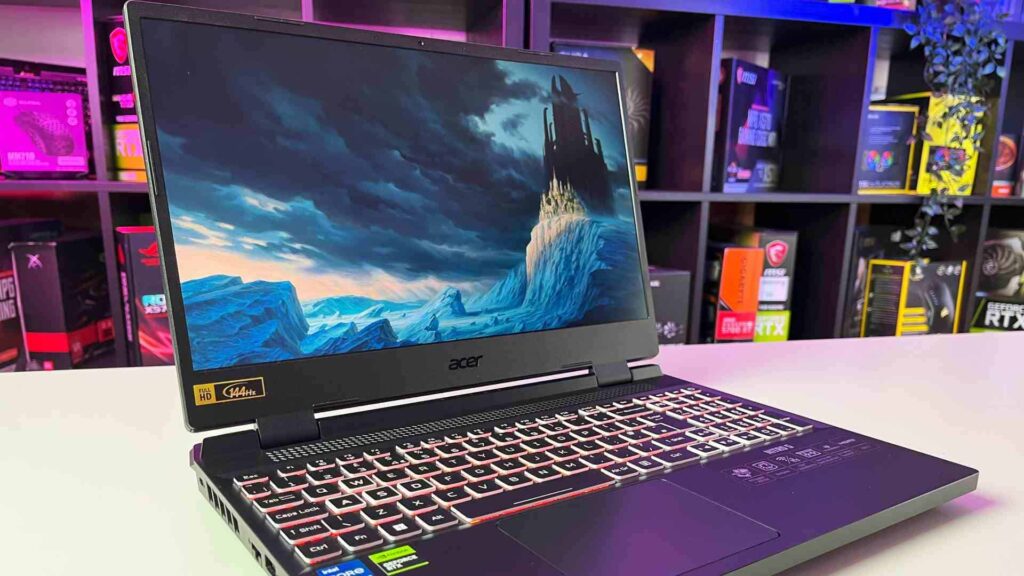
💰 Price: ~$950
🖥 Specs: Intel Core i5-12500H / NVIDIA RTX 3050 / 16GB RAM / 512GB SSD / 15.6″ FHD 144Hz
-
Why It’s Great:
-
Strong gaming laptop performance that doubles as a video editing powerhouse.
-
RTX 3050 GPU supports CUDA acceleration in Adobe Premiere Pro.
-
Excellent cooling system.
-
-
Best For: Editors handling 1080p and light 4K projects.
2. HP Victus 16

💰 Price: ~$980
🖥 Specs: AMD Ryzen 7 5800H / NVIDIA GTX 1660 Ti / 16GB RAM / 512GB SSD / 16.1″ FHD
-
Why It’s Great:
-
Large display gives more workspace for editing timelines.
-
Strong CPU for rendering.
-
Good value for under $1000.
-
-
Best For: Students and YouTubers who need an affordable large-screen laptop.
3. Dell Inspiron 15 7000

💰 Price: ~$899
🖥 Specs: Intel Core i7-1260P / Intel Iris Xe Graphics / 16GB RAM / 1TB SSD / 15.6″ FHD
-
Why It’s Great:
-
Sleek and lightweight, making it portable for travel creators.
-
Large 1TB SSD storage for big video files.
-
Iris Xe handles 1080p editing with ease.
-
-
Best For: Casual editors and creators who prioritize portability.
4. Lenovo Legion 5 (Older Model Deals)
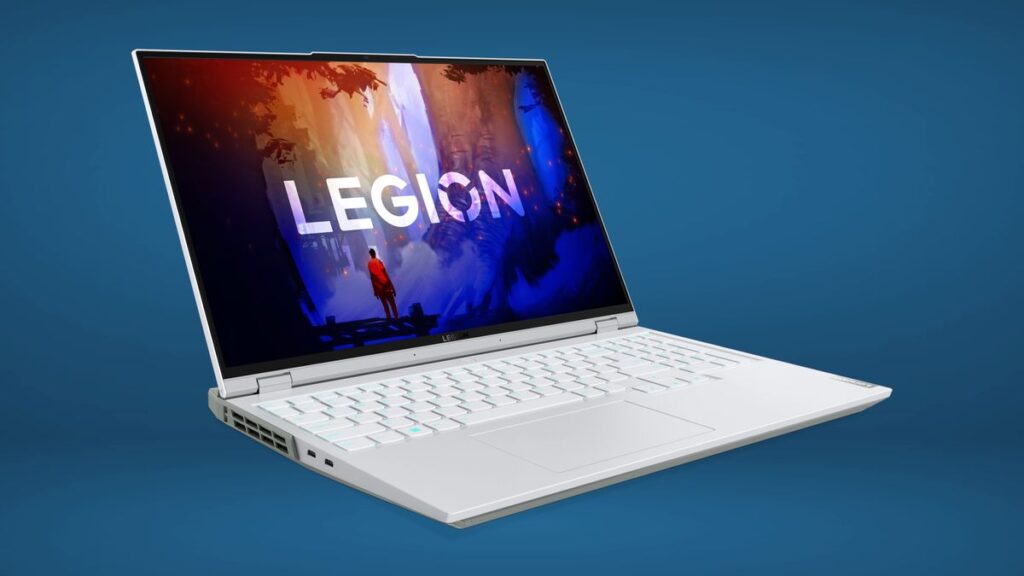
💰 Price: ~$999
🖥 Specs: AMD Ryzen 7 5800H / NVIDIA RTX 3050 Ti / 16GB RAM / 512GB SSD / 15.6″ FHD 120Hz
-
Why It’s Great:
-
Gaming laptop-grade performance with solid thermals.
-
RTX GPU ensures faster rendering and smoother timeline scrubbing.
-
Strong build quality.
-
-
Best For: Editors working with DaVinci Resolve.
5. ASUS VivoBook Pro 15 OLED
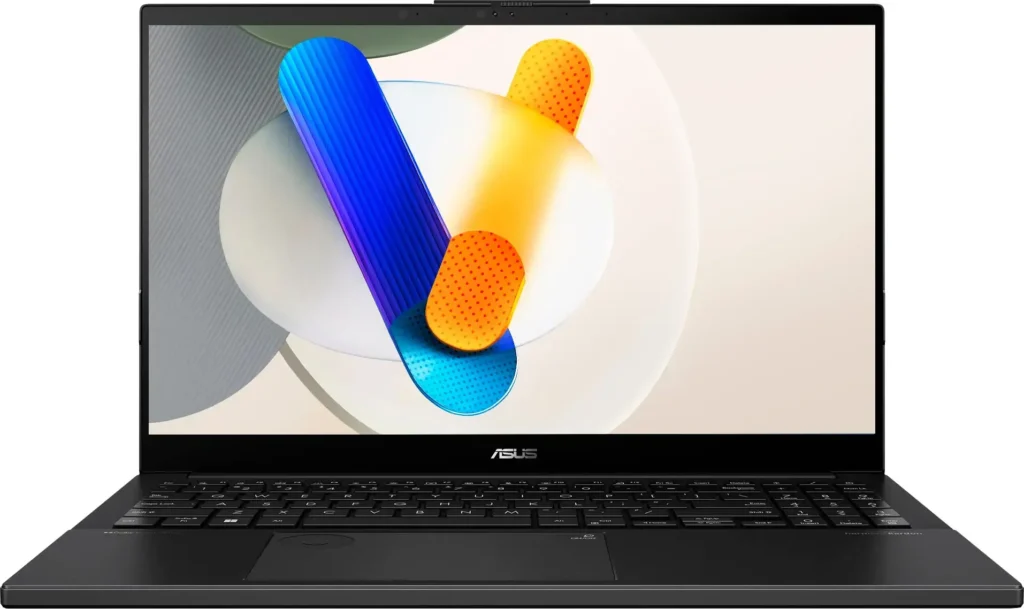
💰 Price: ~$950
🖥 Specs: AMD Ryzen 7 5800H / NVIDIA GTX 1650 / 16GB RAM / 512GB SSD / 15.6″ OLED 1080p
-
Why It’s Great:
-
OLED display with stunning colors—perfect for color grading.
-
Slim and portable compared to bulky gaming laptops.
-
Affordable yet powerful.
-
-
Best For: Creators who care about color accuracy.
6. MSI GF63 Thin

💰 Price: ~$899
🖥 Specs: Intel Core i5-12450H / NVIDIA RTX 3050 / 16GB RAM / 512GB SSD / 15.6″ FHD
-
Why It’s Great:
-
One of the lightest gaming laptops with RTX power.
-
Affordable price with solid editing performance.
-
Reliable MSI build quality.
-
-
Best For: Budget-conscious video editors.
7. Apple MacBook Air M1 (Refurbished/New Deals)
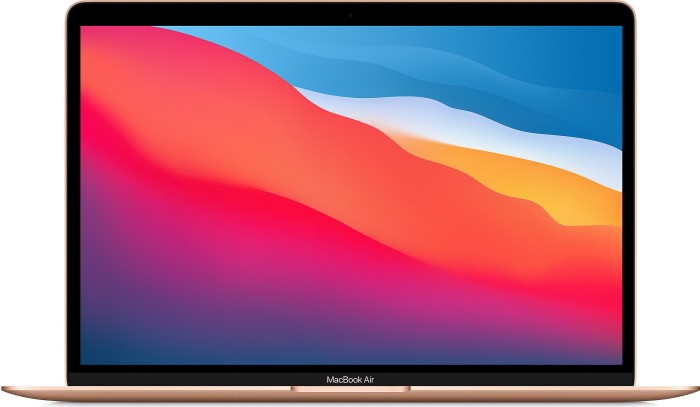
💰 Price: ~$899–$999
🖥 Specs: Apple M1 Chip / 8–16GB RAM / 256–512GB SSD / 13.3″ Retina Display
-
Why It’s Great:
-
Apple’s M1 chip still delivers fantastic performance for Final Cut Pro.
-
Ultra-portable, fanless, and silent.
-
Excellent color-accurate Retina display.
-
-
Best For: Mac users who prefer Final Cut or iMovie.
Can You Edit 4K Videos on a Laptop Under $1000?
Yes—but with some caveats:
-
A dedicated GPU (RTX 3050/3050 Ti) is highly recommended.
-
For smooth 4K playback, at least 16GB RAM is needed.
-
Proxy editing (lower-resolution preview files) can help reduce lag.
If you’re working with professional 4K/8K footage, you may eventually need a workstation laptop, but these under-$1000 laptops handle entry-level 4K editing well.
Tips for Getting the Best Video Editing Performance
-
Upgrade RAM if possible – Many budget laptops allow RAM upgrades.
-
Use external SSDs – Speeds up storage and keeps projects organized.
-
Keep software optimized – Update Adobe Premiere Pro, DaVinci Resolve, or Filmora for better performance.
-
Use cooling pads – Prevent thermal throttling during long rendering sessions.
-
Close background apps – Free up CPU and RAM for editing.
What to Look for in a Video Editing Laptop Under $1000
Before buying, it’s important to understand the specs that truly matter:
-
Processor (CPU) – Look for at least an Intel Core i5/i7 (12th or 13th gen) or AMD Ryzen 5/7 (5000–7000 series). These provide multi-core performance needed for rendering and multitasking.
-
Graphics Card (GPU) – A dedicated GPU (like NVIDIA GTX 1650, RTX 3050, or AMD Radeon 6000 series) is preferred, though integrated GPUs like Intel Iris Xe can handle lighter editing.
-
RAM – Minimum 16GB RAM is ideal for smooth editing. If you only get 8GB, ensure it’s upgradable.
-
Storage (SSD) – SSD is a must. Look for at least 512GB NVMe SSD to store projects and ensure fast file access.
-
Display – A 15.6-inch Full HD (1920×1080) IPS panel with good color accuracy (sRGB/AdobeRGB coverage) is essential.
-
Battery Life – At least 6–8 hours is good for portable editing.
-
Ports – Multiple USB-C/Thunderbolt, HDMI, and SD card readers are valuable for creators.
FAQs
1. What’s more important for video editing: CPU or GPU?
Both matter. CPU handles encoding/rendering, while GPU accelerates effects and playback.
2. Is 8GB RAM enough?
It works for basic editing, but 16GB is highly recommended.
3. Do I need a 4K display for editing?
Not necessarily. A 1080p IPS/OLED display with good color accuracy is enough. You can always preview final cuts on a 4K monitor.
4. Can Chromebooks edit videos well?
Not for professional work. Stick to Windows or Mac laptops for serious editing.
5. Which laptop is best overall under $1000?
For Windows: Acer Nitro 5 (RTX 3050)
For Mac: MacBook Air M1
For Color Grading: ASUS VivoBook Pro OLED
Conclusion
Finding the best laptop for video editing under $1000 doesn’t mean compromising on quality. Whether you’re editing YouTube videos, wedding films, or short documentaries, today’s budget-friendly laptops can handle demanding tasks with ease.
-
Best Power & Performance: Acer Nitro 5, Lenovo Legion 5
-
Best Display for Editing: ASUS VivoBook Pro 15 OLED
-
Best Value Portable Option: Dell Inspiron 15 7000
-
Best for Mac Users: MacBook Air M1
By focusing on the right CPU, GPU, RAM, and display, you can invest in a laptop that gives you professional-level editing capabilities without breaking the bank.
![NSCocoaErrorDomain Could Not Find the Specified Shortcut [Error Code 4 Fix]](https://techarticle.net/wp-content/uploads/2025/01/What-is-Errordomainnscocoaerrordomainerrormessagecould-not-find-the-specified-shortcut.errorcode4-660x371-2-75x75.webp)