
Access, Manage, and Secure Your Xfinity Email—Plus the Latest Yahoo Migration Info.
What Is Connect.Xfinity.com Email?
The Portal
Connect.Xfinity.com is the official webmail portal for Xfinity (formerly Comcast) email customers. It’s where you log in to access your @comcast.net inbox, manage folders, and adjust settings—all tied directly to your Xfinity internet account [citation:1][citation:7].
Why It Matters in 2025–2026
Xfinity is migrating all @comcast.net email accounts to Yahoo Mail through 2026. If you haven’t migrated yet, you’ll see prompts at connect.xfinity.com. After migration, you’ll access the same email at mail.yahoo.com—but your address stays the same [citation:2][citation:10].
Who This Is For
Xfinity Internet Customers • Longtime Comcast Users • Small Business Owners • Remote Professionals • Anyone with @comcast.net email – Whether you’re a new user or have had your email for years, this guide covers access, migration, and troubleshooting.
Key Features of Xfinity Email & Yahoo Migration
Webmail Access
Sign in at connect.xfinity.com with your Xfinity ID (full email) and password. Two-factor authentication available for extra security [citation:3][citation:7].
Yahoo Mail Upgrade
Free upgrade to Yahoo Mail with enhanced security, AI inbox organization, and a top-rated mobile app. Your address, messages, and folders stay the same [citation:2].
Spam & Phishing Protection
Advanced filters block 99% of spam. Report phishing to [email protected] with “Phishing Email” in subject [citation:5].
Built-in Calendar
After Yahoo migration, enjoy an easy-to-use calendar that syncs across devices—perfect for scheduling [citation:2].
Attachment Limits
Emails with attachments over 25 MB won’t migrate automatically. Check your inbox for notifications and download them within 30 days [citation:2].
Third-Party Client Support
Use Outlook, Apple Mail, or Android with IMAP settings. After Yahoo migration, you’ll need to update configurations [citation:3][citation:10].
Why Manage Your Connect.Xfinity.com Email
🔐 Account Security
Enable two-factor authentication to protect your email and Xfinity services from unauthorized access [citation:3].
📲 Mobile Access
After Yahoo migration, use the Yahoo Mail app for push notifications and seamless mobile experience [citation:2][citation:10].
📂 Data Preservation
Proper migration ensures your folders, contacts, and messages transfer—but note folder limits (4,100 max) [citation:2].
Common Scenarios for Xfinity Email Users
New Xfinity Customer
Just signed up for internet? Your @comcast.net email is ready. Log in at connect.xfinity.com to activate [citation:3].
Yahoo Migration Pending
You received an email invitation. Sign in to connect.xfinity.com and accept Yahoo’s terms to upgrade [citation:2].
Mobile Setup
Configure your email on iPhone or Android using IMAP settings. After migration, switch to Yahoo Mail app [citation:3][citation:10].
Forgot Password
Reset at xfinity.com/password. Use recovery email or phone to verify identity [citation:10].
How to Access & Manage Your Email in 7 Steps
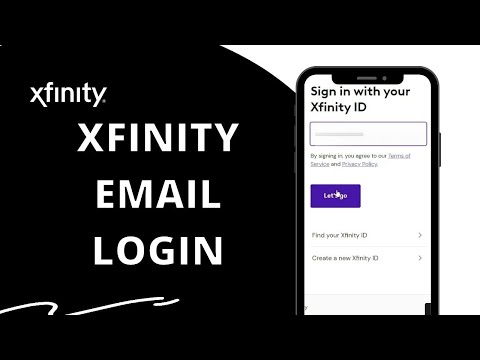
Go to Connect.Xfinity.com
Open your browser and navigate to the official webmail portal. This is the starting point for all email access [citation:1][citation:7].
Enter Your Xfinity ID & Password
Your Xfinity ID is your full email address (e.g., [email protected]). Password is case-sensitive [citation:3][citation:7].
Complete Two-Factor Authentication
If enabled, approve via push notification, code, or fingerprint. Highly recommended for security [citation:3][citation:7].
Check for Yahoo Migration Prompt
If you see an invitation to upgrade, accept Yahoo’s terms. This preserves all emails and folders [citation:2][citation:4].
Set Up Third-Party Clients (Optional)
Use IMAP settings: Server imap.comcast.net port 993 (SSL), SMTP smtp.comcast.net port 587 (TLS) [citation:3][citation:10].
Recover Deleted Emails Quickly
Right-click Trash folder → Recover Deleted Items. You have 30 days before permanent deletion [citation:10].
After Migration: Use Yahoo Mail
Access your email at mail.yahoo.com or via Yahoo Mail app. Update third-party clients with Yahoo settings [citation:2][citation:10].
Xfinity Email: Before vs. After Yahoo Migration
✅ After Migration (Yahoo Mail)
- ✔️ Enhanced Security: Advanced threat protection [citation:2].
- ✔️ AI-Powered Inbox: Smart organization and search [citation:2].
- ✔️ Top-Rated Mobile App: Push notifications, clean interface [citation:2].
- ✔️ Built-in Calendar: Sync across devices [citation:2].
- ✔️ 1TB Storage: More space for emails and attachments.
❌ Before Migration (Legacy Xfinity)
- ✖️ Limited Mobile App: Old app retired [citation:10].
- ✖️ Basic Spam Filters: More phishing risks [citation:5].
- ✖️ No AI Organization: Manual folder management only.
- ✖️ 10GB Limit: Smaller storage capacity [citation:3].
- ✖️ Calendar Less Intuitive: Basic functionality.
Ready to Upgrade Your Email Experience?
Don’t wait until the last minute—migrate to Yahoo Mail today and enjoy better security, more features, and a top-rated app.
Your email address stays the same • Free upgrade
Frequently Asked Questions
1. What is connect.xfinity.com?
It’s the official webmail portal for Xfinity email customers. You log in there to access your @comcast.net inbox [citation:1][citation:7].
2. Do I have to migrate to Yahoo Mail?
It’s optional but recommended. If you don’t migrate, you’ll eventually lose access. Migration keeps your address and data [citation:2][citation:10].
3. Will I lose my emails during migration?
No—messages, folders, and contacts transfer. Exception: attachments over 25 MB go to a separate folder; download within 30 days [citation:2].
4. How do I reset my Xfinity password?
Go to xfinity.com/password. Enter your ID, choose verification method (email/phone), and follow prompts [citation:10].
5. Can I use Xfinity email on my iPhone?
Yes—use IMAP settings: imap.comcast.net port 993 (SSL), smtp.comcast.net port 587 (TLS). After migration, use Yahoo Mail app [citation:3][citation:10].
6. What happens if I cancel Xfinity internet?
You keep email access for 90 days if you signed in before cancellation. Then, sign in every 9 months to maintain it [citation:10].
7. How do I recover deleted emails?
Log in, right-click Trash folder → “Recover Deleted Items.” You have 30 days before permanent deletion [citation:10].
8. Why don’t I see the Yahoo migration prompt?
Invitations roll out gradually through 2026. If you clicked through before, try clearing cache or contacting support [citation:4].
9. What’s the storage limit?
Before migration: ~10GB. After Yahoo migration: 1TB with more advanced features [citation:3][citation:2].
10. How do I report spam or phishing?
Forward suspicious emails to [email protected] with “Phishing Email” in the subject line [citation:5].
Need Personalized Help?
Xfinity Support is available 24/7. Contact them for account-specific issues, migration problems, or technical assistance.
Final Summary: Stay Connected with Confidence
Your connect.xfinity.com email is more than just an inbox—it’s a gateway to your digital life. With the ongoing migration to Yahoo Mail through 2026, now is the time to ensure you’re set up for success.
Remember: your email address stays the same, but you gain enhanced security, AI-powered organization, and a modern mobile experience. Whether you’re accessing via web, setting up on a new phone, or troubleshooting login issues, this guide has you covered.
⚡ Don’t wait until access is interrupted. Sign in today, accept your migration invitation if you see it, and enjoy a faster, safer, smarter email experience.
Your upgraded inbox is waiting.
