
In a world dominated by high-end graphics and complex gaming mechanics, there’s something uniquely satisfying about retro-style games. One such hidden treasure is Google Block Breaker, a nostalgic, brick-breaking game that pays homage to the classic Breakout arcade of the 1970s. While it may not be widely advertised, Google Block Breaker still excites users looking for a quick, fun, and nostalgic diversion.
In this article, we’ll explore what Google Block Breaker is, how to find and play it, why it became popular, and how it reflects Google’s long-standing tradition of Easter eggs and hidden games. Let’s dive in!
What Is Google Block Breaker?
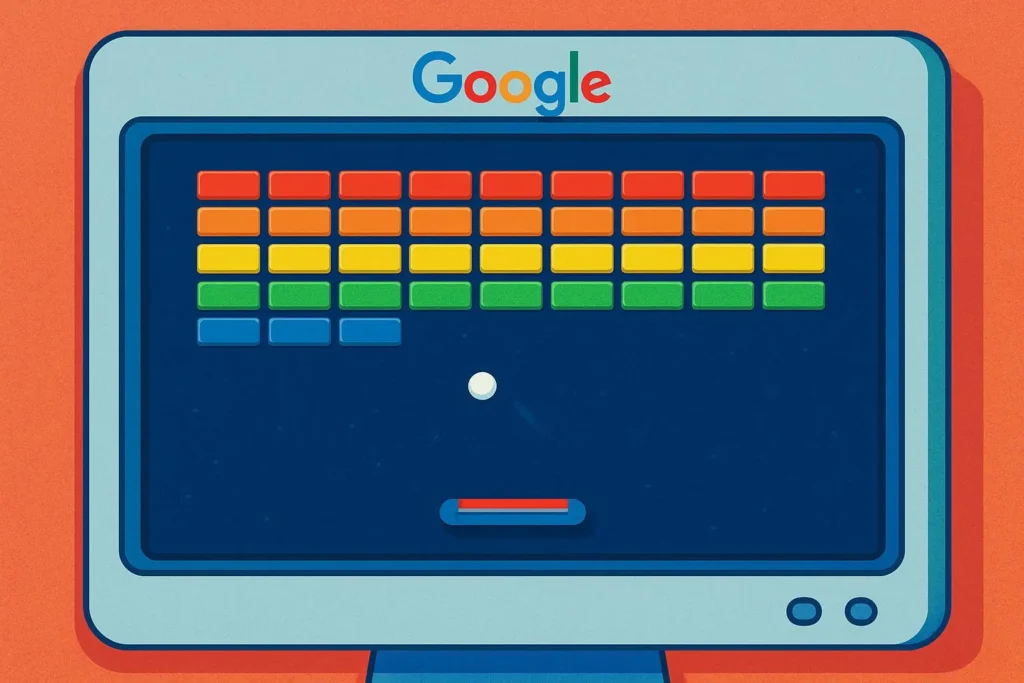
Google Block Breaker is a hidden browser-based mini-game inspired by Atari Breakout, where you control a paddle and bounce a ball to destroy blocks on the screen. The game was originally embedded as an Easter egg in Google Images, offering users a playful experience during their search sessions.
The game combines simple mechanics with Google’s signature creativity, turning something ordinary—like an image search into a fun and engaging activity.
A Brief History: Inspired by Atari Breakout
The idea behind Google Block Breaker stems from the Atari Breakout game released in 1976. Created by Steve Wozniak and Steve Jobs at Atari, Breakout was one of the earliest and most influential video games ever made.
In 2013, Google honored this classic game by hiding it inside Google Image Search. If you searched for “Atari Breakout” in Google Images, the screen would transform into a playable block-breaking game using the image thumbnails as the bricks.
This creative Easter egg was a hit among nostalgic users and retro gaming fans.
How to Play Google Block Breaker (Step-by-Step Guide)
Even though the original game is not active in Google Images anymore, there are still ways to play Google Block Breaker. Here’s how:
Method 1: Play via Archive or Clones
Since the original game is no longer available through Google Images, fans and developers have preserved or recreated it. You can still enjoy the same gameplay experience through these websites:
-
Visit websites like:
-
Click on “Play” to start the game
-
Use your keyboard or mouse to control the paddle
-
Hit the ball to destroy all the blocks
-
Don’t let the ball fall—keep bouncing it!
Method 2: Search for “Atari Breakout” on elgooG
-
Go to https://elgoog.im
-
Type “Atari Breakout” in the search bar
-
Select the game from the results
-
Enjoy the same original gameplay in your browser
Controls and Game Mechanics
The game is very simple to understand:
Action |
Control |
|---|---|
Move paddle |
Left and right arrow keys (or mouse) |
Launch ball |
Game auto-starts or click to begin |
Game over |
When you miss the ball too often |
Why Did Google Create Block Breaker?
Google has a long tradition of hiding Easter eggs and mini-games in its platforms. Here’s why:
1. Fun for Users
Google wanted to add some joy and surprise to everyday searches. Games like Block Breaker gave users a reason to smile.
2. Showcasing Creativity
It’s a creative way to engage users while demonstrating Google’s tech capabilities and love for innovation.
3. Honoring Gaming History
Google used this as a tribute to Atari and the early days of gaming—recognizing how those classics paved the way for today’s tech.
Other Hidden Google Games You Should Try
If you enjoy Google Block Breaker, you might also like these Easter egg games from Google:
Game |
How to Play |
|---|---|
Dino Game |
Go offline in Chrome and press Space bar |
Zerg Rush |
Search “Zerg Rush” on Google |
Pac-Man |
Search “Pac-Man” on Google and play in the Doodle |
Snake Game |
Search “Play Snake” or go to Google’s Snake game |
T-Rex Jump (Dark Mode) |
Visit https://elgoog.im/t-rex/ |
Is Google Block Breaker Still Available in Google Images?
Unfortunately, as of now, the original game has been removed from Google Image Search. This means searching “Atari Breakout” no longer launches the game.
However, thanks to websites like elgooG, the game has been preserved and is still available for anyone who wants to play it.
Best Devices and Browsers for Playing
You can play Google Block Breaker on almost any device, but for best experience:
-
Use a laptop or desktop
-
Use browsers like Google Chrome, Firefox, or Edge
-
Make sure JavaScript is enabled
-
Use full-screen mode for better visibility
Mobile works too, but controlling the paddle can be tricky without a physical keyboard.
Tips to Score High in Google Block Breaker
Here are some tips to improve your gameplay:
-
Stay Focused – The game gets faster as you break more blocks.
-
Use Edge Angles – Try to hit the ball with the paddle’s edge to control direction.
-
Avoid Repeating the Center – Bounce the ball to the corners where bricks are harder to reach.
-
Keep the Ball Alive – Don’t get distracted, or you’ll lose the ball quickly!
Educational Value and Mental Benefits
Even a simple game like Block Breaker has cognitive benefits:
-
🧠 Improves focus and hand-eye coordination
-
⏱️ Trains reaction time and attention span
-
🎯 Enhances strategic thinking and angle calculation
It’s not just fun—it’s good for your brain too!
Why We Still Love Retro Games Like Block Breaker
Retro games like Google Block Breaker are timeless. They offer:
-
✔️ Simple yet addictive gameplay
-
✔️ No downloads, no setup
-
✔️ Quick entertainment during breaks
-
✔️ A reminder of the early days of gaming
They prove that fun doesn’t always require fancy graphics or massive game files.
Conclusion: Reliving the Classics Through Google
Google Block Breaker is more than just a hidden game it’s a tribute to a classic era of gaming and a playful reminder that even technology giants like Google enjoy surprising their users.
Whether you’re playing it for fun, stress relief, nostalgia, or curiosity, Block Breaker offers a moment of retro joy right inside your browser.
If you’ve never tried it before give it a shot today. And if you’re already a fan, maybe it’s time to beat your old high score.
Frequently Asked Questions (FAQ)
1. What is Google Block Breaker?
Answer:
Google Block Breaker is a hidden retro-style game based on the classic “Atari Breakout.” It was once playable by searching “Atari Breakout” in Google Images, where the image results would turn into blocks that you had to break using a bouncing ball.
2. Can I still play Google Block Breaker today?
Answer:
Yes! Although the game is no longer available directly through Google Images, you can still play it on archive sites like elgoog.im/breakout, which preserves Google’s old Easter eggs.
3. How do I control the game?
Answer:
Use your mouse or keyboard arrow keys to move the paddle left and right. The goal is to bounce the ball and break all the blocks without letting the ball fall.
4. Is Google Block Breaker safe to play?
Answer:
Yes, as long as you use trusted sources like elgoog.im. Avoid shady or unknown websites that might contain ads or malware.
5. Why did Google remove it from Image Search?
Answer:
Google removes or updates Easter eggs periodically as it updates its services. While the exact reason isn’t public, it likely relates to performance and product updates.
6. Is there a mobile version of Block Breaker?
Answer:
While you can play it on mobile browsers, the experience is better on desktop due to easier paddle control. Some clone versions are also available on mobile app stores under different names.
7. Is Google Block Breaker the same as Atari Breakout?
Answer:
It’s inspired by Atari Breakout, but presented in Google’s creative way. Instead of bricks, Google used image search results as blocks, making the experience unique.
8. Are there other Google hidden games like Block Breaker?
Answer:
Yes! Google has many Easter egg games like:
-
Dino Game (offline Chrome)
-
Zerg Rush
-
Pac-Man Doodle
-
Snake Game
-
Solitaire, Minesweeper, and more (search them directly on Google)
9. Do I need to install anything to play Block Breaker?
Answer:
No installation is needed. It works directly in your web browser—just visit the website and play instantly.
10. Can I still play the game offline?
Answer:
No, Google Block Breaker requires an internet connection because it runs in the browser. If you’re looking for an offline game, try the Chrome Dino Game instead
