

If you’re serious about video editing, you need a machine that can keep up with your creative flow. That means a fast processor, a dedicated graphics card, and a healthy amount of RAM. While desktop computers have traditionally been the top pick for professional editors, modern laptops are quickly closing the gap and in some cases, even surpassing expectations. Thanks to powerful GPUs, lightning-fast SSDs, and stunning high-res displays, today’s laptops can handle everything from 4K video editing to color grading and special effects. Plus, you get the added bonus of editing from anywhere, whether you’re on set, on the go, or switching between home and studio. Let’s take a look at the top laptops for video editing in 2025 ,each one offering a great blend of performance and portability.
What to Look for in a Great Video Editing Laptop:
Before we get into the top picks, here are a few must-have specs to keep in mind:
-
Processor (CPU): Aim for at least an Intel Core i7 or AMD Ryzen 9
-
Graphics Card (GPU): A dedicated GPU like the NVIDIA RTX 40-series or AMD Radeon 7000-series
-
RAM: 16GB is the minimum, but 32GB or more is ideal
-
Storage: A fast SSD with at least 1TB for quicker access to big video files
-
Display: High resolution and color accuracy matter — OLED or mini-LED screens are best
Apple MacBook Pro 16” (M3 Max) — Best Overall
Perfect for Mac lovers and Final Cut Pro users
If you’re editing with Mac software like Final Cut Pro or DaVinci Resolve for Mac, the MacBook Pro 16″ with the M3 Max chip is a dream machine. It’s got serious power under the hood enough to handle heavy 4K timelines and visual effects with ease. Plus, the Liquid Retina XDR Display is absolutely gorgeous and super accurate for color work.
Key Specs:
-
Apple M3 Max chip (16-core CPU, 40-core GPU)
-
32GB to 64GB RAM
-
Up to 8TB SSD
-
16” Liquid Retina XDR Display (120Hz ProMotion)
-
Up to 22 hours of battery life

Why Pick It?
MacBook Pros are known for their efficiency, performance, and long-lasting battery. If you’re in the Apple ecosystem, this is hands down the best option.
ASUS ROG Zephyrus G16 — Best Windows Laptop
Ideal for editors who also game or multitask heavily
Don’t let the gaming branding fool you the Zephyrus G16 is a beast for video editing. With an Intel Core i9-14900HX and RTX 4090 graphics card, this laptop can chew through high-resolution edits and complex effects. The 16” Mini-LED display gives you accurate, punchy colors, making it perfect for creators who need precision.
Key Specs:
-
Intel Core i9-14900HX
-
NVIDIA RTX 4090 (16GB VRAM)
-
32GB DDR5 RAM
-
2TB SSD
-
16” Mini-LED (165Hz, 100% DCI-P3)

Why Pick It?
If you use Adobe Premiere Pro, After Effects, or DaVinci Resolve on Windows, this machine won’t disappoint.
Dell XPS 17 (2025) — Best Big-Screen Laptop
For editors who want a larger canvas to work with
Sometimes, size matters and the Dell XPS 17 delivers. Its massive 17” 4K touchscreen gives you a lot of room to work, while the combination of an Intel i9 chip and RTX 4080 GPU means top-tier performance. Its color accuracy and build quality make it a strong desktop replacement.
Key Specs:
-
Intel Core i9-14900H
-
NVIDIA RTX 4080 (12GB VRAM)
-
32GB RAM
-
1TB SSD
-
17” 4K Touch Display (100% AdobeRGB)

Why Pick It?
If you want that big, bold screen experience without needing an external monitor, this one’s perfect.
Razer Blade 16 — Best for High Refresh Rate Display
Great for editing slow-motion, gaming, or high-frame-rate footage
The Razer Blade 16 stands out for its dual-mode display letting you switch between 4K at 120Hz or 1080p at 240Hz. This kind of flexibility is great if you’re working with slow-mo footage or high-FPS gaming edits. Add in serious specs and a sleek design, and you’ve got a machine built for performance and speed.
Key Specs:
-
Intel Core i9-13950HX
-
NVIDIA RTX 4080 (16GB VRAM)
-
32GB DDR5 RAM
-
2TB SSD
-
16” Dual Mode Mini-LED Display

Why Pick It?
Editors working with high-FPS content or gaming videos will love the smooth playback and visual clarity.
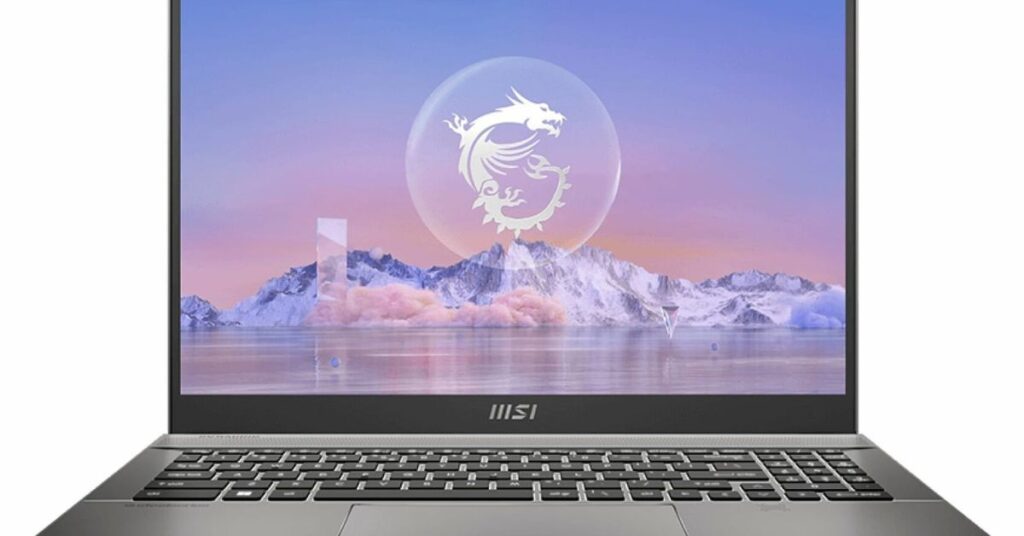
MSI Creator Z16 HX — Best for Creators and Designers
Tailor-made for creative professionals
MSI’s Creator Z16 HX is designed with content creators in mind. The color-accurate QHD+ touchscreen makes color correction and grading a breeze. Plus, the latest Intel chip and RTX 4070 GPU give you more than enough power for 4K editing, animations, or effects-heavy projects.
Key Specs:
-
Intel Core i9-14900HX
-
NVIDIA RTX 4070 (8GB VRAM)
-
32GB DDR5 RAM
-
1TB SSD
-
16” QHD+ Touchscreen (100% DCI-P3, 165Hz)
Why Pick It?
If you’re a filmmaker, photographer, or designer, this sleek machine is built to match your creative workflow.
Final Thoughts
All five of these laptops are excellent choices for video editing in 2025 , it really comes down to what fits your workflow best:
-
Want the best all-around experience? Go with the MacBook Pro 16” (M3 Max)
-
Prefer Windows and need raw power? Choose the ASUS ROG Zephyrus G16
-
Need a big screen to work comfortably? The Dell XPS 17 is your guy
-
Edit high-FPS content? The Razer Blade 16 is made for you
-
Want a creative-focused laptop with touch features? The MSI Creator Z16 HX won’t disappoint
No matter which you choose, you’re getting a capable, future-ready laptop that can handle even the most demanding editing projects.
Frequently Asked Questions (FAQ)
Can you edit 4K video on a laptop?
Yes, absolutely. Most high-end laptops today come with powerful processors, dedicated GPUs, and high-speed SSDs that make 4K editing smooth and efficient. Just make sure the laptop has at least 32GB RAM and a good cooling system.
Is a Mac or Windows laptop better for video editing?
It depends on your editing software and personal preference. Macs (especially the MacBook Pro with M3 Max) are excellent for Final Cut Pro and have top-tier displays. Windows laptops offer more variety, customization, and are often preferred by Adobe Premiere Pro and DaVinci Resolve users.
How much RAM do I need for video editing in 2025?
For HD editing, 16GB is the bare minimum. For 4K and above, 32GB or more is strongly recommended to avoid lag during rendering, multitasking, or effects processing.
What’s more important for video editing: CPU or GPU?
Both matter. The CPU handles encoding, decoding, and general performance, while the GPU accelerates rendering, effects, and real-time previews. For serious editing, you need a strong combination of both.
Do I need a 4K display for video editing?
Not necessarily, but it helps especially for working on 4K footage or detailed color grading. What matters more is color accuracy (100% sRGB or DCI-P3 coverage) and brightness levels. A high-resolution display like QHD+, 4K, or OLED is ideal
