
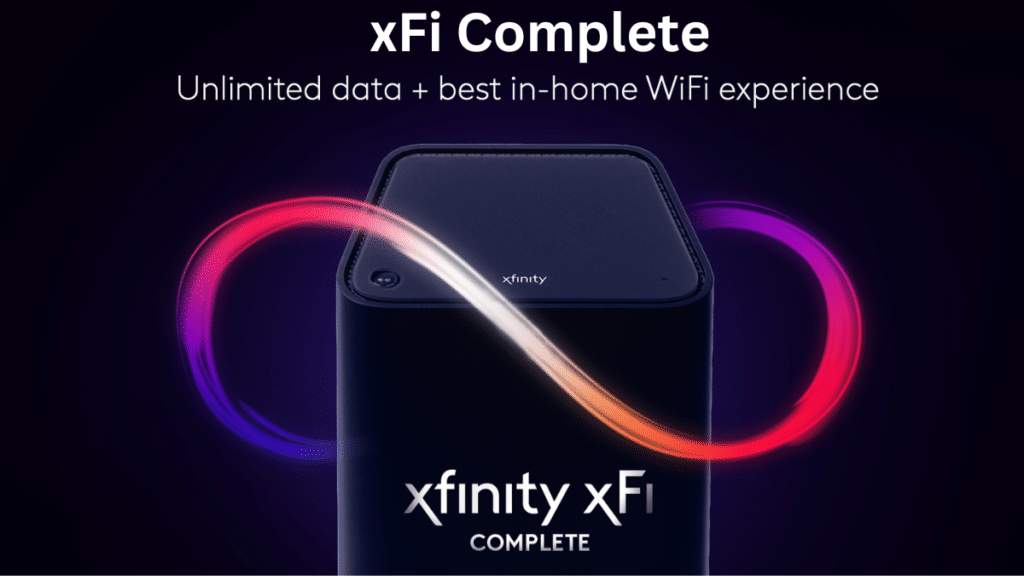
In today’s hyper-connected world, having a reliable, secure, and fast home internet setup is more important than ever. With remote work, 4K streaming, online gaming, smart devices, and IoT appliances all competing for bandwidth, a strong home network is not a luxury it’s a necessity. That’s where xFi Complete by Xfinity (Comcast) comes in. But in 2025, with countless options available, the real question is: Is xFi Complete worth the upgrade?
This detailed review dives deep into xFi Complete’s features, pricing, performance, pros and cons, and whether it delivers enough value to justify the upgrade. Whether you’re a current Xfinity customer or exploring home WiFi solutions, this guide will help you decide.
1. What Is xFi Complete?
xFi Complete is a premium service offered by Xfinity, designed to deliver an upgraded home internet experience. It combines the xFi Gateway modem-router combo with whole-home mesh WiFi, advanced security features, and unlimited data in a single subscription.
Think of it as Comcast’s answer to Google Nest WiFi, Eero, or Netgear Orbi—but fully integrated with your Xfinity Internet service.
2. What’s Included in xFi Complete?
As of 2025, here’s what you get with xFi Complete:
-
xFi Gateway (latest model with Wi-Fi 6E support)
-
xFi Advanced Security, powered by AI-based threat detection
-
Unlimited data (no overage charges)
-
Whole-home WiFi with xFi Pods (mesh WiFi extenders)
-
24/7 customer support and a self-service app
-
Automatic firmware and security updates
-
Parental controls and usage tracking
3. xFi Gateway vs. xFi Complete
Here’s how they differ:
Feature |
xFi Gateway Only |
xFi Complete |
|---|---|---|
WiFi Router & Modem |
✅ |
✅ |
Unlimited Data |
❌ |
✅ |
xFi Pods (Mesh) |
❌ |
✅ |
Advanced Security |
Basic |
Full Protection |
Monthly Rental |
$14/mo |
$25/mo |
Best For |
Small homes |
Larger homes / families |
4. xFi Complete Features Breakdown
Let’s dive deeper into each core component of the service.
a. xFi Gateway (Wi-Fi 6E)
The newest gateway in 2025 supports Wi-Fi 6E, delivering:
-
Faster speeds (up to 10 Gbps depending on your plan)
-
Lower latency
-
Better performance in device-heavy homes
This device is dual-purpose—serving as both modem and router—reducing clutter and compatibility headaches.
b. Unlimited Data
With xFi Complete, you avoid Xfinity’s 1.2 TB data cap. In a world where 4K streaming, Zoom calls, and game downloads are the norm, unlimited data is a huge advantage.
c. Whole-Home WiFi with xFi Pods
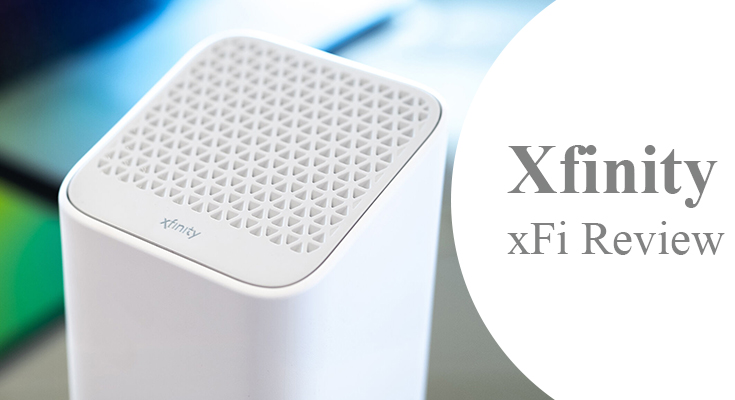
If your home has dead zones, xFi Pods (mesh WiFi extenders) will distribute your signal evenly across multiple floors and walls.
d. xFi Advanced Security
This is one of the most underrated features—it blocks suspicious websites, prevents malware infections, and provides real-time alerts through the app.
5. Advanced Security with xFi Complete
In 2025, cybersecurity is a top concern for families and remote workers alike. xFi Complete’s advanced security uses machine learning algorithms to:
-
Monitor all connected devices
-
Block phishing attacks and unsafe downloads
-
Alert users of suspicious activity
-
Automatically isolate compromised devices
Unlike third-party antivirus solutions, this works at the network level, so even smart TVs, thermostats, and printers are protected.
6. Whole-Home WiFi Coverage with xFi Pods
The average home in 2025 contains over 25 connected devices. xFi Pods ensure no device is left behind, especially in:
-
Multi-story homes
-
Large apartments
-
Basements and garages
-
Outdoor patios or smart gardens
Pods are plug-and-play, and the xFi app walks you through setup and positioning.
7. Performance & Speed in 2025
Performance has improved significantly in 2025 with:
-
Wi-Fi 6E and DOCSIS 4.0 support
-
Reduced network congestion
-
Lower latency for gamers and streamers
-
Seamless roaming between rooms
-
Faster upload speeds (great for content creators and Zoom users)
Real-world tests show average speeds of 700–1000 Mbps depending on your plan and location.
8. Setup and Installation
Xfinity makes setup straightforward:
-
Self-install kit ships to your home
-
Use the xFi app to activate and position devices
-
The app includes a speed test, device manager, and security dashboard
Installation typically takes 15–20 minutes.
9. Pricing and Cost Comparison
As of July 2025:
Package |
Price |
What You Get |
|---|---|---|
xFi Gateway Only |
$14/month |
Basic modem/router |
xFi Complete |
$25/month |
Gateway + Unlimited Data + Pods + Security |
Buy Your Own Equipment |
One-time $300+ |
Must manage yourself |
Third-party Mesh System (e.g., Nest) |
$250–$500 |
Separate from ISP, no security or data perks |
While $25/month may seem steep, if you were paying for:
-
Data overages ($10 per 50 GB)
-
Antivirus software ($50/year)
-
Mesh routers ($300+)
…it actually saves money in the long run.
10. Who Should Upgrade to xFi Complete?
Ideal For:
-
Large households
-
4K streamers and gamers
-
Smart homes with many devices
-
Remote workers and home-based businesses
-
Families who want parental controls
Not Ideal For:
-
Studio apartments with one or two devices
-
People already using high-end custom routers
-
Those who prefer owning their modem/router
11. xFi Complete vs Other Options
Feature |
xFi Complete |
Google Nest |
Eero |
Netgear Orbi |
|---|---|---|---|---|
Integrated with ISP |
✅ |
❌ |
❌ |
❌ |
Unlimited Data |
✅ |
❌ |
❌ |
❌ |
Built-in Security |
✅ |
Optional |
Optional |
Optional |
Monthly Price |
$25 |
Varies |
Varies |
Varies |
Ease of Setup |
Very Easy |
Moderate |
Moderate |
Advanced |
App Support |
Excellent |
Good |
Good |
Good |
12. Real User Reviews and Testimonials
Here’s what real users are saying in 2025:
Sarah W. – New York:
“I work remotely and need stable Zoom calls. xFi Complete gave me flawless coverage throughout my brownstone. Worth every penny.”
Jason M. – Los Angeles:
“I didn’t realize how much I needed the security features. I get alerts if a smart lightbulb acts up—it’s genius.
13. Pros and Cons
Pros:
-
Unified service with one provider
-
Excellent performance and speed
-
Includes unlimited data
-
Network-level security for all devices
-
Simple installation and app interface
-
Parental controls and time limits
-
Reliable customer support
Cons:
-
$25/month adds up over time
-
Locked to Xfinity internet
-
Limited advanced router settings for techies
-
Not transferable to other ISPs
-
Some may prefer owning their hardware
14. Final Verdict: Is It Worth It in 2025?
If you’re looking for a plug-and-play, secure, and reliable internet experience in 2025, xFi Complete is absolutely worth the upgrade.
The value comes from its all-in-one solution:
-
No more worrying about overage fees
-
No need to buy your own mesh system
-
Advanced protection without added software
-
Coverage across your entire home
-
Easy to manage everything via one app
For most modern families and professionals, xFi Complete makes life easier, safer, and faster.
Verdict: ⭐️⭐️⭐️⭐️⭐️ (5/5) — Best Home Internet Upgrade for 2025
15. FAQ – xFi Complete 2025
Q: Can I buy my own router and avoid the $25/month fee?
Yes, but you’ll lose access to xFi Pods, advanced security, and unlimited data unless you pay separately.
Q: Are xFi Pods included with xFi Complete?
Yes! Xfinity provides them if your home needs them after evaluating coverage.
Q: Does xFi Complete work with 2.4GHz and 5GHz devices?
Yes, it supports dual- and tri-band, including the 6GHz band with Wi-Fi 6E.
Q: How do I know if I need xFi Complete?
If you have poor WiFi in some rooms, frequently go over your data cap, or need better network security, it’s a great fit.
Q: Can I cancel xFi Complete anytime?
Yes, it’s month-to-month, though Xfinity policies may vary by region.
