
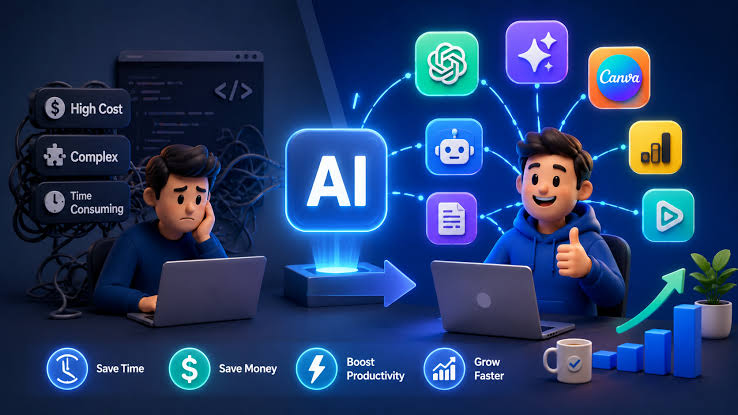
Running a small business often means wearing way too many hats at once. You’re the marketer, the customer service rep, the bookkeeper, and the person answering emails at 11 PM, sometimes all in the same day. The good news is that AI tools have gotten genuinely useful, not just hype, and most of them don’t require any technical skill to start using. This guide walks through the best AI tools small business owners should consider in 2026, organized by what they actually help with, so you can pick the ones that fit your biggest time drains, explained in simple, easy words.
Before diving in, one quick note: pricing and features for AI tools change frequently, so treat the numbers mentioned here as a general guide rather than a guaranteed, locked-in price. Always check the tool’s official website for current pricing before subscribing.
Why AI Tools Matter for Small Businesses in 2026
AI adoption among small businesses has grown fast. A large majority of small business owners have already started using at least one AI tool in their daily operations, and the average small business now uses several different tools across different parts of the business. The appeal is simple: AI handles repetitive, time-consuming tasks like drafting emails, summarizing meetings, or answering common customer questions, freeing up owners to focus on things that actually need a human touch, like relationships, strategy, and creative decisions.
It’s worth remembering that AI works best as a helper, not a replacement. The businesses getting real value from AI tend to use it to remove busywork, not to eliminate the personal touch that makes small businesses stand out in the first place.
1. Content and Marketing Tools
ChatGPT (Free & Paid)
ChatGPT remains one of the most widely used AI tools for small businesses, and for good reason. It’s genuinely useful for drafting marketing copy, brainstorming content ideas, writing product descriptions, and even outlining business plans. The free tier is enough for many solo business owners, while paid plans unlock faster responses and more advanced features for businesses that rely on it heavily.
Claude (Free & Paid)
Claude has become a strong option for small businesses that need help with writing, analysis, and more nuanced tasks like reviewing contracts or summarizing long documents. It’s particularly useful for business owners who want thoughtful, well-structured written content rather than quick, generic output.
Jasper (Paid)
Jasper is built specifically for marketing content at scale, making it a good fit for businesses that regularly produce blog posts, ad copy, or social media content and want brand-consistent output across a team.
2. Design Tools
Canva AI (Free & Paid)
Canva remains one of the easiest ways for non-designers to create professional-looking graphics, social media posts, and marketing materials. Its AI features can generate design suggestions, remove backgrounds, and resize content automatically for different platforms. The free version covers a lot of ground, while the paid plan adds more templates, brand kits, and premium assets.
3. Customer Service Tools
Freshdesk (Free & Paid)
Freshdesk uses AI to help manage support tickets, suggest responses, and organize customer inquiries, which is especially useful for small teams that can’t dedicate a full-time person to customer support.
Zendesk AI / Intercom (Paid)
Both platforms offer AI-powered chatbots and ticket routing systems that can handle common customer questions automatically, escalating more complex issues to a human when needed. These tend to be a better fit for growing businesses with higher customer support volume.
AI Virtual Receptionists (Paid)
Some communication platforms now offer AI-powered virtual receptionists that can answer calls, schedule appointments, and route inquiries after hours, which is useful for service-based businesses that don’t want to miss calls outside business hours.
4. Automation Tools
Zapier (Free & Paid)
Zapier connects different apps and automates repetitive tasks, like saving email attachments to cloud storage, adding new customers to a CRM automatically, or sending follow-up emails after a form submission. The free plan is enough for simple, low-volume automation, while paid tiers unlock more complex, multi-step workflows.
Make (Free & Paid)
Similar to Zapier, Make offers visual workflow automation, often appealing to users who want more customization over how their automated processes work.
5. Communication and Productivity Tools
Grammarly (Free & Paid)
Grammarly checks writing for grammar, tone, and clarity across emails, documents, and online content. It’s a simple but genuinely useful tool for making sure business communication comes across as professional and clear.
Notion AI (Free & Paid)
Notion combines project management and documentation with built-in AI features that can summarize notes, generate content, and answer questions about your own workspace data. It’s useful for keeping SOPs, meeting notes, and project tracking organized in one place.
Microsoft 365 Copilot (Paid)
For businesses already using Word, Excel, PowerPoint, and Outlook, Copilot integrates directly into those tools, helping draft documents, summarize emails, and analyze spreadsheet data without needing separate software.
6. Meeting and Transcription Tools
Otter.ai (Free & Paid)
Otter.ai transcribes meetings in real time and generates summaries with action items, which is helpful for business owners who want accurate records of calls and meetings without manually taking notes.
Fathom (Free & Paid)
Fathom offers a similar meeting-recording and summarization feature, often noted for its generous free tier, making it accessible for very small teams or solo entrepreneurs.
7. Phone and Call Management Tools
Dialpad / CloudTalk (Paid)
These platforms use AI to transcribe calls, analyze customer sentiment, and provide coaching insights for sales or support calls, which can be valuable for small businesses that rely heavily on phone-based customer interactions.
8. Video and Content Creation Tools
HeyGen (Free & Paid)
HeyGen allows businesses to create AI-generated video content, including product explainers or marketing videos, without needing a full video production setup. This is especially useful for businesses wanting to add video marketing without a large budget.

9. CRM and Sales Tools
HubSpot (Free & Paid)
HubSpot’s free CRM tier is popular among small businesses for managing customer relationships, tracking leads, and organizing sales pipelines, with AI features built in to help draft follow-up emails and summarize customer interactions.
Salesforce (Paid, with a Free Suite Option)
Salesforce offers a free suite option for smaller businesses just getting started with CRM, alongside more advanced paid tiers as your customer base and sales team grow.
10. Research and Knowledge Tools
Perplexity (Free & Paid)
Perplexity works as an AI-powered research assistant, useful for quickly gathering information, competitor research, or market trends without manually digging through multiple search results.
How to Choose the Right AI Tools for Your Business
With so many options available, it’s easy to feel overwhelmed. Here’s a simple approach to narrowing things down:
- Identify your biggest time drain first. Instead of trying every tool at once, figure out which task eats the most time each week, whether it’s customer emails, content creation, or scheduling.
- Start with two or three tools, not ten. Most small businesses genuinely benefit most from a handful of well-integrated tools rather than a huge stack of subscriptions that never get fully used.
- Take advantage of free tiers first. Many of the tools mentioned above offer free versions that are more than enough for solo entrepreneurs or very small teams to test before committing to a paid plan.
- Make sure tools actually connect to your existing workflow. A tool that doesn’t fit naturally into how you already work is less likely to get used consistently, no matter how powerful it is.
- Revisit your toolset every few months. As your business grows, your needs change, so it’s worth periodically checking whether your current tools still make sense or whether an upgrade is needed.
Safety and Privacy Considerations
AI tools can genuinely save time, but it’s important to use them responsibly, especially when it comes to sensitive business or customer information.
- Review privacy policies before sharing sensitive data. Understand how a tool uses the information you input, especially for customer or financial data.
- Avoid pasting confidential information into tools you haven’t vetted. If you’re unsure about a tool’s data practices, it’s safer to avoid sharing sensitive details until you’ve confirmed how that data is handled.
- Choose reputable providers with clear business terms. Established platforms with clear privacy commitments are generally a safer choice than lesser-known tools with vague policies.
- Remember AI can make mistakes. Always review AI-generated content, whether it’s marketing copy, customer replies, or financial summaries, before publishing or acting on it.
Used thoughtfully, AI tools are safe and genuinely valuable. The real risk usually comes from careless data sharing rather than the technology itself.

Final Thoughts
AI tools in 2026 have moved well past the hype stage and into genuinely practical territory for small business owners. From drafting marketing content and managing customer support to automating repetitive admin tasks and organizing meetings, there’s a tool for nearly every time-consuming part of running a business. The key isn’t trying to adopt everything at once, it’s identifying your biggest pain points, starting with a few well-chosen tools, many of which offer solid free tiers, and using them responsibly. Done right, AI won’t replace the personal touch that makes your small business special, it’ll just free you up to focus more of your time on it.
FAQs (Frequently Asked Questions)
1. Do I need technical skills to use AI tools for my business? No, most modern AI tools are built for non-technical users, with simple interfaces and natural language commands, meaning you can often just type instructions in plain English rather than needing any coding knowledge.
2. Which AI tools are completely free for small businesses? Tools like ChatGPT’s free tier, Canva’s free plan, Zapier’s free plan, and Otter.ai’s free tier offer solid functionality without any cost, making them a good starting point before considering paid upgrades.
3. How many AI tools should a small business actually use? Most small businesses find the most value from around two to five well-chosen tools that address their biggest time drains, rather than trying to adopt a large number of overlapping subscriptions.
4. Are AI tools safe for handling customer data? Reputable AI tools with clear privacy policies are generally safe to use, but it’s important to review how each tool handles data and avoid sharing highly sensitive information with tools you haven’t fully vetted.
5. Will AI tools replace my employees? For most small businesses, AI is better understood as a way to remove repetitive tasks and support your team, rather than a replacement for the judgment, relationships, and creativity that people bring to a business.
6. What’s the best AI tool for customer service? It depends on your business size and needs, but tools like Freshdesk, Zendesk AI, and Intercom are commonly used to manage support tickets and automate responses to common customer questions.
7. Can AI tools help with marketing on a small budget? Yes, tools like ChatGPT, Canva, and Jasper can significantly reduce the time and cost of producing marketing content, making professional-looking marketing more accessible for businesses without a dedicated marketing team.
8. How do I know if an AI tool is worth paying for? A good rule of thumb is whether the tool saves meaningful time or money within the first few weeks of use. If a free tier already meets your needs, there’s no rush to upgrade until your usage genuinely outgrows it.
