
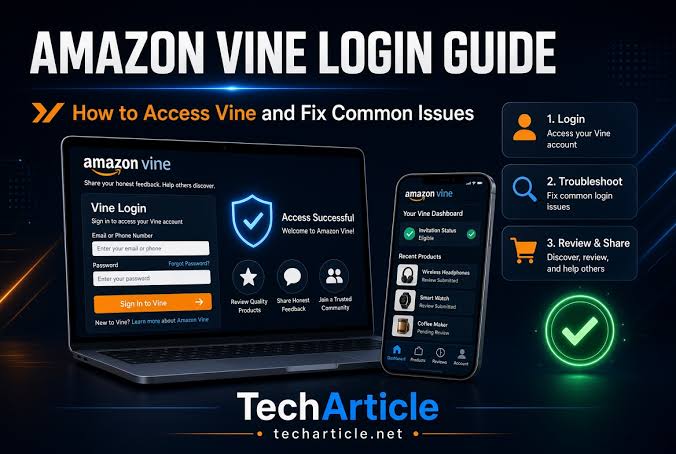
Amazon Vine is a program that allows selected Amazon customers, known as Vine Voices, to receive eligible products for free in exchange for honest and independent reviews. Because Vine is connected to an Amazon account, accessing the program normally starts with signing in through Amazon and then accessing the Vine section associated with an eligible account.
For people who are already part of the program, login problems can be confusing. A user may be able to sign in to Amazon normally but still be unable to access Vine. In other situations, a page may not load, a product selection may appear unavailable, or an account may no longer show the expected Vine options.
This guide explains Amazon Vine login, how Vine Voices access the program, common login problems, and practical steps that may help resolve them.
What Is Amazon Vine?
Amazon Vine is an invitation-based review program operated by Amazon. It is designed to help participating sellers and customers generate useful product feedback.
People selected to participate are commonly referred to as Vine Voices. Participants can browse products made available through the program and, depending on eligibility and program rules, request products to review.
The purpose of Vine is different from ordinary Amazon shopping. A Vine participant is not simply purchasing products for personal use. The participant is expected to provide an honest review based on their experience with the product.
Because the program is connected to Amazon accounts, users generally need to use their existing Amazon credentials rather than creating a completely separate Vine identity.
What Does Amazon Vine Login Mean?
“Amazon Vine login” generally refers to signing into the Amazon account associated with a user’s Vine participation and accessing the Vine program.
There is an important distinction between Amazon account access and Vine eligibility.
You may successfully sign in to your Amazon account but still not have access to Vine if your account has not been invited to participate or if your access has changed.
In other words, being able to log in to Amazon does not automatically mean that every Amazon customer can access Vine.
How to Sign In to Amazon Vine
If you are already a Vine Voice, the basic process is relatively straightforward.
Step 1: Open Amazon
Start by opening the Amazon website or Amazon account environment associated with your Vine participation.
Use the official Amazon website rather than links received through unknown emails, social media messages, or third-party websites.
Step 2: Select Sign In
Choose the normal Amazon sign-in option.
Enter the email address or mobile number associated with your Amazon account.
Step 3: Enter Your Password
Enter your Amazon account password.
If you have enabled additional account security, Amazon may request another verification step.
Step 4: Complete Security Verification
Depending on your account settings, Amazon may ask you to confirm your identity using a verification code or another security method.
Follow the instructions shown on the screen.
Step 5: Access Vine
Once you have successfully signed in, eligible Vine participants can access the Vine area associated with their account.
If the Vine section does not appear, do not immediately assume that your password is incorrect. The issue may be related to account eligibility, the website, browser settings, or another account-related problem.
Do You Need a Separate Amazon Vine Account?
Generally, Vine participation is connected to an existing Amazon customer account.
That means users should be careful when attempting to create a new Amazon account simply because they cannot find Vine.
Creating another account does not automatically provide Vine access.
If you were previously participating in Vine, it is usually more useful to confirm that you are signing into the same Amazon account associated with your participation.
This is particularly important for people who have multiple Amazon accounts using different email addresses or phone numbers.
Who Can Access Amazon Vine?
Amazon Vine is not an open program where every Amazon customer can simply register and begin requesting products.
Participation is based on Amazon’s program requirements and invitation process. Eligibility can also depend on factors determined by Amazon.
Therefore, searching for a public “Vine registration” form may lead to confusion.
If your account has not been invited to Vine, simply logging into Amazon will not necessarily provide access to the program.
What Is a Vine Voice?
A Vine Voice is a customer who participates in Amazon’s Vine program.
Vine Voices are expected to provide reviews based on their genuine experience with products they receive.
The purpose of the review is to provide useful information to other shoppers.
A good review should focus on the actual product experience. Depending on the product, this could include:
- Build quality
- Ease of use
- Features
- Performance
- Design
- Advantages
- Disadvantages
- Value or usefulness
- Whether the product performed as expected
Reviews should be honest rather than written simply to make a product appear positive.
Why Can’t I Log In to Amazon Vine?
There are several reasons someone might have trouble accessing Vine.
1. You Are Using the Wrong Amazon Account
This is one of the simplest possibilities.
If you have more than one Amazon account, check which email address or phone number you are using.
The Vine program is associated with a specific Amazon account, so signing into another account may not display Vine.
2. Your Password Is Incorrect
If Amazon itself does not allow you to sign in, the issue may simply be your password.
Use Amazon’s normal password recovery process instead of repeatedly guessing passwords.
3. Verification Is Not Working
Amazon may require additional account verification.
If you are not receiving a verification code, check whether the phone number or email address associated with your account is correct.
Also check spam or junk folders if verification is being sent by email.
4. Browser Problems
Sometimes a website behaves incorrectly because of browser settings or stored data.
You can try:
- Refreshing the page
- Opening the site in a private/incognito window
- Clearing relevant cookies and cached data
- Updating your browser
- Trying another supported browser
If the site works in a private window but not your normal browser, stored cookies or extensions may be contributing to the problem.
5. Temporary Website Problems
Online services can occasionally experience temporary technical problems.
If Amazon is experiencing a temporary issue, repeatedly changing your password may not solve the problem.
Waiting and trying again later can be useful when the problem appears to affect the service rather than your individual account.
Amazon Vine Login Works, But Vine Is Missing
This situation can be particularly confusing.
You may successfully sign into Amazon but find that Vine is not available.
That does not necessarily mean your Amazon login is broken.
Vine access is separate from ordinary Amazon shopping access. If your account does not currently have Vine participation, the relevant Vine features may not be available.
If you previously had access and it has suddenly disappeared, check your account information and any communications from Amazon. If the issue continues, Amazon’s official support channels are the appropriate place to ask about account-specific access.
What If the Vine Page Does Not Load?
If the Vine page is not loading correctly, try a few basic troubleshooting steps.
First, refresh the page.
Next, try opening the page in a private browser window.
You can also temporarily disable browser extensions that modify websites, such as certain privacy, script-blocking, or ad-blocking extensions.
If the page still does not work, try another browser or device.
A different result on another device can help identify whether the problem is connected to the original browser or device.
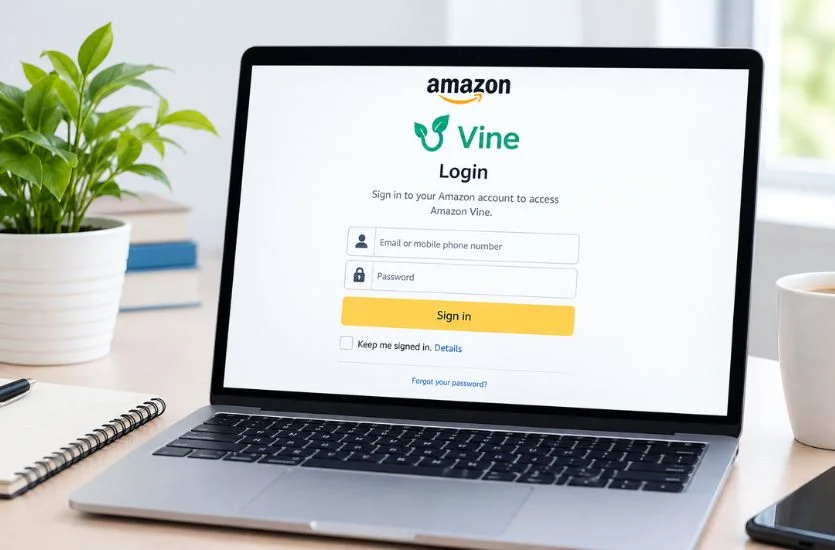
How to Reset an Amazon Password
If you cannot remember your Amazon password, use Amazon’s official account recovery process.
Avoid websites that claim they can “recover” your Vine account for a fee.
Never give your Amazon password or verification codes to another person.
A legitimate support representative should not require you to send sensitive login credentials through an unknown website or messaging service.
Amazon Vine Login and Account Security
Security is particularly important because your Amazon account may contain personal information, addresses, payment information, order history, and other account details.
Follow basic security practices:
Use a Strong Password
Avoid simple passwords that are easy to guess.
Do not reuse the same password across many unrelated services.
Protect Verification Codes
Never share one-time verification codes with people who contact you unexpectedly.
A scammer may claim that they need a code to verify your Vine account. Sharing it could allow someone to gain access to your account.
Watch for Phishing Messages
Be careful with messages that create urgency, such as:
“Your Vine account will be deleted today.”
“Click here to restore your Vine access.”
“Pay a fee to activate Vine.”
These messages can be designed to make users click malicious links or reveal account information.
When in doubt, open Amazon directly instead of clicking an unfamiliar link.
Is Amazon Vine Free?
Vine participation is not the same as purchasing a normal Amazon membership or subscription.
Users should be cautious of websites or individuals claiming that they can sell Vine membership or guarantee an invitation for a fee.
Vine access is controlled by Amazon under its own program rules.
If someone asks for money in exchange for guaranteed Vine enrollment, treat the offer carefully and verify information through official Amazon sources.
Why Are Vine Products Sometimes Unavailable?
Even after successfully accessing Vine, users may not always find products they want.
Product availability can change over time.
A product may become unavailable because:
- Another participant requested it
- The available quantity changed
- The product was removed
- The offer expired
- The program’s inventory changed
This is different from a login problem.
If you can access Vine normally but a particular product is unavailable, logging out and back in repeatedly may not make the product available again.
Can You Use the Amazon App for Vine?
The Amazon shopping experience and Vine program features may not always work in exactly the same way across devices.
If you cannot find a particular Vine feature in the mobile Amazon app, try accessing the relevant Amazon website through a desktop or mobile browser.
The browser experience may provide options that are not immediately visible inside an application.
Always use official Amazon services when signing in.
Common Amazon Vine Login Mistakes
Several simple mistakes can make troubleshooting more difficult.
Creating a New Account
If you already have Vine access, creating another Amazon account may only create additional confusion.
Sharing Login Information
Never give your Amazon password to another person who claims they can fix Vine access.
Using Unofficial Vine Websites
Be cautious with websites claiming to provide special Vine login pages or guaranteed invitations.
Assuming Every Login Problem Is a Vine Problem
If you cannot sign into Amazon at all, the issue may be an ordinary Amazon account problem rather than a Vine-specific issue.
Ignoring Browser Issues
Cookies, extensions, outdated browsers, and cached files can sometimes interfere with websites.

A Simple Amazon Vine Troubleshooting Checklist
If you are having trouble with Amazon Vine login, work through the following checklist:
- Confirm that you are using the correct Amazon account.
- Check your Amazon email address or phone number.
- Confirm your password.
- Complete any requested security verification.
- Refresh the page.
- Try a private or incognito browser window.
- Clear relevant browser data if necessary.
- Try another browser.
- Try another device.
- Check whether Amazon is experiencing a temporary service problem.
- Review official Amazon communications.
- Contact Amazon support if the issue appears to involve your account.
Working through the checklist one step at a time is usually more effective than changing several account settings at once.
How to Write Better Vine Reviews
Once you have successfully accessed Vine, the quality of your reviews matters.
A useful review should describe your actual experience rather than simply saying that a product is “good” or “bad.”
For example, instead of writing a very short statement, explain what you used the product for and what worked or did not work.
Useful review elements can include:
- What you used the product for
- How easy it was to set up
- How it performed
- What you liked
- What could be improved
- Whether the product matched its description
- Any important limitations you noticed
Avoid making claims you cannot verify.
If a product has a problem, explain the issue clearly and fairly. If it works well, explain why.
The goal should be to help another customer make a better-informed decision.
Final Thoughts
Amazon Vine login is essentially the process of accessing the Amazon account associated with Vine participation and reaching the Vine program as an eligible participant.
A successful Amazon login does not automatically guarantee Vine access because participation is based on Amazon’s program and eligibility requirements.
If you cannot access Vine, first confirm that you are using the correct Amazon account. Then check your password, verification process, browser, device, and internet connection. If the problem continues and appears to be account-specific, use Amazon’s official support options rather than relying on unofficial websites or individuals offering paid account recovery.
For Vine Voices, account security is equally important. Protect your password, never share verification codes, and be cautious of messages promising guaranteed Vine invitations or asking for payment.
Most importantly, remember that Vine is designed around genuine customer feedback. Once you have access, focus on writing clear, honest, useful reviews based on your actual experience. The best approach is not simply finding products but providing information that can genuinely help other shoppers understand them.
Frequently Asked Questions About Amazon Vine Login
1. How do I log in to Amazon Vine?
Sign in using the Amazon account associated with your Vine participation. After signing in, eligible Vine Voices can access the Vine section connected to their account.
2. Do I need a separate account for Amazon Vine?
No. Vine participation is generally connected to an existing Amazon customer account. Creating a new Amazon account does not automatically provide access to Vine.
3. Why can’t I access Amazon Vine after logging in?
Check that you are using the correct Amazon account. If you previously had Vine access and it is no longer available, the issue may be related to account eligibility or program access rather than your password.
4. What should I do if my Amazon Vine login is not working?
Check your email or phone number, confirm your password, complete any security verification, and try refreshing the page. You can also try a private browser window or another browser.
5. Is Amazon Vine available to every Amazon customer?
No. Amazon Vine is an invitation-based program, so simply having an Amazon account does not automatically provide Vine access.
6. What is a Vine Voice?
A Vine Voice is a customer who participates in Amazon’s Vine review program. Participants are expected to provide honest and useful reviews based on their experience with products.
7. Why is the Amazon Vine page not loading?
The problem could be related to your browser, stored cookies, extensions, device, internet connection, or a temporary website issue. Trying another browser or device can help identify the cause.
8. Can I reset my Amazon Vine password?
Your Vine access is connected to your Amazon account, so password recovery should be handled through Amazon’s standard account recovery process. Never give your password or verification code to another person.
9. Is Amazon Vine free to join?
Vine is an invitation-based Amazon program. Be cautious of websites or individuals asking for money in exchange for guaranteed Vine membership or invitations.
10. Why are some Vine products unavailable?
Product availability can change as inventory changes or other Vine participants request products. An unavailable product does not necessarily indicate a problem with your Vine account.
11. Can I access Amazon Vine from a mobile device?
Depending on the available features, you may be able to access Vine through a mobile browser or Amazon’s supported services. If a feature is difficult to find in the app, try the Amazon website through a browser.
12. How can I keep my Amazon Vine account secure?
Use a strong, unique password, protect verification codes, avoid suspicious links, and never share your Amazon login information with someone claiming they can activate or recover your Vine account.
